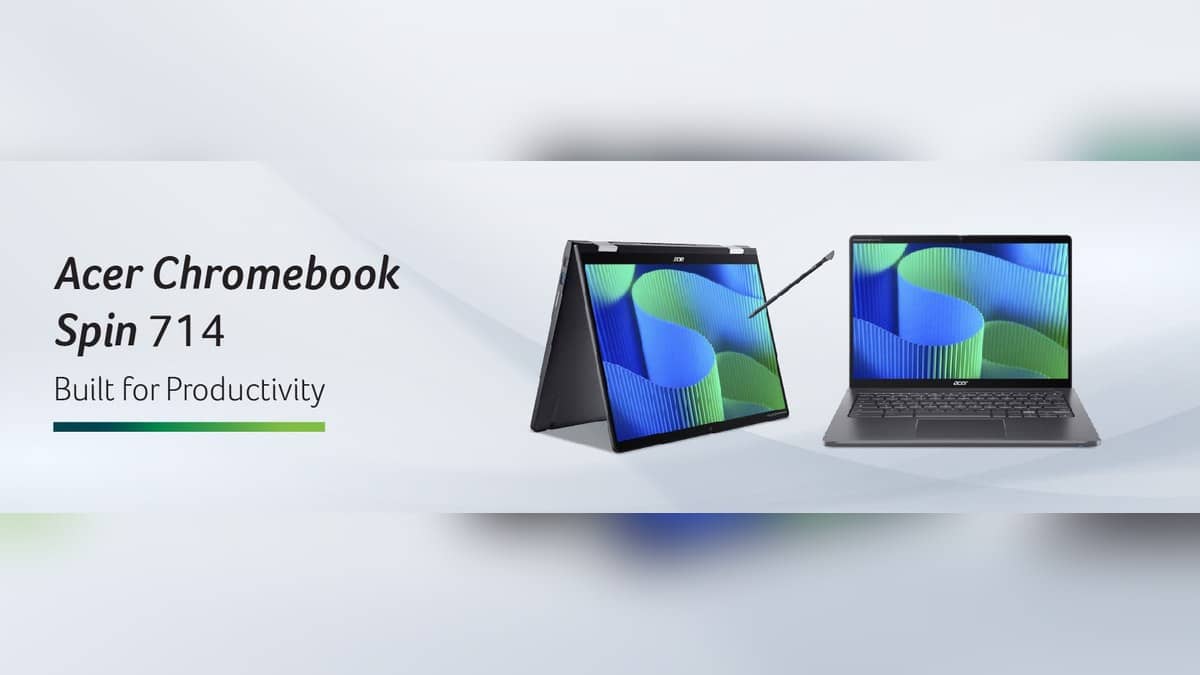
NEW DELHI: Google's automatic-update policy lists June 2032 for Acer Chromebook Spin 714 models CP714-1WN and CP714-2WN. An owner checking the CP714-2WN should match that complete code, then confirm the Update schedule shown in ChromeOS settings. The newer Chromebook Plus Spin 714 has a different entry, so the shared Spin 714 name alone is not enough to establish the support deadline.
| Device or check | Official detail |
|---|---|
| Chromebook Spin 714 | CP714-1WN, CP714-2WN: June 2032 |
| Chromebook Plus Spin 714 | CP714-1H, CP714-1HN, CPE794-1, CPE794-1N: June 2034 |
| Schedule location | Settings, About ChromeOS, Additional details |
| CP714-2WN family display | 14-inch WUXGA, 1920x1200 |
The model code matters more than the shop label
Acer's product page identifies the relevant family as CP714-2W/CP714-2WN. It describes a convertible with up to a 13th-generation Intel Core i7 processor and a touchscreen. Specifications vary by model and region. Those details help distinguish this generation from machines whose listings emphasise only Acer, Chromebook and a similar screen size.
Google's policy table separately lists the Plus Spin 714 codes with June 2034 support. That later date must not be transferred to the CP714-2WN simply because both machines use the same numerical family name. In an inventory, keep the code in its own field rather than relying on a photograph or a shortened description from a purchase record.
For an Indian household passing a working Chromebook from one student to another, the support calendar is a practical part of that handover. A usable hinge, bright display and healthy keyboard do not reveal how much official software support remains. Equally, a recent purchase date should not be read as a fresh support period starting on the day the invoice was issued.
Confirm the schedule on the computer
Select the time at the bottom right, open Settings, then choose About ChromeOS at the bottom left. Enter Additional details and look for Update schedule. Google's help page says this section shows when the Chromebook will receive its last update. Record the date alongside the model code so a later check does not begin from memory.
The distinction between sales and support is explicit in Google's guidance: the manufacturer controls the end-of-sale date, and it is not the same as eligibility for Google updates. An update deadline is also not a promise about the physical life of the battery or the manufacturer's repair arrangements. Keep those separate when evaluating an existing computer's next role.
This is a support-calendar guide for owners, not a claim that Acer currently sells this configuration in India. Acer's launch release says specifications, prices and availability vary by region. Its original North American or European launch figures cannot establish a present Indian retail price, and no such conversion is used here.
Install an available update before drawing conclusions
To check the installed software, connect to Wi-Fi and return to About ChromeOS. Under Google ChromeOS, review the version and select Check for updates. If an update is found, it downloads automatically. Finish through the restart notification. Google recommends keeping the machine connected to power to avoid an interruption caused by a depleted battery.
If the connection comes through a phone, ChromeOS may warn how much mobile data the update needs. That is useful for a student using a limited hotspot allowance: allow time and data for the download before beginning a class. For a managed school or work device that cannot update, Google's instructions direct the user to the administrator.
The CP714-2WN's convertible hardware helps explain why retaining software support matters beyond basic browsing. Acer describes a 16:10 touchscreen, a QHD 2K webcam and a privacy shutter. A machine used for handwritten work, web lessons and video meetings can remain useful across several tasks, but each user's required applications still need to be checked individually.
What the final-update message means
Google says a final software-update notification means ChromeOS and browser updates stop, including security updates, bug fixes and new features. Some existing features or applications may cease working. That makes the deadline a planning date for the computer's role, rather than a prediction that it will refuse to turn on immediately afterwards.
For other model-specific calendars, read our Acer Nitro XV272U X1 vs VG270 X1 price: VG270 X1 starts lower at Rs 10,999 and ASUS Chromebook Plus CX34 updates run to June 2032. Our Lenovo Chromebook Duet 3 support runs to June 2031: check your schedule covers a separate convertible workflow.
Official sources: Google update policy, schedule instructions, update steps and Acer's product page.