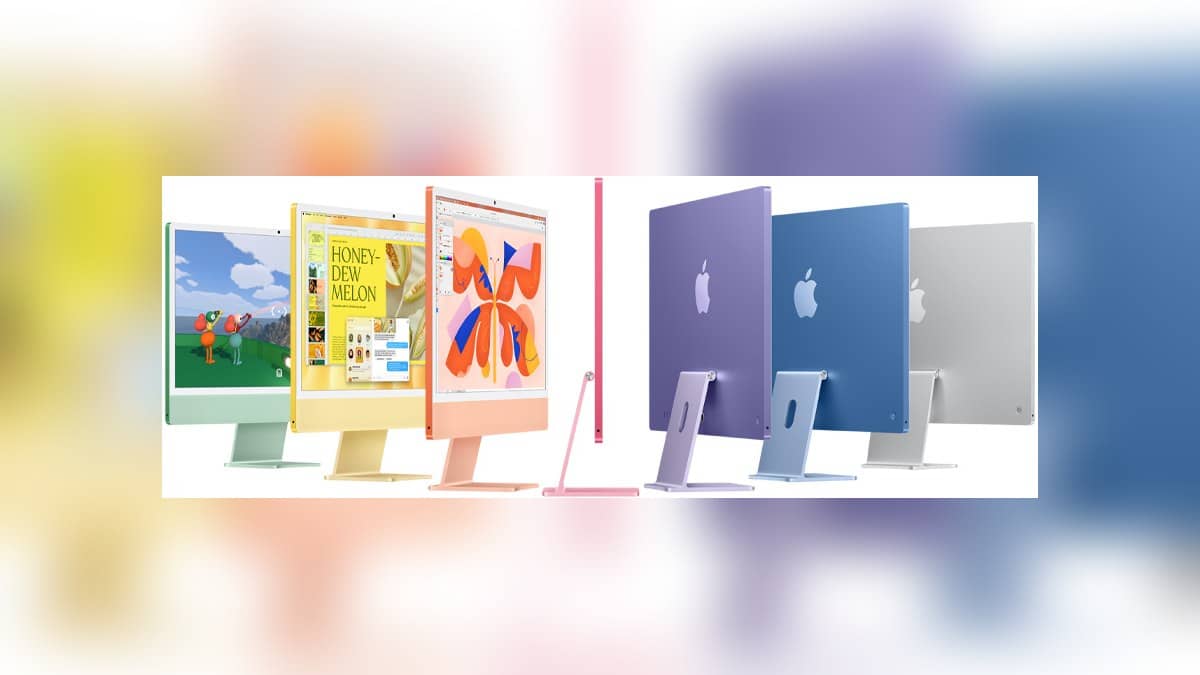
NEW DELHI: Apple's current nano-texture display instructions allow an Apple Polishing Cloth, a suitable microfibre cloth made for electronic displays, or a cotton blend with Elastane or SPANDEX. For an iMac M6 configured with nano-texture glass, 70% isopropyl alcohol is reserved for infrequent cleaning of stubborn smudges. The first check is the glass option, because the standard-screen instructions follow a separate route.
| Item | Apple's instruction or specification |
|---|---|
| iMac M6 display | 24-inch class, 4.5K Retina |
| Nano-texture | Optional on the higher configuration shown in India specifications |
| Routine nano-texture care | Use a suitable clean cloth listed in Apple's guidance |
| Stubborn smudges | Infrequent use of cloth moistened with 70% IPA |
| Washed polishing cloth | Air-dry for at least 24 hours |
Identify the glass before choosing the method
The India specification page shows two M6 configurations and lists nano-texture as a configurable option in the higher display column. It is not a description of every iMac screen. Check the order specification or configuration record before cleaning, particularly on a shared office machine whose current user did not place the original order.
Both display columns describe a 4.5K Retina screen with 4480x2520 resolution and 500 nits brightness. The advertised 24-inch class has an actual diagonal of 23.5 inches. Those common specifications do not tell an owner whether nano-texture was selected. Nor does the colour of the enclosure identify the glass treatment.
That matters at an Indian home-office desk where the iMac may serve as the family's main computer and the entire display is part of the machine. The cleaning routine should travel with the device's configuration record. A simple note describing its glass option is more useful to the next person cleaning the desk than an assumption based on how matte the screen looks in one room.
Use the current cloth guidance
Apple's dedicated nano-texture article, dated 22 October 2026, lists several suitable cloth choices. It includes a clean Apple Polishing Cloth, another microfibre cloth designed for electronic displays, and fabric combining cotton with Elastane or SPANDEX. It also says third-party microfibre polishing cloths can be bought. Owners reading an older instruction should check this current list before treating a branded replacement as the only permitted choice.
The 70% IPA instruction is narrower than a general cleaning recommendation. Apple permits moistening the cloth for hard-to-remove smudges, and describes that use as infrequent. It supplies neither a daily alcohol-cleaning schedule nor a reason to apply liquid every time dust appears. Begin by matching the type of mark to the appropriate instruction.
For the polishing cloth itself, Apple describes hand-washing with washing-up liquid and water, rinsing thoroughly, then leaving it to air-dry for at least 24 hours. Plan that drying period before washing the cloth needed for the next cleaning session. The stated interval belongs to the cloth, not to an iMac software setting or a mandatory service appointment.
Separate screen care from enclosure care
Apple's broader desktop guidance says to shut down the Mac and disconnect its power cord and connected devices before cleaning the exterior. Use a damp, soft, lint-free cloth for the enclosure, avoid moisture in openings and do not spray liquid directly onto the computer. The nano-texture link is provided separately for screens fitted with that finish.
For a standard iMac screen, the general article describes a clean, soft, lint-free cloth dampened with water, with 70% IPA available for stubborn smudges. It also rules out acetone-containing screen cleaners. Follow the relevant screen branch instead of combining every instruction for Apple laptops, tablets and desktop displays into one homemade procedure.
On a busy shared desk, a useful arrangement is to keep the display cloth apart from the cloth used on the computer's exterior. This is a suggested organisational habit, not an additional Apple requirement. It makes the cleaning method easier to repeat and gives another user a clear place to start without guessing which product was last applied.
Keep cleaning instructions with the configuration
The current iMac is an M6 desktop, while earlier M4 machines remain in use. Our iMac M4 variant explainer addresses that generation's connections. See our iMac M6 launch report for launch context and iPad Pro M5 screen-service guide for a separate display-related question.
Official sources: Apple nano-texture cleaning guidance, general Apple cleaning instructions, iMac product page and India specifications.