NEW DELHI: Surface Pro 12-inch with Snapdragon X2 Plus uses USB-C charging, and Microsoft's support table recommends 45W for fast charging. The same table lists 27W as the minimum charging wattage for the second edition. Those are different requirements, so a charger that can supply basic power does not necessarily meet the fast charging recommendation.
| Check | Official specification |
|---|---|
| Model in the charging table | Surface Pro 12-inch, 2nd Edition |
| Minimum charging wattage | 27W |
| Recommended fast charging wattage | 45W |
| Charging route | USB-C only |
| Microsoft reference supply | Model 2105, 45W USB-C |
| Business model connections | Two USB-C / USB 3.2 ports |
Match the edition before checking the adapter
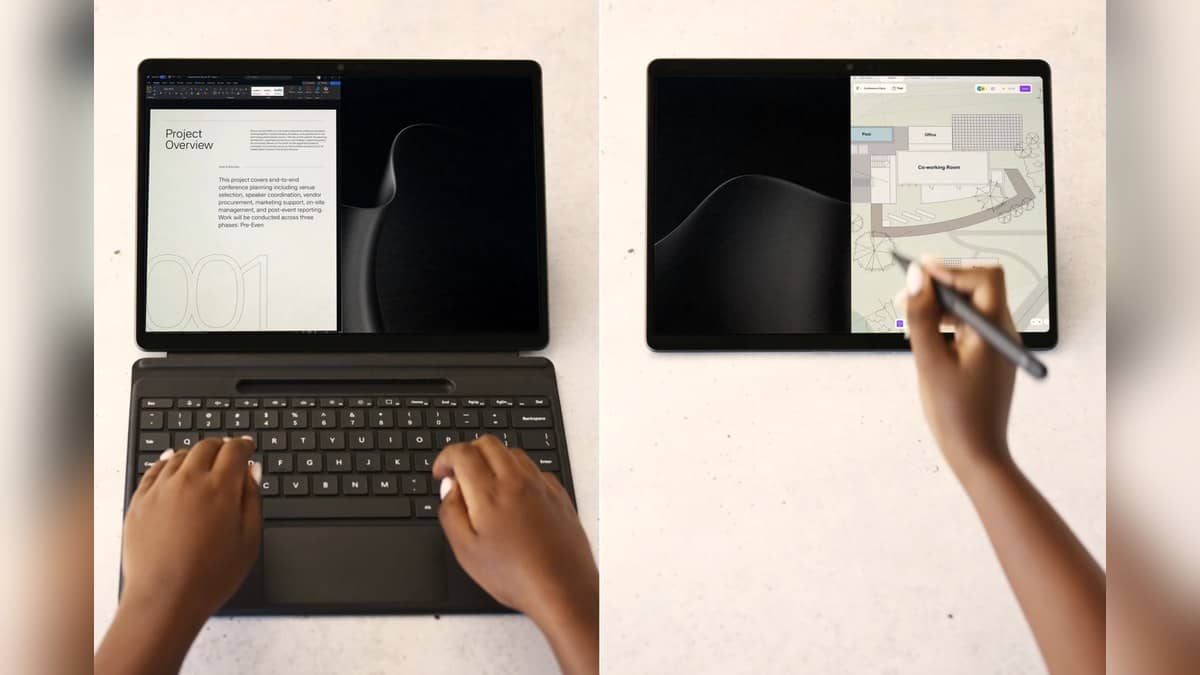
Microsoft introduced the Snapdragon X2 Plus version of the compact Surface Pro as the next generation of the device. Its launch announcement identifies a fanless design and the familiar detachable keyboard arrangement. The relevant charging-table entry is the 12-inch second edition, rather than a larger Surface Pro with a similar name.
That distinction matters for someone moving an existing Surface kit into a work bag. Microsoft's support table places the compact model under devices that charge only through USB-C. A familiar charging accessory from another Surface generation should therefore be checked against this device's actual connection, rather than assumed to fit because the manufacturer is the same.
The model background is covered in our Surface Pro and Surface Laptop X2 Plus launch report. This guide deals with the power requirement, and makes no claim about an Indian retail price or a charger bundle for an individual seller's configuration.
Read the output information on the charger
Microsoft's general USB-C guidance specifies a USB Type-C Power Delivery charger. It warns that a lower wattage adapter, or a USB-A charger used with a USB-A-to-USB-C cable, may charge a Surface slowly or fail to charge it, and will not provide fast charging. The connector shape by itself is therefore an incomplete compatibility check.
For an existing adapter, look at its output information and the device requirements together. The useful question is whether it supplies the required USB-C PD power to this computer. A phone charging cable in the bag establishes that the plugs fit; it does not establish that the whole combination meets Microsoft's power recommendation.
Microsoft's own reference charger is model 2105. Its support page specifies 45W Power Delivery and lists several output profiles, including 15V at 3A. These are descriptions of that adapter, not a claim that every accessory advertised with a similar total wattage has identical capabilities.
Charging shares the compact model's connections
The official business specifications for the second-edition Snapdragon model list two USB-C / USB 3.2 connections with charging, data and DisplayPort support. On a small tablet used as a desk computer, a charging connection is also part of the peripheral plan. It is useful to decide where power enters before connecting storage, a display or other desk equipment.
This is a different situation from simply attaching the detachable keyboard and working away from a desk. Microsoft lists the Surface Pro 12-inch keyboard connector separately in the business specifications. Keeping the keyboard connection and the USB-C accessory arrangement distinct helps avoid confusing the device's laptop-like appearance with a larger computer's port layout.
Owners of another Surface model can see our Surface Laptop 7 power supply guide. Its numbers should be matched to that laptop, rather than transferred to the compact Pro.
The recommendation is not a timed guarantee
A 45W recommendation establishes the required power category for fast charging. It does not by itself guarantee a particular charging time during a call, an editing session or use in a warm room. Microsoft's general support guidance also makes fast charging conditional on the proper temperature range and sufficient power.
For an Indian office issuing shared chargers, the model name and charging requirement belong on the equipment record. That makes a missing or substituted adapter easier to diagnose without treating every slow charge as a battery failure. If the device needs service rather than an accessory check, our Surface repair preparation guide provides related background, with its model-specific details kept separate.
Official sources: Microsoft's Surface Pro charging table, USB-C charging guidance and second-edition business specifications.