
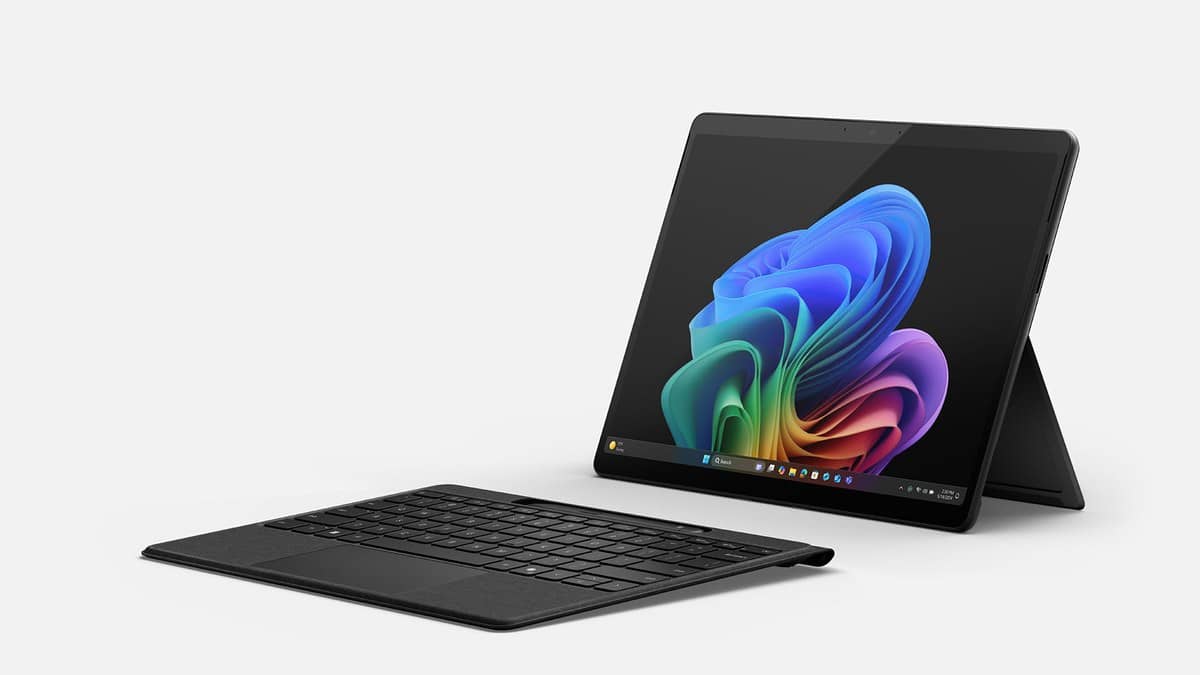
NEW DELHI: A personal Surface Pro 11 repair starts with troubleshooting and a check of the device's actual warranty record, followed by a service request if needed. Microsoft's preparation guidance says to save important files before dispatch because servicing erases the device. Owners should also remove the keyboard and other accessories unless specifically instructed to include them.
| Item | What to check |
|---|---|
| Device identity | Surface Pro, 13-inch, 11th Edition; record processor and ownership type |
| Consumer processors | Snapdragon X Plus, 10 cores; Snapdragon X Elite, 12 cores |
| Ports useful for a file copy | Two USB-C / USB4 ports |
| Coverage record | Select the device in the Microsoft account devices page |
| Files and accessories | Back up before dispatch; remove accessories unless instructed otherwise |
Start with a clear description of the fault
Microsoft points personal owners to the Surface app and diagnostic tools before requesting repair. Write down what fails, whether Windows starts and what was connected when the problem occurred. A short, repeatable description gives the service request a useful starting point.
A keyboard that appears unresponsive, for example, should be described separately from a tablet that cannot start. Record whether the fault affects the touch display, an attached accessory or the main device. This is an observation checklist, rather than a diagnosis or a promise that the fault can be repaired remotely.
Use the coverage shown for this device
Microsoft's public instructions direct owners to its account devices page to view warranty status. If the tablet is missing, the owner can register it there. Where the displayed warranty dates disagree with the purchase proof, follow Microsoft's warranty-update guidance before assuming the visible dates are final.
The request should use the actual device record and purchase documentation. A general description such as Surface Pro is too broad for checking coverage. Keep the invoice available, and separate the question of warranty status from whether a particular fault qualifies for covered service.
For Indian readers, the service options displayed for their device and market matter. Microsoft's guide offers in-person service in some countries or regions and a send-in route requiring a service order and shipping label. It does not promise that every route is offered for every address or product.
Identify personal and business models correctly
The 11th Edition family includes Snapdragon X Plus and Snapdragon X Elite versions, including cellular variants. Microsoft also lists Intel Core Ultra processors under the Surface Pro for Business name. Its feature page distinguishes consumer Windows 11 Home installations from commercial Windows 11 Pro configurations.
This matters for a device supplied by an employer or college. Microsoft's personal-device repair guide directs organisation-owned equipment to its Business and Education service options. Start with the institution's equipment process so the request follows the right ownership route and the organisation can account for its files and device record.
The family also has replaceable components, according to Microsoft, but component availability and service options vary by product and market. That description should not be treated as an instruction to open the tablet before a warranty assessment. For newer hardware context, see the desk's Surface Laptop Ultra price: $2,599.99 in US, £2,599 in UK, available from 16 October; no India listing yet.
Finish the backup before preparing the parcel
If Windows starts, Microsoft's preparation page describes Windows Backup and a manual copy to an external USB drive as options. Wait for the backup to finish and check that the important files are accessible from the destination. The Surface Pro's USB-C ports can form part of that manual-copy setup with compatible storage.
Think through the actual working day: a student's downloaded assignments, a consultant's local presentation and an artist's unfinished project should each be checked at the backup destination. Do not assume that a file is protected simply because another folder is already synchronised. This is the point to reconcile what is on the tablet with what is safely stored elsewhere.
Microsoft says Windows is reinstalled during service. If the tablet will not start, its preparation page says files on it cannot be backed up through the normal process. Previously saved copies then become important. A repair request is not a substitute for an existing backup.
After verifying the backup, an owner who can run Windows may erase personal data through Settings, System, Recovery and Reset this PC, following Microsoft's preparation instructions. Remove the Surface Pro Keyboard or Type Cover, power supply, dock and connected USB devices unless the service team specifically requests them.
Our Microsoft Surface Laptop Ultra with NVIDIA RTX Spark opens for pre-order at USD 2,599, no India price yet illustrates why service rules must be checked by brand. For software upkeep, see the Office 2021 support deadline: India prices and free alternatives.
Official sources: Surface service instructions, preparation and backup steps and Surface Pro 11th Edition features.