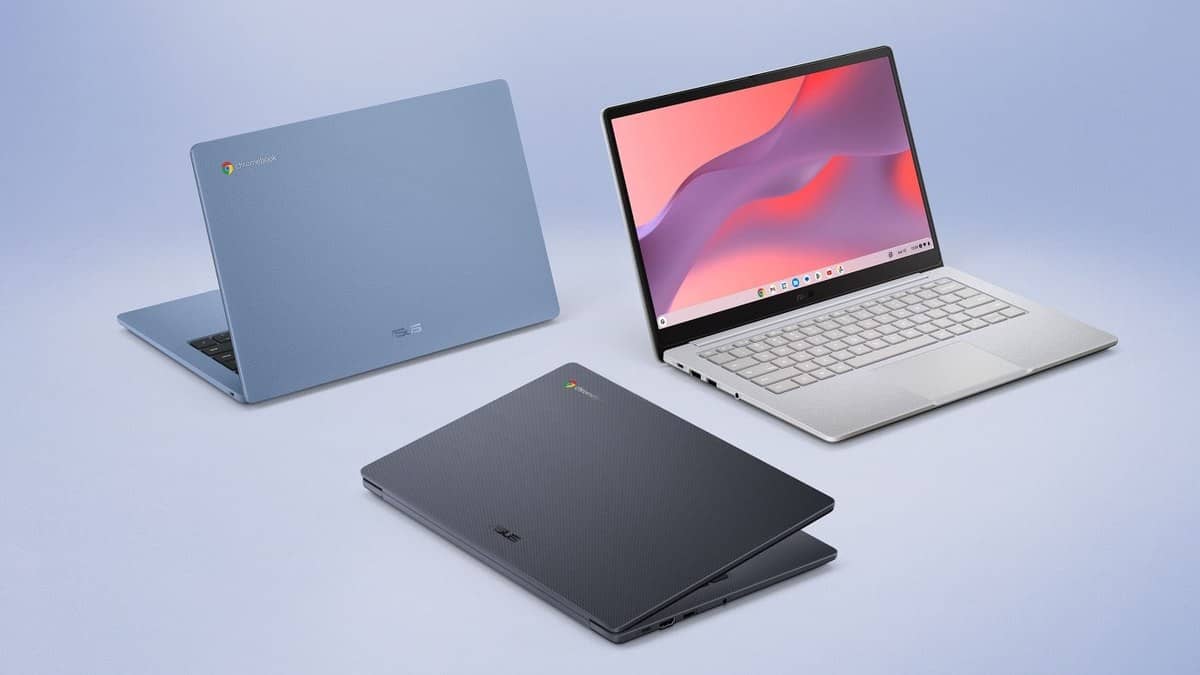
NEW DELHI: ASUS Chromebook CX14, model CX1405CKA, has one USB-C connection that supports display output and Power Delivery, plus a separate HDMI 1.4 connection. The India specification also lists one USB-A port and a combined audio socket. For classroom presentations or a home study desk, the layout matters because charging and some accessories use the same USB-C connection.
| Connection or equipment | CX1405CKA India specification |
|---|---|
| USB-C | One USB 3.2 Gen 1 port, display and Power Delivery support |
| USB-A | One USB 3.2 Gen 1 port |
| External video connection | HDMI 1.4 |
| Audio | 3.5mm combined audio jack |
| Power adapter | 45W USB-C |
| Built-in screen | 14-inch, 1920x1080, non-touch |
Make a connection plan for the classroom
A teacher preparing slides can use the dedicated HDMI connection as the starting point for checking a classroom's display equipment. The external screen still needs a compatible connection and cable. The useful detail is that the Chromebook has a dedicated HDMI route alongside its USB-C port, rather than requiring every video connection to pass through USB-C.
The USB-A connection gives a separate place for a compatible wired peripheral. A classroom setup using power, external video and a USB accessory is easier to understand when each item is assigned to a named socket. It also makes a missing cable easier to spot before a lesson begins.
ASUS locates the main connections towards the upper left of the chassis, according to its overview. For a small desk, that detail influences where the charging cable and display lead run. It is more useful to the desk arrangement than a general claim that a notebook has a complete set of connections.
Use the India model specification
The detailed India page identifies the CX1405CKA with an Intel Celeron N4500 processor and Intel UHD graphics. This is the configuration family discussed here. A generic Chromebook CX14 heading is insufficient to establish the processor in an individual unit, especially when a manufacturer's broader category page describes several possible configurations.
The specification page lists onboard memory options of 4GB and 8GB, and eMMC storage entries of 64GB and 128GB. Those entries should not be turned into an assumed set of every possible memory and storage combination. They also do not establish a price for each combination. A unit's complete product code remains the useful reference when checking its configuration.
This article therefore describes the connections and equipment documented for the model family. It is not a variant price list. The distinction is similar to reading a complete product code in our Laptop and tablet price guide, although that Windows laptop is a separate product.
The built-in equipment is part of the setup
ASUS specifies a non-touch Full HD screen for this model. Its overview describes a hinge that opens to 180 degrees, which helps with viewing position but does not make the listed screen touch-sensitive. Someone preparing an activity that needs a touchscreen should not infer that capability from an image of the laptop opened flat.
The specification also includes a Full HD camera with a privacy shutter. That provides a concrete feature to check before an online lesson or meeting: the built-in camera can be physically covered when it is not needed. The shutter should also be checked when a video application appears to have no usable camera picture.
For owners comparing service life with physical equipment, our ASUS Vivobook 15 at Rs 52,990: two Core 3 variants compared explains a different model's update schedule. Its date belongs to the CX34 and must not be applied to this CX14.
A practical handover record
For a school or household sharing this Chromebook, a short equipment record can list the exact model code, supplied adapter and the leads kept with it. That is useful context for this particular layout because only one USB-C socket is listed. An accessory plan that silently assumes another USB-C connection can create avoidable confusion during a handover.
The same principle applies to shared ChromeOS equipment more broadly: identify the machine before transferring instructions from another model. Our ASUS Chromebook Plus CX34 updates run to June 2032 is further reading about model identification and support, rather than a specification source for the ASUS device.
Official sources: ASUS India CX1405CKA specifications and CX14 product overview.