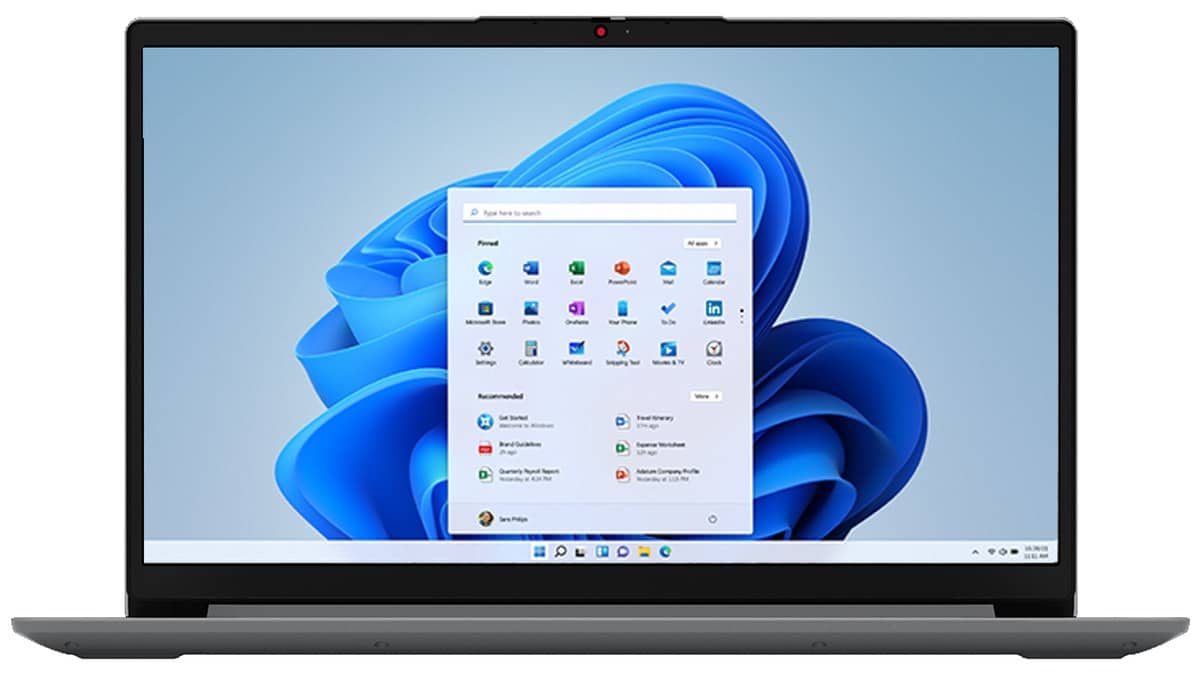
NEW DELHI: The Lenovo IdeaPad Slim 1 15AMN7 uses its USB-C port for data transfer only. Lenovo's official product reference directs external-display use through HDMI, with support for up to 4K at 30Hz. Owners of the Indian 82VG009MIN configuration should check that limitation before trying a USB-C monitor or building a desk around a docking station.
| Connection | Official capability |
|---|---|
| USB-C | USB 3.2 Gen 1, data transfer only |
| HDMI | HDMI 1.4b, up to 4K at 30Hz |
| Display count | Built-in display and one external monitor through HDMI |
| Other USB connections | One USB 2.0 and one USB 3.2 Gen 1 |
| Power | Separate round-tip connector, 65W adapter |
| Indian configuration checked | 82VG009MIN, Ryzen 3 7320U, 8GB memory, 512GB SSD |
Map the desk before connecting the screen
Start by identifying the display cable, power adapter and USB accessories separately. The shape of the USB-C socket does not change Lenovo's stated data-only capability. A dock's advertised connector list therefore needs to be checked against the laptop's host connection, rather than treated as an automatic expansion of every feature.
The practical implication is particularly relevant to a student borrowing a USB-C display from a computer lab or an employee moving between shared desks. A monitor that works through another laptop's USB-C port does not establish that this IdeaPad supports the same connection. Carrying the correct HDMI cable and the round-tip charger addresses different requirements.
Use HDMI for the documented external display
Connect the external display through the laptop's HDMI port and check that the cable is properly seated. Microsoft's Windows guidance then provides the software step: press Windows key plus P and choose Duplicate to show the same content, or Extend to spread the desktop across the screens.
Duplicate suits a presentation where the audience should see the laptop's content. Extend suits a desk where reference material stays on one screen while a document remains on the other. Decide which arrangement the task needs before assuming that an unexpected picture is a connection failure.
Lenovo's documented maximum includes the built-in panel and one external display. Treat a plan for additional external monitors as a separate compatibility question. A hub with several display sockets is not, by itself, evidence that this model's documented native display limit has changed.
Read the resolution and refresh rate together
The stated HDMI ceiling pairs 4K with 30Hz. Keep the two figures together when checking a monitor's requirements. Describing the laptop simply as supporting a 4K display leaves out the refresh-rate qualification that Lenovo publishes.
For an office putting an existing monitor back into service, first compare its inputs and intended display mode with the laptop's specification. That is a more useful compatibility check than comparing screen sizes. If the planned mode falls outside the published limit, do not assume that a different-shaped adapter will make it part of the stated capability.
If Windows does not show the connected display, Microsoft's route is Settings, System, Display, Multiple displays, then Detect. Once detected, use Identify to match the numbered displays, arrange their positions in Settings and apply the layout. This helps distinguish a desktop-arrangement issue from a physical connection issue.
Keep the Indian product code in the record
Lenovo's India store describes 82VG009MIN with Windows 11 Home Single Language, a Full HD TN panel and Office Home & Student 2021. The page displayed Rs 38,500 including shipping and taxes. Price as of 1 November 2026, 00:12 IST. It is a store-network page with location-dependent fulfilment, so this is a page reading rather than a nationwide delivery promise.
Our Lenovo Idea Tab Plus vs Idea Tab price: Idea Tab starts lower at Rs 20,998 covers the laptop's broader specification. Compare connection questions with our Lenovo Tech Utsav: IdeaPad at Rs 75,491, cashback terms and Lenovo ThinkBook 14x India price starts at Rs 1,09,990: configurations, OLED option, specs; capabilities must be checked for each machine.
Before a classroom or office handover, test the intended display and save a short record of the cable used, selected Windows display mode and full laptop code. That turns the next setup into a repeatable task and gives support a specific configuration if a problem returns.
Official sources: Lenovo 15AMN7 product reference, India product listing and Microsoft display setup instructions.