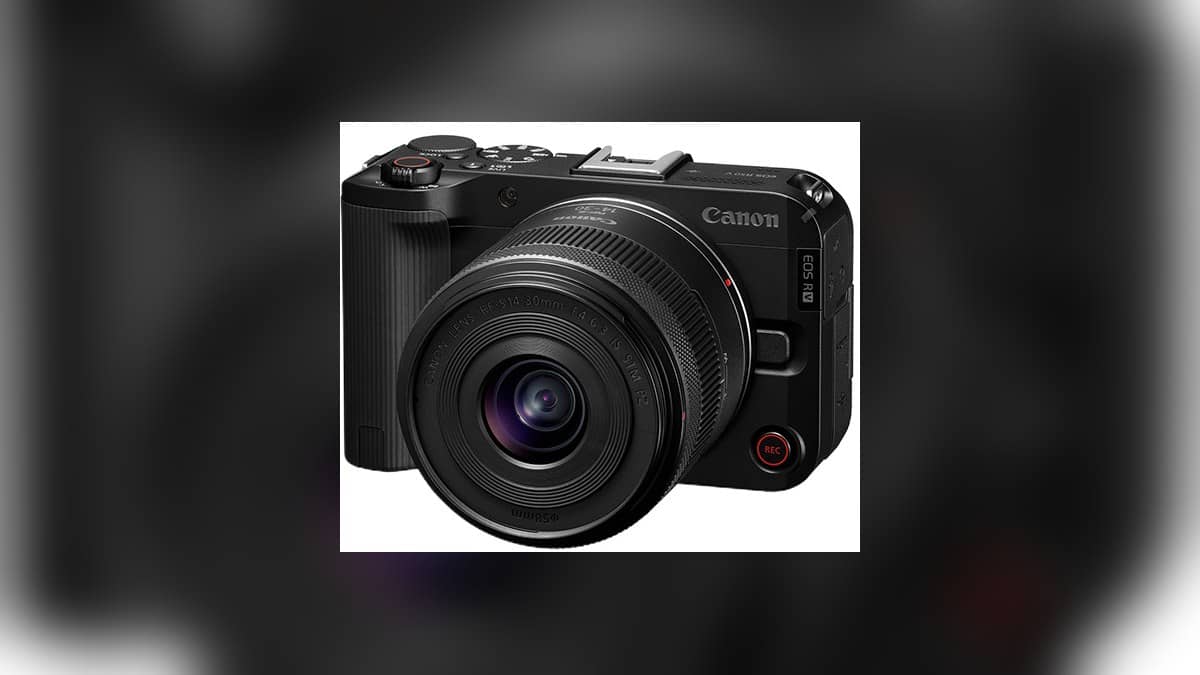
NEW DELHI: The Canon EOS R50 V records 4K 60p video with a crop, while its 4K 30p mode uses 6K oversampling without that additional crop. The distinction changes framing as well as the recording setting. Creators filming themselves at arm's length should check the faster mode before settling the camera position and lens.
| EOS R50 V video setting | Official detail |
|---|---|
| 4K 30p | 6K oversampling, without additional crop |
| 4K 60p | Crop recording |
| 4K output size | 3840 x 2160 pixels, 16:9 |
| 4K Crop horizontal angle of view | Approximately 64.0% of still-photo angle of view |
| 4K Crop vertical angle of view | Approximately 54.0% of still-photo angle of view |
| Movie Digital IS | Applies a further central crop |
Frame the scene in the mode you will use
Canon's specifications distinguish the output resolution from the area used to make it. Ordinary 4K is listed at approximately 100% horizontal and 84.4% vertical coverage relative to a still photograph. The 4K Crop figures are narrower. The final recording can still have the same output dimensions while showing less of the scene.
For an Indian food creator filming in a small kitchen, the difference can be visible in whether a preparation surface and the presenter fit together. It is better to decide the recording mode while arranging the scene. Discovering the tighter frame after the camera is mounted can mean moving the entire setup or leaving part of the demonstration outside the picture.
The EOS R50 V's video emphasis extends beyond frame rate. Canon describes a dedicated vertical tripod mounting point, front and top recording buttons, and a tally lamp. Its official model history says the viewfinder was removed to create a flatter design suited to video accessories.
Check the setting after changing system frequency
The Movie Recording Size menu controls resolution, frame rate and compression. Canon says the available frame rate changes with the System frequency setting, and the recording size must be set again after changing that frequency. The detailed specifications list 59.94 and 50.00 fps under 4K Crop.
This is relevant when a creator follows a tutorial that refers to a different menu configuration. A label seen in another person's demonstration may depend on system frequency. Checking the camera's actual recording display is more useful than assuming every unit will show the same frame-rate choices in its current setup.
Canon's India product page also lists internal 10-bit recording and Canon Log 3, plus false colour, zebra display and customisable LUT preview. These tools relate to exposure and appearance. They do not remove the need to choose the appropriate framing and recording area first.
Stabilisation and storage affect the setup
The recording-size manual states that Movie Digital IS crops around the centre. A handheld setup therefore deserves another framing check when that function is enabled. The tighter composition can affect where the presenter's face, a product held towards the lens or text on a demonstration board falls within the frame.
Canon lists SD, SDHC and SDXC compatibility, including UHS-I and UHS-II. Its compatible-cards guidance says the card must have sufficient performance for the chosen movie recording size and that a card is purchased separately. Compatibility with a card family alone does not settle whether a particular card suits a demanding recording mode.
The manual recommends testing cards by recording sample movies at the intended settings. For a small production team, that test can also include checking playback and the handover to the editor. It makes the recording mode part of the whole production process, rather than a decision made only on the shooting screen.
For related reading, our Canon MAXIFY GX1070 and GX2070 price list: Rs 29,340 to Rs 33,275 covers another video device. The Canon PIXMA G1730, G2730 and G3730 price list: Rs 10,325 to Rs 16,295 and Canon PIXMA TR160 vs SELPHY CP1500 price: CP1500 starts lower at Rs 11,995 provide context on a separate interchangeable-lens system. Specifications remain specific to each device.
The practical sequence is to select the recording mode, enable the stabilisation settings that will be used, and then judge the composition. Official sources: Canon India EOS R50 V, R50 V specifications, Movie Recording Size manual and compatible-card guidance.