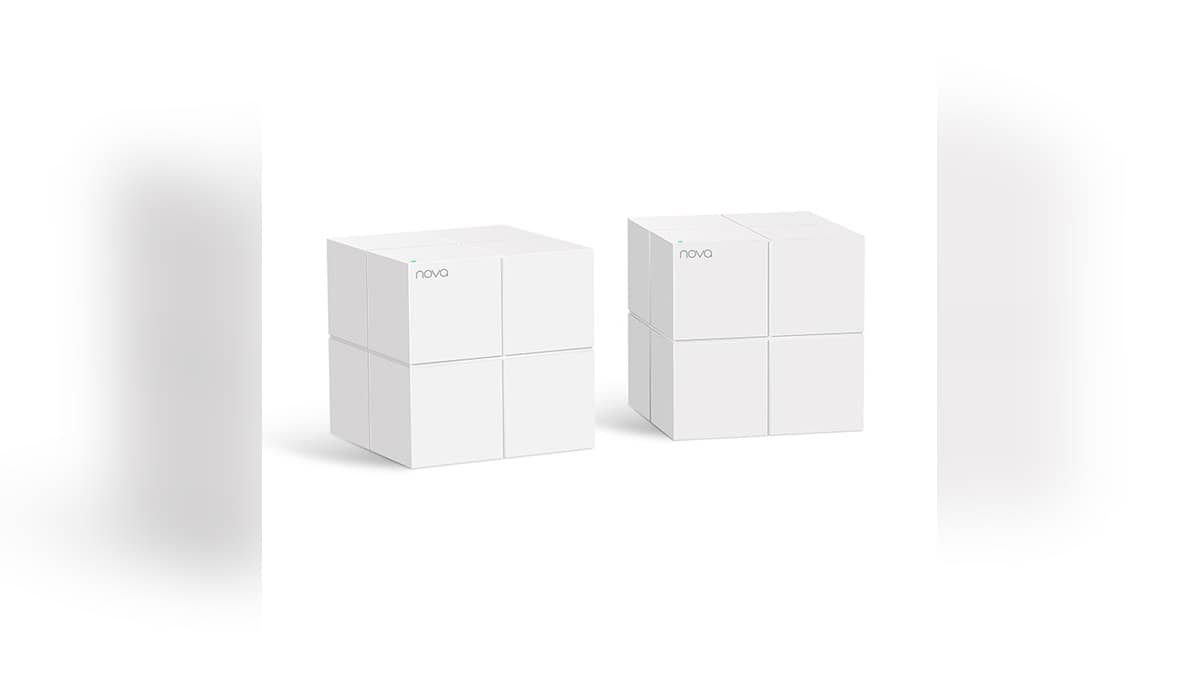
NEW DELHI: Tenda's MW6 2-Pack provides two Gigabit Ethernet ports on each mesh node, alongside Wi-Fi 5 bands rated at up to 300 Mbps on 2.4 GHz and 867 Mbps on 5 GHz. Before placing the units, map the broadband connection, nearby wired devices and power sockets. The port count and wireless rates describe different parts of the installation.
| MW6 2-Pack item | Official listing |
|---|---|
| Ethernet | 2 ports per node, 10/100/1000 Mbps |
| Wireless generation | Wi-Fi 5 |
| Wireless rates | 300 Mbps at 2.4 GHz, 867 Mbps at 5 GHz |
| Operating modes | Router and Bridge |
| Node dimensions | 100 x 100 x 100 mm |
| Included accessories | 2 power adapters, 1 Gigabit Ethernet cable and quick installation guide |
Read the pack name before the coverage claim
The official overview identifies this as the MW6 2-Pack, an AC1200 whole-home mesh system. Tenda advertises coverage of up to 200 square metres for the pair. Its feature page also says its performance figures are theoretical laboratory values and actual results depend on software, usage conditions and the environment.
For an Indian flat with the broadband entry point beside the front door, that creates a practical planning question. Where can the other node sit while serving the rooms used for work or television? Sketch those locations before comparing the advertised coverage area with the floor plan. The shape of the installation deserves as much attention as its overall size.
Keep the pack identity on the paperwork. A listing headed simply MW6 is less useful than one that identifies the number of units being supplied. When checking the contents at delivery, compare the order description, the box and the equipment together, rather than relying on a picture that may illustrate a different bundle.
Make a cable plan for each location
The parameter page specifies two RJ45 ports per node, each supporting 10/100/1000 Mbps. Count the connections you intend to make at each location. The incoming broadband connection, a computer and an entertainment device should all appear on the sketch if you expect to cable them to the mesh equipment.
This is especially useful around a television cabinet. Write down which devices need cables there and which can use Wi-Fi, then compare the result with the available sockets. Discovering the mismatch before rearranging furniture is easier than finding it after the nodes have been placed and the family expects the network to be ready.
The official package list includes a Gigabit Ethernet cable and separate power adapters for the units. That is a reason to check both cable routes and electrical outlets before opening the installation app. An attractive shelf position is only a candidate location until the required connections can reach it neatly.
Keep wired and wireless numbers separate
The MW6's Gigabit port specification does not turn its wireless links into Gigabit Wi-Fi. Tenda separately lists the rates of the two radio bands. Read the AC1200 class alongside those band figures, rather than treating the product class as a promised download result for a phone in a distant bedroom.
For a useful home check, decide in advance where you will test the connection and which device you will use. Compare the same activities from the desk, sofa and room where coverage is difficult. Keep the test arrangement consistent when moving a node, so the household can judge the placement change rather than several changes at once.
Choose how the mesh joins the existing network
Tenda lists Router Mode and Bridge Mode. Its feature page says the supplied nodes arrive pre-paired and the Tenda Wi-Fi app manages network functions including user access and parental controls. Identify the intended mode before changing an existing broadband setup, and use the model's setup guidance for the actual connection sequence.
Keep a record of the original broadband arrangement while making the change. Note which equipment was connected to which cable and where the existing Wi-Fi name was used. For a home with cameras and smart accessories, restoring the intended connections is part of finishing the installation, alongside getting the family phones online.
Related reading includes our Airtel Xstream Fiber guide, the SmartThings local-control explainer and the Qubo smart bulb guide.
Official sources: Tenda's MW6 2-Pack overview, parameter sheet and feature and qualification page.