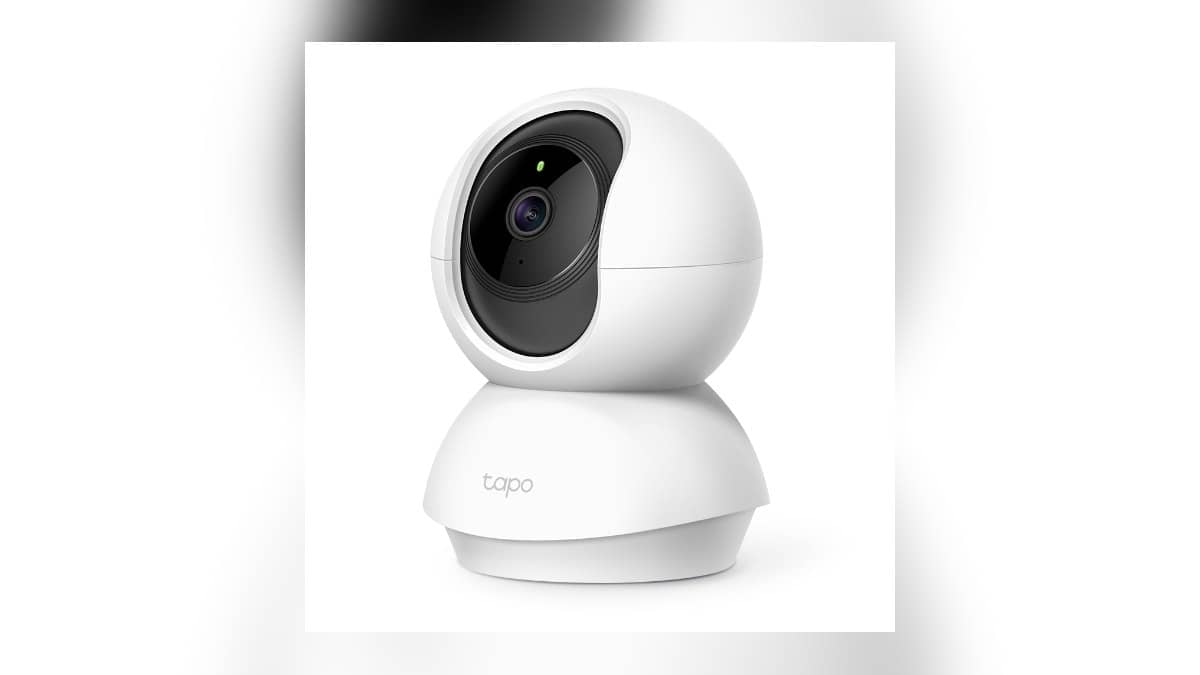
NEW DELHI: Tapo C210 owners can use a microSD card up to 512 GB according to TP-Link's current India product page, but should check their camera's hardware version before choosing capacity. Recording also needs to be enabled in the app. A working live picture alone does not establish that footage is being saved.
| Check | Official detail |
|---|---|
| Camera | Tapo C210, 2K 3MP pan/tilt Wi-Fi camera |
| Current India storage listing | microSD up to 512 GB |
| Card guidance | Endurance card, Class 10 or higher, V10 or higher, U1 or higher |
| Local recording controls | Storage & Recording, then Recording Schedule |
| Cloud alternative | Tapo Care, subscription required |
Start with the camera version
The C210 combines a moving camera head with local storage and a separate cloud option. TP-Link lists two-way audio, motion notifications and Privacy Mode alongside its 3MP picture. For a household using it to check an entrance or a room, the practical question is whether a past incident can be retrieved after the live view has closed.
TP-Link's card compatibility guidance says supported capacity varies with camera model and hardware version. Treat the current 512 GB listing as a specification to match against the unit you own, rather than permission to assume every older C210 has identical support. Keep the full model and version information handy when checking the relevant documentation.
This matters when adding storage to an existing camera. A familiar product name on a fresh webpage is not enough to identify the hardware already sitting on a shelf. Make the version check before opening a card packet, and keep the card purchase receipt separate from the camera paperwork.
Capacity is only part of the card choice
The official compatibility FAQ favours High, Max or Pro Endurance cards for repeated recording. It specifies Class 10 or higher, video class V10 or higher and UHS class U1 or higher. Its tested-card list is a useful reference, although TP-Link says it cannot guarantee compatibility with every card a customer purchases.
Read the complete card description, not just its brand and capacity. The FAQ identifies particular ADATA and Samsung 256 GB card descriptions as unsupported in its laboratory tests. That is a reason to compare the exact markings, rather than treating all cards from either brand as interchangeable or assuming an entire brand is unsuitable.
For an entrance camera, endurance and a verified recording workflow deserve attention alongside image resolution. Spending the evening watching a sharp live feed is a poor acceptance test if the purpose of the installation is to review a delivery or an arrival later. Test the saved footage before relying on it.
Enable recording and choose the schedule
TP-Link's current app guide starts from the camera card on the Home page. Open Live View, tap the settings gear, enter Storage & Recording and enable Local Recording. Then open Recording Schedule and assign the relevant time blocks to continuous recording, detection recording or no recording. Save the schedule with the check icon.
Continuous mode covers the selected hours without intentional event gaps. Detection mode saves footage around triggers and leaves gaps between events. Choose according to the question the camera must answer: whether somebody crossed the entrance, or what happened throughout an entire period. Those are different recording requirements.
To check the result, open Playback & Download from Live View, choose the SD card icon and a date, then move through the timeline. If footage is absent, inspect Local Recording and the schedule before concluding that the camera or card has failed. The official guide specifically identifies detection-only or unrecorded time blocks as possible explanations for gaps.
Keep the installation test practical
Walk through the intended view, note the approximate time and return to playback afterwards. Repeat this during the hours the household actually needs covered. The C210's pan/tilt mechanism makes framing useful, but storage settings still determine whether there is a record to revisit.
For related home-security reading, see our Xiaomi Camera 2i warranty guide, SmartThings local-control explainer and Qubo Video Doorbell Pro 2K guide.
Official sources: Tapo C210 India specifications, microSD compatibility guidance and local recording and playback instructions.