Samsung's India newsroom detailed the SmartThings Now update on 7 October, introducing contextual Home-tab cards and expanded local control. Supported devices can respond during an external internet disruption, giving households a reason to check their existing setup before buying another hub.
According to the announcement, a phone on the same Wi-Fi network as a supported SmartThings Hub can send commands directly to it instead of through the cloud. SmartThings switches between local and cloud-based remote control when the user is at home or away.
Local control still needs the right equipment
Samsung lists Android and iOS support with SmartThings Station, V2, V3 and V4 hubs, plus hub-enabled Samsung Smart TVs and Family Hub refrigerators. Its claim of roughly 30 per cent faster responses comes from controlled company tests. It is not an independently measured result for Indian homes.
The practical distinction is between losing the broadband connection and losing the home network itself. Direct communication still depends on the phone and hub sharing Wi-Fi. The announcement should not be read as a promise that appliances will remain controllable when the router is switched off or the equipment loses power.
Samsung's India compatibility directory says supported brands and products vary by country. It points buyers to the Works with SmartThings certification badge. A Samsung logo on a television, or Wi-Fi on an appliance's specification sheet, is not enough to establish that the device supports this particular local-control arrangement.
Compatible devices must be registered in the SmartThings app using a Samsung account. The India page links app downloads through Galaxy Store, Google Play and Apple's App Store, and directs users to those listings for operating-system and storage requirements. Check those requirements on the phone that will actually control the home.
Home cards change, but device setup remains important
SmartThings Now puts suggestions and actions at the top of Home. The update also adds a bottom Floating Bar, routine-activity review and revised device diagnostics. This changes the existing connected-home platform. The announcement gives no device-by-device India rollout calendar.
For households already using Samsung devices, the first useful check is whether the intended appliance is visible under the right home and room. A redesigned dashboard cannot substitute for pairing a device, choosing its location or confirming that its controls are supported.
Samsung's India setup guide describes adding devices through the app's Devices section, selecting a home location and using Add device. Bluetooth products can be found through nearby scanning; other devices can be selected by type or brand. Follow the instructions for the exact model rather than treating every appliance as interchangeable.
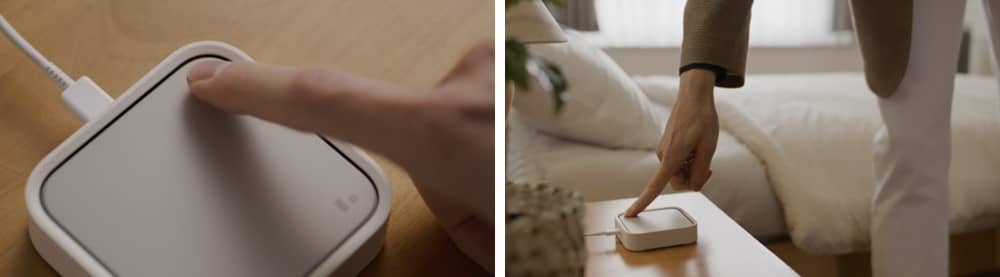
Some appliances need a physical button press to enable their smart features during setup. Samsung also warns that available controls differ by device. Its support guide covers both Galaxy phones and iPhones, but was last updated in January 2022, so menu positions may differ in the redesigned app.
The guide also explains how to rename supported devices and change their room assignment. That can prevent confusion between similar lights or appliances when several appear in one account. Its warning for previously connected Z-Wave equipment is more specific: remove or exclude it from the old hub before adding it to another.
Matter support is a platform change, not a universal upgrade
Samsung also adds Matter 1.6 support and four device categories: energy meters, specialised closures, irrigation equipment and soil sensors. That category expansion belongs to this SmartThings update.
The Connectivity Standards Alliance released Matter 1.6 on 17 June. It describes improvements to setup and coordination between ecosystems, rather than new device categories. These include NFC-based commissioning and a shared-network approach that lets authorised controllers administer devices together. They are tools that manufacturers and platforms must implement.
The alliance explicitly says implementation timings vary by company and product. Its release does not establish that every existing Indian smart-home accessory gains every Matter 1.6 capability immediately. For a purchase decision, check the accessory's supported platform and the manufacturer's update information, not just the standard's version number.
Readers following Samsung's wider software changes can revisit our One UI 9 rollout coverage. Our report on the Orbit Player's forthcoming Alexa update covers another existing-device software change. Both are separate from SmartThings compatibility, which needs to be checked for each household's equipment.