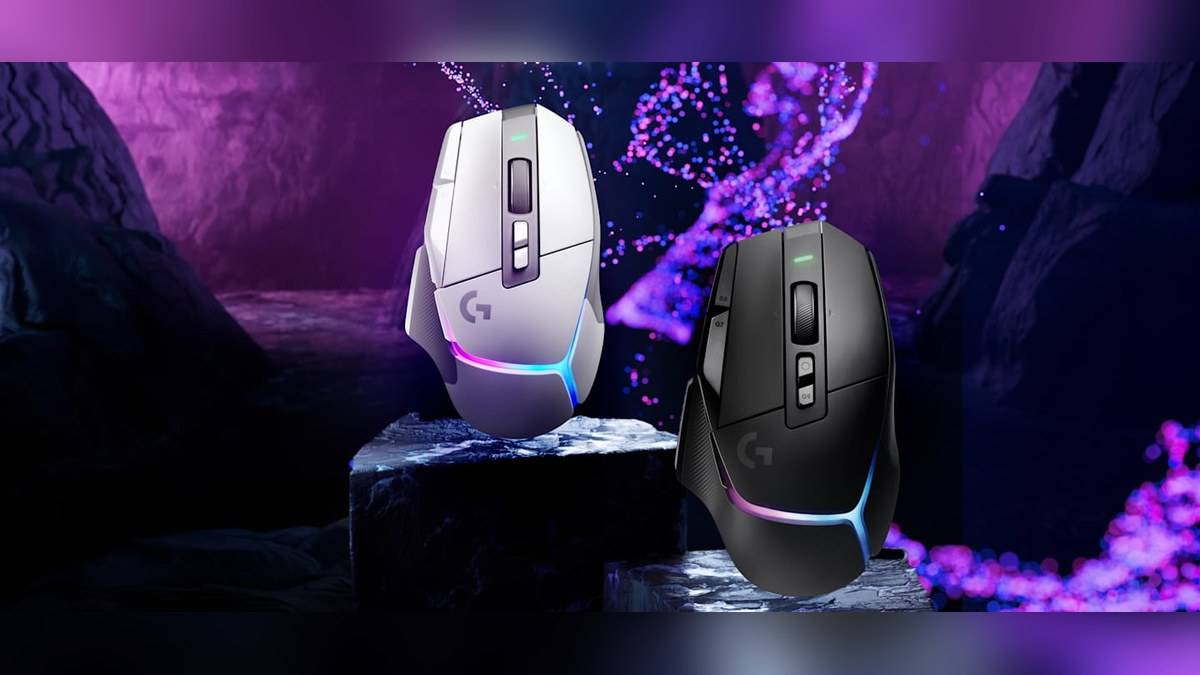
NEW DELHI: Logitech has announced a free firmware upgrade that raises the maximum sensor resolution of the G502 X PLUS and G502 X LIGHTSPEED gaming mice to 44,000 DPI. Announced on 23 September 2026, the change also adds independent horizontal and vertical sensitivity adjustments through G HUB. Existing owners are included, according to the company's announcement.
| Detail | Official position |
|---|---|
| Eligible models named | G502 X PLUS and G502 X LIGHTSPEED |
| Maximum sensor resolution after upgrade | 44,000 DPI |
| Additional adjustment | Independent X/Y sensitivity |
| Delivery software | Logitech G HUB |
| Upgrade charge | Free for existing owners |
| Announcement date | 23 September 2026 |
Price as of 11 November 2026, 23:55 IST: Logitech describes this firmware upgrade as free. That statement concerns the software upgrade for an existing mouse. It does not establish an Indian selling price for either mouse.
Why the same G502 X PLUS page mentions different sensors
The India product page currently needs careful reading. Its introductory description still refers to a HERO 25K sensor, while the main feature section promotes upgraded HERO 44K precision. The dated announcement supplies the missing context: Logitech says existing wireless models receive a firmware enhancement. Owners should therefore check their software and firmware before treating an older description as proof that their mouse cannot receive the update.
This matters particularly when comparing a mouse already on a desk with a newer listing. A changed feature label does not, by itself, identify a different physical unit. For this announcement, the relevant distinction is whether the device is an eligible model and has received the firmware. Retail packaging and a short catalogue description cannot establish the installed firmware version.
What the higher DPI ceiling actually changes
DPI describes sensor sensitivity, not the number of frames a game renders. Raising the available ceiling gives users a wider adjustment range. It does not require them to abandon their familiar sensitivity setting, and it is not evidence that a particular game will run faster. A player comfortable with the current cursor speed can evaluate the new options without assuming that the maximum setting is the intended everyday setting.
Independent X/Y adjustment is a more specific change than a larger headline number. It allows horizontal and vertical movement to be tuned separately. That may suit a deliberately customised control scheme, but it also creates another setting to check when movement feels unfamiliar. When evaluating the change, keep the game, mouse surface and other sensitivity settings consistent so that the effect of a changed axis is easier to understand.
The G502 X PLUS remains a mouse with several controls to manage alongside sensor sensitivity. Logitech's India page lists 13 programmable controls and profile switching through G HUB. It also describes LIGHTFORCE switches that combine optical actuation with a mechanical component for tactile feedback. These are separate parts of the product's behaviour: a sensor update does not automatically explain a changed button assignment.
The PLUS model also has an eight-LED LIGHTSYNC array. Logitech says active play detection dims its lighting during movement to preserve battery life. That lighting behaviour is another reason to separate the sensor announcement from the rest of the specification: the firmware headline does not establish a new battery-life figure or a different lighting system.
Where owners can check for an update
Logitech's model-specific support instructions give a concrete route. Install and open G HUB, select the mouse on its home screen and enter Settings. When firmware is available, Logitech says a blue Update button appears beneath the firmware version near the top right of the window. Follow the instructions displayed there. The support page makes this conditional, so the existence of the announcement alone does not prove that a particular connected device is waiting for an update.
For an Indian owner using the mouse between work and gaming, the practical task is to establish a known configuration before experimenting. Note the active sensitivity and relevant button assignments, check the firmware screen, and then assess the updated controls in the same application. That makes it easier to distinguish a deliberate adjustment from an unexpected change in how the pointer moves.
Keep the eligibility boundary clear
The announcement names G502 X PLUS and G502 X LIGHTSPEED. It does not extend this particular promise to every product carrying the G502 name. Check the full model name before applying the claim to a wired G502 X or an older generation. The company also makes no promise in this announcement that a higher DPI setting will improve an individual player's accuracy.
Other parts of a gaming setup have their own limits. Our reports on HP's OMEN monitor comparison, the MSI MAG 275QPF X30 and the ROG LHR60 display cable cover related hardware questions. None of those display specifications verifies whether this mouse firmware is installed.
Official sources: Logitech's dated announcement, the G502 X PLUS India page and Logitech's firmware-check instructions.