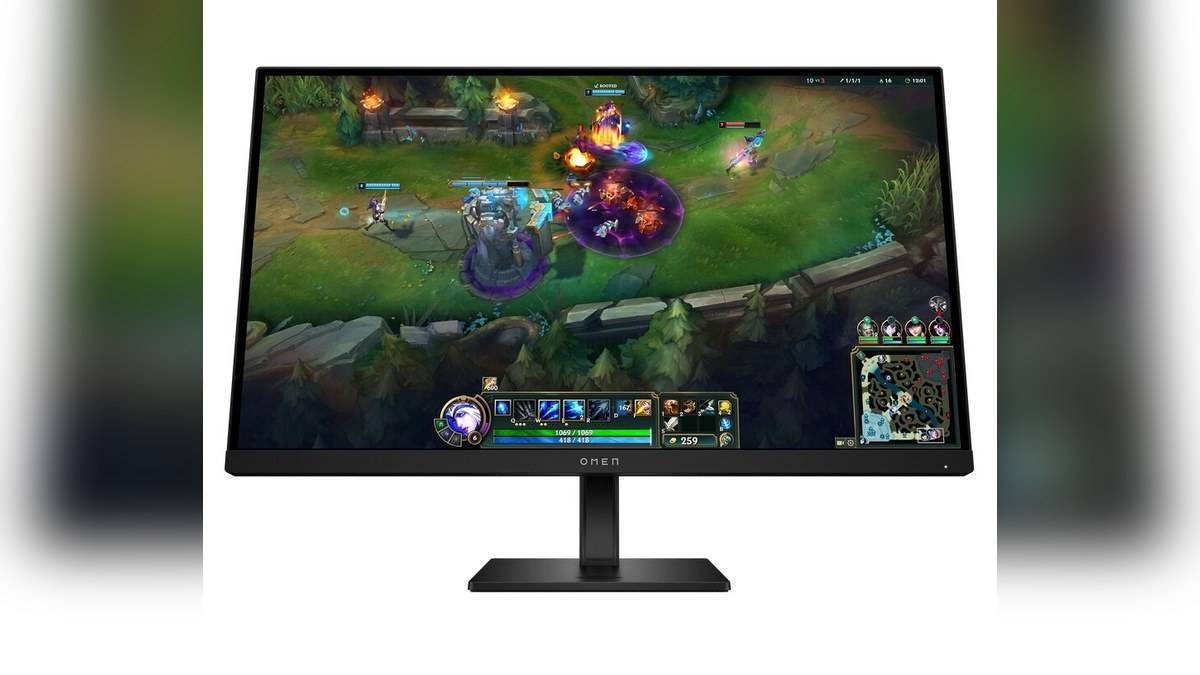
NEW DELHI: HP lists the OMEN 27 G2 at Rs 19,116 and the OMEN 27q G2 at Rs 36,580 on its India store, including taxes. Both are 27-inch, 180Hz gaming monitors. The central difference is resolution: Full HD on the cheaper model and Quad HD on the 27q G2. Both pages showed the products unavailable to order when checked.
| Model and product code | OMEN 27 G2: AV4K2AA#ACJ; OMEN 27q G2: AV4H7AA#ACJ |
|---|---|
| India store price | Rs 19,116; Rs 36,580, respectively, including taxes |
| Resolution | 1920 x 1080; 2560 x 1440, respectively |
| Panel and refresh rate | Both: IPS, up to 180Hz |
| Response-time claim | Both: 1ms grey-to-grey with overdrive |
| Connections | Both: two HDMI 2.0, one DisplayPort 1.4, headphone jack |
Price as of 8 November 2026, 00:12 IST. These are displayed product prices, without adding a coupon, payment incentive or exchange value. The pages separately show MRPs of Rs 22,680 and Rs 43,400. A listed price is useful for comparison, but does not establish that a unit can currently be purchased or delivered.
The extra money changes the pixel grid
The 27q G2 costs Rs 17,464 more, calculated from those store figures. It does not buy a larger diagonal or a higher advertised maximum refresh rate in this pairing. Instead, the more expensive screen puts a denser image into the same nominal size. That distinction matters when judging what the premium actually changes on a desk.
For someone moving between a game and a document window, resolution and refresh rate solve separate problems. More pixels can preserve finer detail at a given physical size, while refresh rate describes how frequently the screen can update. Neither specification alone tells you whether text scaling feels comfortable or whether a particular game will run smoothly on an existing computer.
The practical question for an Indian household sharing a gaming and study desk is therefore unusually specific: will the screen mostly display fast games, or also hold dense worksheets and editing timelines? The OMEN pair keeps the size fixed, allowing that question to be considered without confusing a resolution upgrade with a larger piece of furniture.
180Hz needs a complete connection
HP gives both models HDMI and DisplayPort inputs, but a port name alone is not a promise that every connected laptop or console will deliver every supported display mode. Before arranging a setup, check the computer output, cable and monitor settings together. The display cannot make a source render frames that its hardware or software cannot produce.
Similarly, the 1ms figure is explicitly a grey-to-grey response claim using overdrive. It should not be read as a measured delay for the complete journey from a mouse click to an image appearing. We have not tested either monitor, so this comparison does not rank motion clarity, overshoot or real gaming latency.
Shared hardware deserves a careful reading
Both official descriptions list height adjustment, pivot and tilt. HP specifies 100 mm of height adjustment for the 27 G2, giving a concrete measure of the vertical movement available from its stand. That makes the stand part of the comparison, rather than an accessory to ignore. A screen used for an evening game and the following morning's paperwork may need a different position for each task. Adjustability lets the display move with that routine without assuming a separate monitor arm.
HP also describes IPS panels, HDR 400 and 400-nit peak brightness for this pair. These are specifications and manufacturer claims, not results from our own picture-quality assessment. They do not establish how a dark scene looks in a particular room. Nor does the shared HDR label erase the visible difference between the two native resolutions.
A laptop owner should also distinguish a display connection from a docking connection. The connections listed here are intended for picture, sound and headphone use; this article makes no claim that either screen will charge a laptop or replace its dock. Plan the power supply and peripherals separately from the video cable.
Keep the exact G2 names on the invoice
OMEN naming includes a generation suffix and, in this case, a small letter that separates two different resolutions. Record both the model and product code when comparing a quotation with the official page. A price for an older OMEN screen or a different diagonal would not be a like-for-like substitute for the figures above.
For other display and desk coverage, read our HP OMEN 24 price list: Rs 14,000 to Rs 18,290, HP 430 Multi-Device Wireless Mouse price: Rs 2,229 and HP Smart Tank 580 vs 585 price: 585 starts lower at Rs 14,999. Those are separate products, rather than evidence of performance equivalence with either OMEN.
Official sources: HP OMEN 27 G2 India product page and HP OMEN 27q G2 India product page.