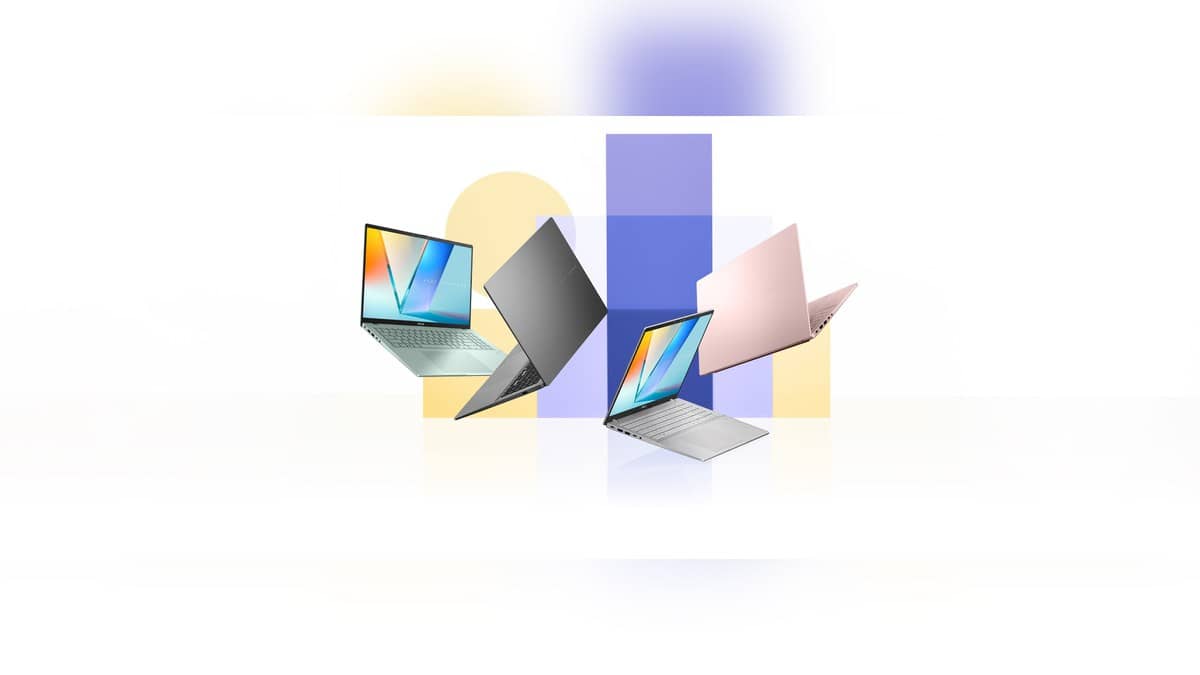
NEW DELHI: ASUS quotes up to 32 hours of battery life for the Snapdragon-powered Vivobook S16 S3607QA, but that figure comes from a video-playback test with Wi-Fi switched off. It describes a controlled workload, rather than a promise that the laptop will last that long through online classes, meetings and office applications.
| Item | Official detail |
|---|---|
| Model tested | Vivobook S16 S3607QA |
| Battery claim | Up to 32 hours |
| Test workload | 1080p video playback |
| Test battery | 70Wh |
| Test memory and storage | 16GB RAM, 512GB SSD |
| India configuration checked | S3607QA-SH079WS, Snapdragon X X1 26 100 |
What ASUS actually measured
ASUS dates its test to February 2025. It used Balanced power mode, disabled the keyboard backlight and set screen brightness to 150 cd/m2. Audio went through a headset at the default earbud volume. Those conditions belong alongside the headline runtime whenever the claim is repeated.
For an Indian student, the useful distinction is between watching a saved lecture and joining a live tutorial. For an accounts worker, it is between reading a document and moving among a call, shared files and browser windows. Neither daily routine can be assigned a runtime from this test. We have not independently measured the laptop's endurance.
The India model behind the name
The SH079WS listing specifies a Salvia Green laptop with a 16-inch OLED display, 1920 x 1200 resolution and a 60Hz refresh rate. Its memory is 16GB onboard LPDDR5X, while local storage is a 512GB PCIe 4.0 SSD. The listed battery is 70Wh and the supplied USB-C adapter is rated at 65W.
That makes the exact model suffix useful when checking a specification sheet or an invoice. A family name alone is an incomplete record of a laptop. Save the configuration description with the invoice, particularly if the machine will later be handed to a college technician or an employer's IT team.
The store separately lists Office Home 2024 and a year of Microsoft 365 Basic. These software entitlements do not establish battery endurance. A bundled application, its installation status and the way somebody uses it are separate questions from the hardware configuration used in a laboratory.
Investigating shorter runtime
ASUS's battery troubleshooting guidance says background applications, demanding software and power settings can affect discharge. It suggests reviewing application battery usage, reducing unnecessary background activity, lowering brightness and disconnecting unused peripherals. These are diagnostic steps, rather than a way to guarantee the advertised maximum.
Where available, MyASUS provides a battery check through System Diagnosis. ASUS advises connecting power before running its Battery problems checkup. If the diagnostic page is absent, its guidance says the device may not support that feature. A missing menu should therefore not be treated as evidence of a failed battery.
Keep a simple record of the workload when investigating a problem: the applications open, connected accessories and whether the screen was unusually bright. This gives a more useful account of what happened than comparing an isolated percentage reading with an advertising figure.
For a commuter carrying the S16 between home, campus and an internship, keep the charger in the daily plan until the machine has completed that real routine. A saved-video result cannot establish the point at which that particular working day will need a socket.
Snapdragon changes the software check too
Microsoft says Windows on Arm can run most Windows applications, with native Arm versions offering the best performance and other supported applications using emulation. Hardware and application drivers still need Arm support. An office printer, specialist utility or college application deserves a compatibility check separately from any battery discussion.
For this S16, that means a successful demonstration should include the actual workflow. Opening a presentation is useful, but it does not establish that every peripheral and required program will work. A long endurance claim cannot answer those questions.
Related reading: our Vivobook S14 battery-test explainer, Vivobook 16 compatibility report and Vivobook 14 USB4 guide cover different models and should not be used as substitute specifications for the S16.
Official sources: ASUS product page and test footnote, India configuration, ASUS battery troubleshooting and Microsoft Windows on Arm FAQ.