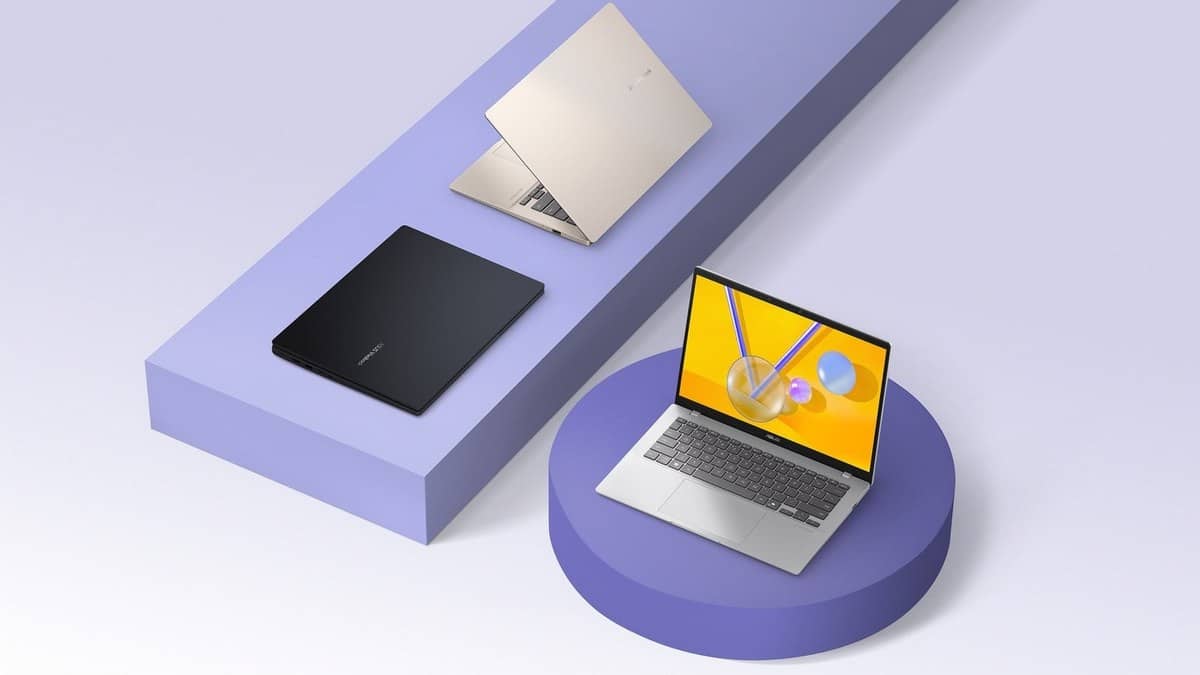
NEW DELHI: The ASUS Vivobook 14 X1407QA has two USB4 Type-C ports that support display output and power delivery, alongside two USB-A ports, HDMI and an audio jack. For a student or office worker using a desk monitor and older accessories, the important detail is what each connection supports, rather than simply how many sockets appear on the laptop.
| Connection or component | X1407QA-LY038WS specification |
|---|---|
| USB-C | Two USB4 Gen 3 ports, up to 40Gbps, display and power delivery support |
| USB-A | Two USB 3.2 Gen 1 ports, up to 5Gbps |
| HDMI | One HDMI 2.1 TMDS connection |
| Audio | One 3.5mm combination jack |
| Bundled power adapter | 65W Type-C |
| Platform | Snapdragon X X1-26-100, Windows 11 Home |
| Memory and SSD | 16GB onboard LPDDR5X; 512GB PCIe 4.0 SSD |
| Built-in screen | 14-inch IPS-level, 1920 x 1200, 60Hz, 300 nits |
A desk setup has several separate connections
The two USB-C connections are explicitly listed for display and power delivery as well as data. That is more informative than a specification which merely says USB-C. It establishes the laptop-side functions available when matching a compatible charger, display connection or dock.
ASUS lists data rates as up to the stated limits. Those are interface specifications, not promises that a particular external drive will transfer files at that speed. For a student moving course videos or an office keeping scanned records, the peripheral and connection used still need to be identified.
The supplied charger is Type-C, so charging is part of the connector planning. When sketching a desk setup, account for the power connection alongside the monitor and accessories. The specification alone does not certify an arbitrary dock, its cable or every combination of devices attached to it.
Older accessories still have a place
The USB-A ports provide connection points for accessories with the older rectangular plug. HDMI is separately listed as version 2.1 TMDS. Keep that complete designation when comparing display requirements: this article makes no claim about an external monitor resolution or refresh rate that ASUS has not specified for this configuration.
A small office moving from a fixed desktop to this laptop could write down its actual connections first: monitor, keyboard, mouse and printer. That turns a vague promise of a cleaner desk into a checkable setup. The presence of a socket answers the physical connection question; the printer's software support needs its own check.
The Snapdragon platform adds a software question
This model uses Snapdragon X, so Microsoft's Windows on Arm guidance is relevant. Microsoft says most Windows applications can run on Windows 11 Arm PCs, with native versions or emulation handling different software. Hardware drivers still need appropriate Arm support or support built into Windows.
That distinction matters for a printer or scanner already installed in a college department or accounts office. A familiar USB connector does not establish that the accompanying installer or driver will work on a different processor platform. Record the accessory's exact model and check its manufacturer's Windows on Arm guidance.
Microsoft also documents a specific printer installation problem on some Arm PCs: the manufacturer's installer can fail. Its support page directs users to the Windows printer installation process instead, unless the printer manufacturer supplies different instructions. A failed installer therefore does not, by itself, settle whether the printer is usable.
Keep the model code attached to the specification
The India listing checked is X1407QA-LY038WS in Quiet Blue. It lists a 50Wh battery, an FHD infrared camera with a privacy shutter and a backlit keyboard. These are configuration details, not a claim that every product sold under the broad Vivobook name has the same equipment.
The opened store page currently displays only an MRP of Rs 1,14,990 including taxes and marks this configuration unavailable. It does not show a current selling price. Price as of 28 October 2026, 23:49 IST. This Snapdragon model is covered as part of the Copilot+ laptop scope, not presented as a verified sub-Rs 60,000 listing.
For related reading, our Vivobook 16 compatibility explainer covers another Snapdragon configuration. The Vivobook 15 configuration comparison and ASUS return process guide address different parts of laptop ownership.
Official sources: ASUS India configuration, ASUS product overview, Microsoft Windows on Arm FAQ and Microsoft printer installation guidance.