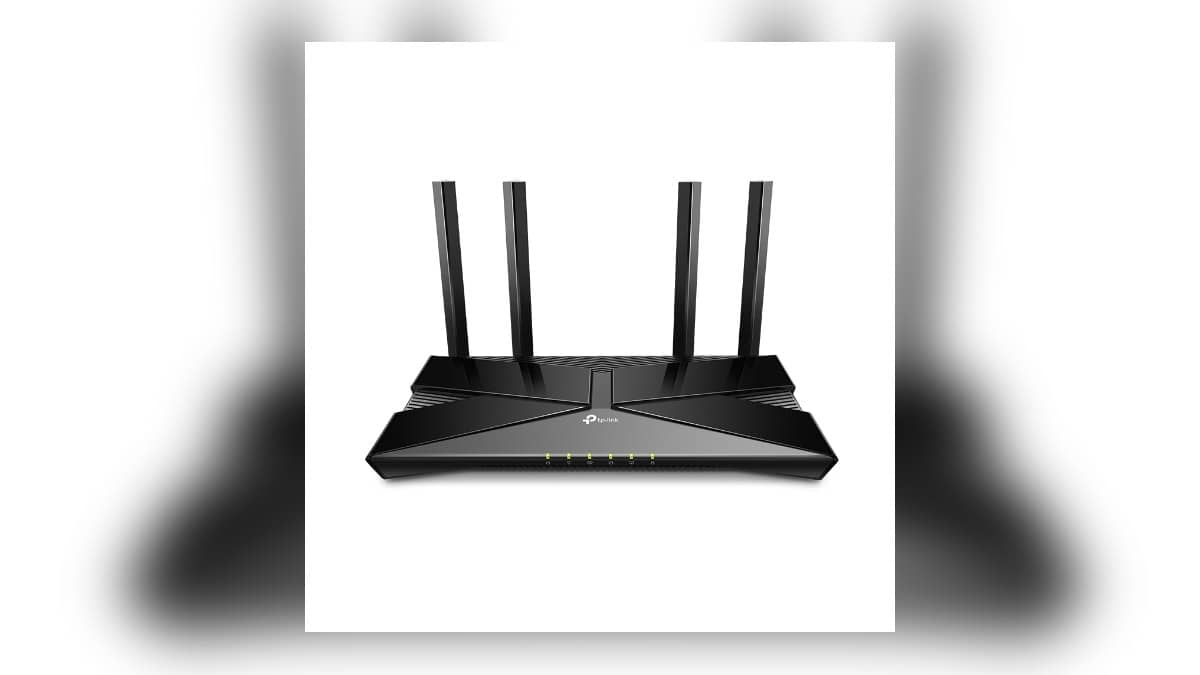
NEW DELHI: TP-Link specifies Archer AX10 at up to 1201 Mbps on 5 GHz and 300 Mbps on 2.4 GHz. Those are separate wireless-band figures behind its AX1500 label. For a home mixing streaming screens with connected appliances, the distinction matters because the device's supported band determines which part of the router specification is relevant.
| Connection or feature | Official specification |
|---|---|
| 5 GHz radio | 1201 Mbps, 802.11ax |
| 2.4 GHz radio | 300 Mbps, 802.11n |
| Internet connection | 1 Gigabit WAN port |
| Wired home connections | 4 Gigabit LAN ports |
| Operating modes | Router or access point |
Read the label through the device you are connecting
The specification table identifies Wi-Fi 6 on the faster band, while the lower band uses 802.11n. A connected bulb or plug should therefore be checked against its own radio requirements. Seeing Wi-Fi 6 on the router box does not establish which wireless standard an appliance uses, or that it can join the faster band.
Imagine a television streaming in the sitting room while a door camera uploads footage and a lamp follows its evening schedule. Begin by listing each device and its supported connection. This gives the household a practical network map. It is more useful than assuming every item shares the capability advertised most prominently on the router.
TP-Link qualifies its advertised wireless rates: actual throughput and coverage depend on the environment, network conditions and client limitations. The published rates should consequently be read as specification limits rather than a promise for a download in the far bedroom. An internet service plan is another separate part of that connection.
Use the wired ports deliberately
Archer AX10 lists a Gigabit WAN port for its upstream connection and four Gigabit LAN ports for local devices. Keep those roles distinct when planning cables. The connection from the broadband equipment occupies the WAN side; the television, desktop or other wired equipment belongs on the local side.
A fixed television position is worth including in that plan before furniture hides the route. Draw the cable path from the router to the TV unit and identify whether the cable can reach without crossing a doorway. This turns the port count into a room-layout question, rather than a number considered only after everything has been mounted.
The product lists router and access-point modes. If an existing broadband gateway remains in place, establish which device will perform the routing job before changing settings. Record the current arrangement first. A clear diagram of the upstream box, Archer and connected rooms makes troubleshooting much easier for whoever maintains the home network later.
Placement still needs a real-room check
TP-Link lists fixed antennas and beamforming, but a feature list cannot describe a particular flat's walls, cupboards and entrance recess. Place the router provisionally, then test the locations that matter. Include the position of a security camera or doorbell, not just the sofa where the phone usually gets used.
For a camera at the entrance, repeat the test with doors in their everyday positions. For a television, check the connection while it is being used normally. Write down where a problem occurs before changing the whole network. This avoids confusing a difficult room location with an issue affecting every device.
Our D-Link R15 smart-home band explainer covers another router with a separate lower-band specification. The Tapo P110 guide and Tenda MW6 planning report cover other parts of a connected home, from appliance monitoring to links between network units.
For Archer AX10, the useful starting point is therefore a band map and a cable map. Put the devices beside the connection each can actually use, identify the upstream equipment and test the final locations. That approach keeps the AX1500 label in its proper place: a description of the router's wireless class, rather than a result guaranteed to every appliance.
Keep that map with the broadband details so another family member can understand the arrangement. Mark which cable serves the television and which box connects to the service provider before moving either unit.
Official source: TP-Link India Archer AX10 specifications and performance notes.