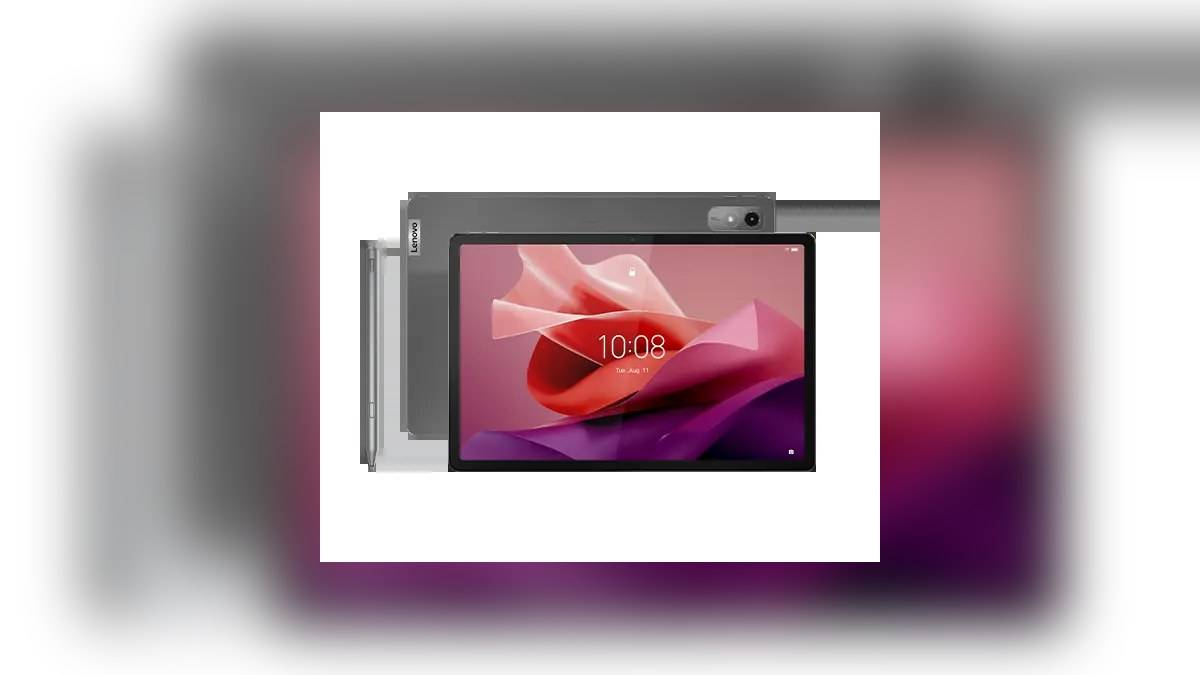
NEW DELHI: Lenovo's Tab P12 supports four apps in split screen and up to five floating windows, according to its official announcement. The feature sits on a 12.7-inch display with 2944 x 1840 resolution. For existing owners planning a study workspace, the useful starting point is choosing which documents need continuous visibility and which can remain temporary reference windows.
| Workspace component | Official Tab P12 detail |
|---|---|
| Split screen | Four apps |
| Floating windows | Up to five |
| Screen | 12.7-inch, 2944 x 1840, 60Hz |
| Keyboard connection | Three-point pogo connector |
| Compatible pen | Lenovo Tab Pen Plus, bundle varies |
| Cellular connectivity | WWAN and cellular bands not supported |
Plan the workspace before filling it
The window counts describe available arrangements, not a requirement to use every space. For a student working through a textbook, begin with the reading material and a place to record notes. Add another reference only if it helps the task. A crowded screen can be difficult to follow even when the software allows the arrangement.
Consider a lecture with a worksheet and a separate reference document. Decide which deserves the largest visible area before opening supporting material. Keep a calculator or a short reference as something to consult temporarily. This is an example of organising work around the stated capabilities, rather than a benchmark of how every education app behaves.
Lenovo's announcement establishes the maximum counts but does not give a complete setup path for every software version. Use the window controls actually presented on your tablet and check your intended apps individually. Do not assume that a particular arrangement shown in a promotional image will appear unchanged after software updates.
Check the tablet and its accessories together
The product specifications identify a three-point pogo connector for Lenovo's Keyboard Pack for Tab P12. They also identify the Tab Pen Plus as a compatible input option, with availability varying by region. A photograph showing the keyboard and pen together does not establish what was included with an individual Indian order.
Retrieve the invoice or order description before planning a typing-and-handwriting setup. Record the precise accessory names rather than simply writing Lenovo keyboard or Lenovo pen. This helps when a household owns more than one tablet and accessories have been moved between drawers, desks or school bags.
There is a practical difference between annotating a diagram and drafting a long answer. Lay out the work first, then choose the input method already available with your device. The official announcement positions the keyboard for typing and the pen for annotations. Neither accessory's existence means that a particular course requires it.
The larger display does not add mobile data
Lenovo's specification reference lists Wi-Fi connectivity and says the Tab P12 has no WWAN or cellular-band support. Its separate Tab M10 5G was introduced in the same announcement, which makes it especially important to keep the model names straight. A feature attached to the M10 5G should not be read as a Tab P12 specification.
For a class away from home, settle the connection question before organising the windows. Confirm how the tablet will reach the required material and whether your course permits copies to be saved ahead of time. An attractive arrangement of lecture notes is of little help if the source document cannot be opened at the location where you intend to study.
Keep a copy of important work somewhere you can identify and retrieve. That is workflow advice, not a claim that every app automatically backs up a document or synchronises its edits. Check the app's own save state before closing it or rearranging the workspace, especially when the document is part of an assignment.
Storage and RAM need their own checks
The specification reference lists fixed memory configurations and removable storage support. RAM cannot be upgraded. A memory card should therefore not be treated as a way to change the tablet's physical RAM configuration. Check the model and configuration in hand before comparing its behaviour with a demonstration using another unit.
The display specification also matters independently of window count. A large panel supplies physical room for reading, while resolution and refresh rate describe other aspects of it. Do not turn the multitasking claim into an unsupported promise about game frame rates or the readability of every document at every zoom level.
For other Lenovo models, see our Tab M11 support explainer, Tab Plus audio guide and Tab P11 Pro listing report. Their specifications belong to those models. Matching the exact Tab P12 name remains the first step when finding instructions or accessories.
Official sources: Lenovo's tablet announcement, Tab P12 specification reference and Tab P12 datasheet.