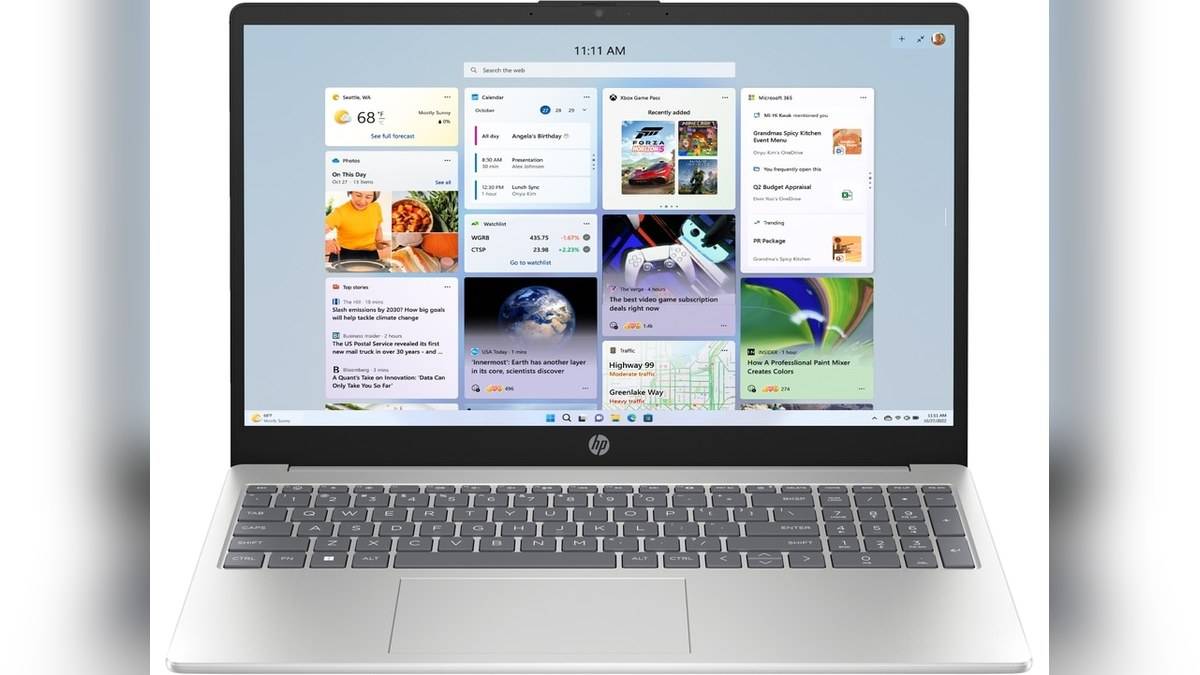
NEW DELHI: The HP 15-fd0624TU has a USB-C port rated at 5Gbps for data transfer only. HP explicitly excludes laptop charging and external monitor support through that connector. For a student carrying a charger between classes, or an office worker connecting a desk display, the distinction determines which cables can actually do the job.
| Connection | Official specification |
|---|---|
| USB-C | One port, 5Gbps, data only |
| USB-A | Two ports, 5Gbps |
| External display | HDMI 1.4b |
| Power | AC smart pin connection, 65 W adapter |
| Exact product | 15-fd0624TU, BV2W3PA#ACJ |
Plan the desk around separate connections
HP lists this configuration with a Core i3-1315U, 8 GB of DDR4 memory and a 512 GB SSD. Its connections make a conventional desk arrangement possible: power through the dedicated inlet, a display through HDMI and peripherals through USB. A single USB-C lead should not be assumed to replace that arrangement.
The model-specific implication is particularly clear for someone sharing an office desk equipped with a USB-C monitor. A matching socket is insufficient evidence that its display and laptop charging functions will work. The HP specification sets the boundary before any cable is attached. The port remains useful for data devices; the limitation concerns the additional functions people often associate with its shape.
The processor specification is a different document
Intel lists six cores for the i3-1315U, comprising two Performance cores and four Efficient cores, with eight threads. Its processor page also lists a maximum turbo frequency of 4.5 GHz, 10 MB of cache and a processor base power of 15 W. Those are chip specifications, rather than a promise about every connection on a laptop containing that chip.
This matters because Intel's page includes Thunderbolt 4 among the processor's expansion capabilities. The same page tells readers to check with the system vendor to establish which features a particular computer delivers. Reading the Intel entry alone would therefore be an incomplete way to establish what the HP's USB-C socket supports.
For this HP configuration, use the laptop's port table when planning accessories. The processor name identifies the computing platform, while HP's implementation determines the physical connections available to its owner. A processor capability should not be promoted into a laptop feature without that second check.
Charging requires more than a matching plug
HP's separate charging-cord guide explains that USB-C ports can have different roles and that some support data alone. It advises checking the laptop specification for USB Power Delivery support. That general guidance fits this model's explicit restriction and explains why substituting a USB-C phone charger is not a supported charging plan.
The guide also treats connector type, voltage and wattage as separate compatibility checks. Its discussion of traditional barrel connections describes a dedicated power path rather than a route for data or video. For someone packing this HP for a commute, keeping its specified adapter with the machine avoids relying on the appearance of a spare cable.
The useful distinction is between diagnosing a fault and expecting an unsupported function. If a USB-C power lead does not charge this model, that observation alone does not establish that the laptop needs repair. First compare the attempted connection with the manufacturer's stated port functions. A support request becomes clearer when it describes the actual symptom and the exact product code.
Separate a display limitation from a USB fault
Microsoft also distinguishes a USB4 accessory from a USB4-capable host. Its guidance notes that connecting such an accessory to a computer without the required support can limit functionality. An expensive dock therefore needs the same compatibility check as a simple adapter. Its packaging describes the accessory, and does not change the host computer specification.
Microsoft's Windows USB-C troubleshooting guidance says the computer, cable and connected device must support the required features together. For display connections, it specifically asks users to check the relevant alternate-mode support. It also explains that a device or dongle can offer capabilities absent from the computer to which it is attached.
If an ordinary USB device is not recognised, Microsoft's troubleshooting route is different: inspect its entry in Device Manager, open Properties and read the error under Device status. That distinction helps keep a failed data connection separate from a display connection that the HP specification never offered.
Readers comparing other implementations can see our guides to HP 430 Multi-Device Wireless Mouse price: Rs 2,229, HP Smart Tank 580 vs 585 price: 585 starts lower at Rs 14,999 and IdeaPad Slim 1 HDMI supports 4K at 30Hz; USB-C is data only. Their connection specifications belong to those models and should be checked separately.
Official sources: Intel processor specifications, HP charging-cord guidance, Microsoft USB-C troubleshooting and HP India product specifications.