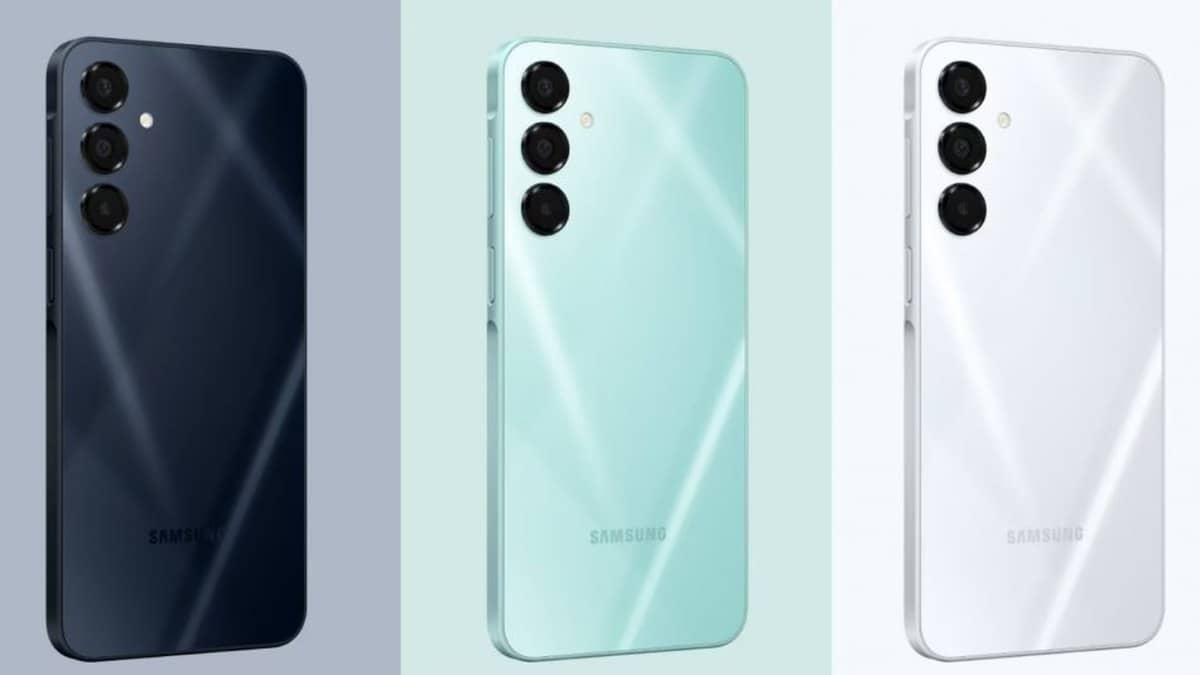
NEW DELHI: Samsung's Galaxy A16 5G supports a microSD card up to 1.5TB, but its India specification sheet identifies a hybrid tray. Using that card means giving up the tray position that otherwise takes another SIM. Owners planning a storage upgrade should decide which matters more: removable space for files or keeping both physical mobile connections in the phone.
| India model checked | Built-in storage | Listed available storage | Card support |
|---|---|---|---|
| 6GB RAM, Gold | 128GB | 107.9GB | microSD up to 1.5TB |
| 8GB RAM, Blue Black | 256GB | 235.4GB | microSD up to 1.5TB |
Decide on the SIM arrangement first
Samsung describes the tray as a primary SIM position plus a hybrid position for either another SIM or a microSD card. The word hybrid is the consequential part. It does not describe a separate card position that can be filled while both physical SIM positions remain available.
Consider an A16 used for a personal number and a work number. If both connections need to remain inside that handset, the storage decision begins with the built-in capacity and file management. If only a primary connection is needed, the hybrid position can instead hold removable storage. This is a physical layout decision, not a setting that increases the number of tray positions.
Our Galaxy A17 storage guide covers a related tray arrangement. Its capacity figure should not be carried across to A16. The A16's own India sheet is the relevant reference for the card limit stated here.
The advertised capacity is not the free-space reading
The table deliberately separates total storage from Samsung's available-storage entry. Those are the figures printed on the checked product pages, rather than measurements from a freshly reset review unit. Samsung cautions that available capacity can change with preloaded software and updates.
That distinction is especially useful when an owner sees less free space than the amount on a box. The settings screen also reflects their installed applications and saved files. A card does not rewrite the phone's original storage specification, and the capacities in the table should not be treated as promises of the free space remaining after personal use.
For a student keeping downloaded lessons, photographs and documents, removable storage can provide a separate place for those files. For someone mainly short of room for applications, the answer is less automatic. Samsung's general microSD guidance says many apps cannot be moved, and its Android devices do not support adoptable storage.
Copy files before clearing their originals
Samsung's file-management instructions use the My Files app. Select the files, choose Move or Copy, navigate to SD card and choose the destination folder. The SD card destination appears when a card is inserted. Menu appearance can vary with the software version.
For important documents, start with Copy and open the copies from the card before removing anything from internal storage. That is a precaution to confirm the transfer, not an extra storage feature exclusive to A16. Keep another copy of irreplaceable files outside the handset so a lost phone or card does not take the only copy with it.
Samsung's app instructions say an application's Storage page may show a Change option. If it does not, that app cannot be moved through that route. This is why moving photographs and moving an app should be treated as different jobs. The presence of a card slot does not establish that every banking, work or entertainment app can run from it.
Prepare the card without risking existing files
Formatting erases the card's contents, according to Samsung's support guidance. Back up anything already saved there before accepting a format prompt. When removing a card, use the phone's unmount option first. Follow the tray outline carefully and avoid confusing its eject hole with another opening.
The A16 India listing also describes a Full HD+ Super AMOLED display and a camera system built around a 50MP main sensor. These features help explain why photographs and downloaded video can become a practical storage issue. They do not change the hybrid tray restriction.
For wider ownership questions, read our Samsung warranty guide and explanation of recording and playback specifications. Neither a warranty label nor a video label replaces checking where an A16 actually saves its files.
Official sources: Galaxy A16 128GB India specifications, Galaxy A16 256GB India specifications and Samsung's general microSD instructions.