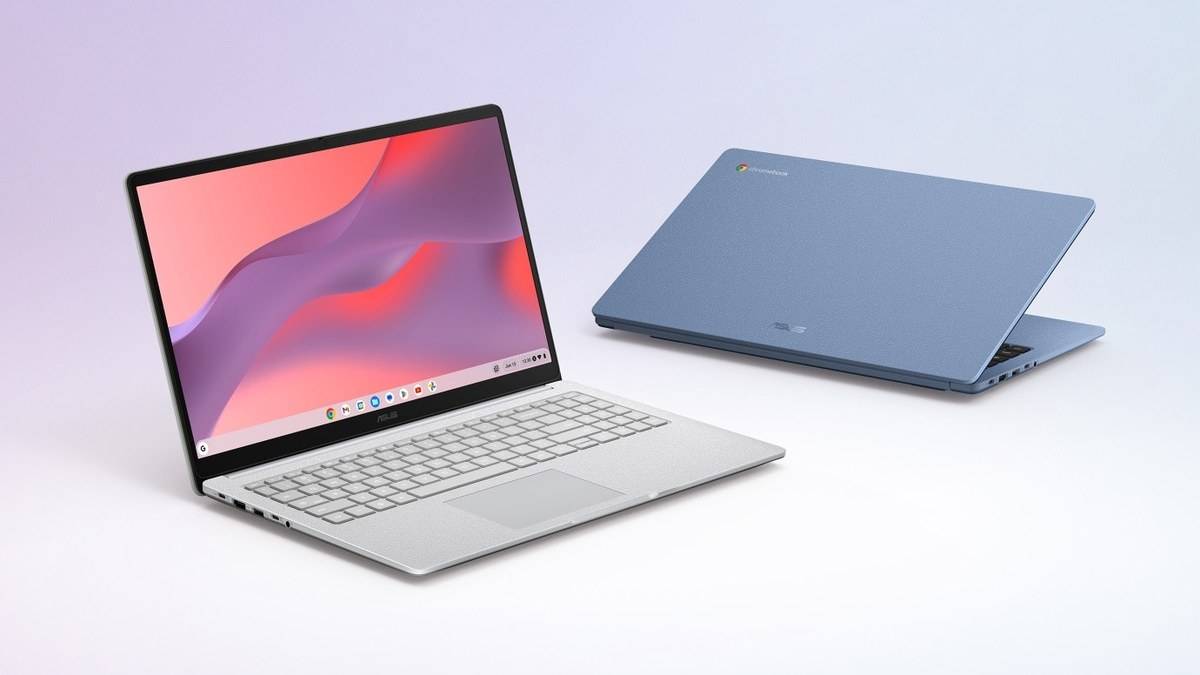
NEW DELHI: The ASUS Chromebook CX15 specification listed as CX1505CTA has two USB-C ports that support display output and power delivery, alongside HDMI 1.4. ASUS lists a 45W USB-C adapter. That combination gives this Chromebook several ways to connect at a desk, but the cable and monitor still need to support the connection being attempted.
| Item | Official CX1505CTA specification |
|---|---|
| USB-C | 2 USB 3.2 Gen 1 ports, display and power delivery |
| Other connections | 1 USB-A 3.2 Gen 1, HDMI 1.4, 3.5mm audio |
| Power adapter | 45W USB-C |
| Processor | Intel Processor N50, 2 cores and 2 threads |
| Screen | Full HD 1920 x 1080, non-touch, anti-glare |
| Memory and storage choices listed | 4GB or 8GB onboard memory; 64GB or 128GB eMMC |
Check the suffix before planning a desk
ASUS uses CX15 as the family name, while the India technical page identifies CX1505CTA. The distinction matters because the linked ASUS India store listing carries CX1505CKA. A family name alone is therefore insufficient evidence that a particular machine has the processor, memory or connections described here. This article concerns the CTA specification, rather than assigning its details to every CX15 sold under a similar name.
The technical page lists memory and storage alternatives separately. It does not establish every possible pairing as a purchasable Indian variant. There is also no verified variant price table on that page. An invoice or configuration sheet should identify the suffix and installed capacity before anyone treats a family specification as a description of their machine.
HDMI can keep USB-C available
For a classroom screen or home monitor with HDMI input, the dedicated HDMI socket provides a straightforward connection route. The practical advantage is port allocation: the charger can occupy USB-C while the display uses HDMI. The USB-A socket remains available for a suitable peripheral, such as a mouse receiver, without making a hub the starting point for every desk arrangement.
USB-C offers another route because ASUS explicitly lists display support on both sockets. That wording is more useful than simply seeing a reversible connector in a photograph. Google cautions that a USB-C cable must be fast enough for the display connection. A cable that charges a device should not automatically be assumed to carry a monitor signal.
Google also says the adapter must match the computer's output and the screen's input. If a display fails to appear, first identify that complete path. Changing software settings cannot supply a capability absent from a cable or adapter. Conversely, a monitor with an appropriate input may allow a direct connection without an additional conversion step.
For an Indian household sharing a television for classes and entertainment, that connection check is particularly practical. Keep the display cable with the screen and the charging cable with the adapter, so the same working arrangement can be recreated without guessing which lead carried video last time.
Choose what the second screen displays
Google's documented route starts with the time at the bottom right, then Settings, Device and Displays. With a monitor connected, Mirror Built-in Display can show the same content on both screens. That suits a lesson or presentation where the person speaking needs to see what the audience sees.
For desk work, the display controls also allow adjustment of text size, orientation and the monitor's resolution. A useful first task is to make a document comfortable to read before opening more windows. Google documents Search or Launcher plus Alt plus m for moving a window between screens, which can help when the pointer has wandered onto the other display.
A large screen does not make every job identical
The CX15 overview describes a 15.6-inch Full HD screen, while the specification confirms a non-touch panel. That makes it a different proposition from a folding Chromebook used for handwriting or finger gestures. A pupil reading a reference page while typing an assignment has a clear use for the screen area; a task built around writing directly on the panel requires a different input capability.
The N50 processor and onboard memory options are equally relevant to expectations. They identify the platform being discussed, rather than proving a particular workload will run smoothly. This is a specification-based explanation, with no benchmark or battery test. Likewise, the presence of several video-capable connectors does not establish a verified simultaneous external-monitor limit for this model.
For related model checks, see our explanations of ASUS CX14 connections, Chromebook CM32 pen tools and Chromebook Plus CX34 updates. Their specifications belong to those models and should be checked separately.
Official sources: ASUS CX1505CTA specifications, ASUS CX15 overview and Google's monitor connection guide.