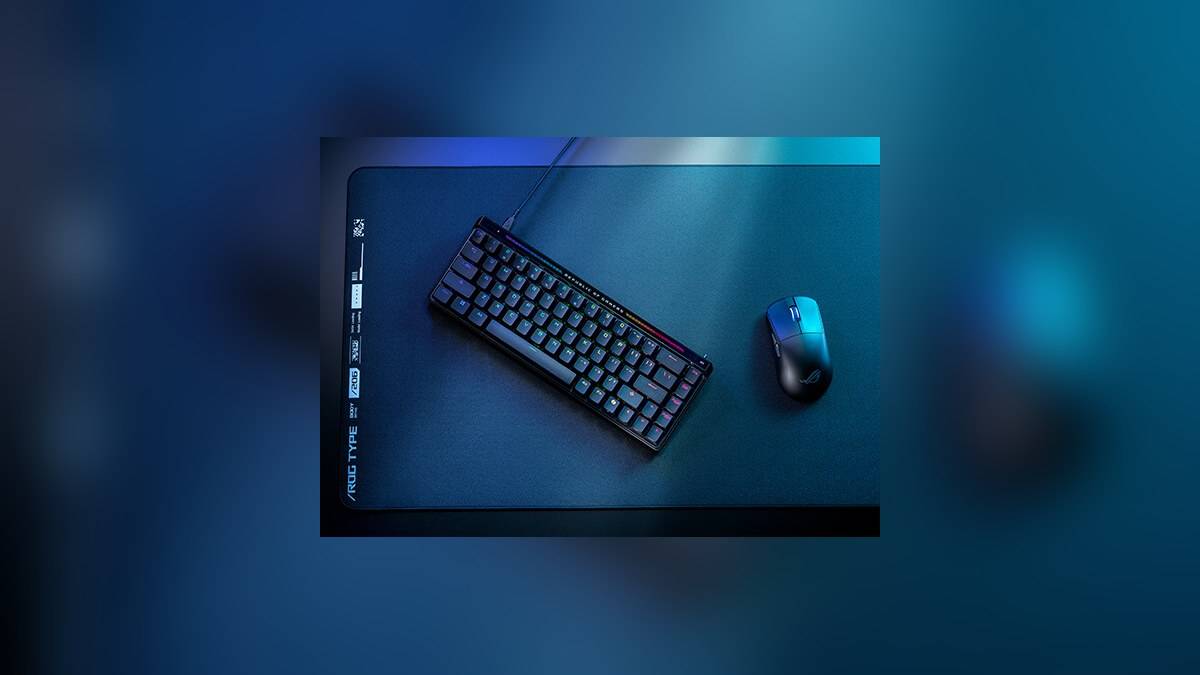
NEW DELHI: ASUS lists the ROG Falchion Ace HFX at Rs 19,999 and the black ROG Strix Scope II 96 RX Wireless at Rs 14,999 on its India store. The Rs 5,000 gap separates a compact magnetic-switch keyboard from a larger optical-switch model with wireless connectivity and a number pad. These are the displayed product prices, inclusive of taxes, without applying payment offers.
Price as of 7 November 2026, 00:12 IST. The comparison uses the black US-layout SKUs identified below. The black Scope listing showed a notification option rather than immediate ordering when checked, so its price should be read as a listed figure rather than a delivery commitment.
| Feature | Falchion Ace HFX | Strix Scope II 96 RX Wireless, Black |
|---|---|---|
| India store price | Rs 19,999 | Rs 14,999 |
| Part number | 90MP03VE-BKUA20 | 90MP03S0-BKUA00 |
| Layout | 65% | 96% |
| Switch technology | ROG HFX magnetic | ROG RX optical mechanical |
| Connections | Wired USB | Wired USB, Bluetooth 5.1, 2.4GHz RF |
| Dimensions | 315 x 115 x 35mm | 377 x 131 x 40mm |
| Weight without cable | 643g | 1,012g |
| Maximum advertised report rate | 8,000Hz over USB | 8,000Hz with separately sold ROG Polling Rate Booster |
The extra cost pays for adjustable actuation
The Falchion's defining feature is its magnetic switch system. ASUS specifies an actuation range from 0.1mm to 4.0mm, adjustable through the keyboard's controls or Armoury Crate. That setting changes how far a key travels before an input registers. It gives the HFX a different purpose from a keyboard whose main attractions are layout and wireless convenience.
Its Rapid Trigger toggle adds another distinction. ASUS says the feature resets a switch as it moves upward, rather than waiting for the conventional reset point. Only WASD is enabled by default when the toggle is activated; other keys can be configured in Armoury Crate. The physical toggle therefore does not automatically give every key the same behaviour.
That distinction matters on a desk used for both gaming and writing. A shallow actuation setting may suit repeated movement inputs, while ordinary typing can call for a different setup. This is a configuration choice, not evidence that the more expensive keyboard makes every task faster. No hands-on latency or typing tests form part of this comparison.
A number pad changes the desk calculation
The Scope retains function and number keys in its 96% layout. The Falchion keeps arrow and navigation keys within a 65% design. Their published widths differ by 62mm, calculated from ASUS specifications. Someone moving between spreadsheets and games is therefore comparing the availability of dedicated keys as well as the amount of room left for the mouse.
For an Indian home desk that doubles as a work surface, this is the practical split: entering figures repeatedly and keeping wireless connections available are different requirements from configuring movement-key actuation. Neither product's percentage label describes its switch sensitivity. Layout and switch technology need to be considered separately, even though both keyboards carry ROG branding.
The Scope includes a detachable wrist rest and offers three tilt positions. The Falchion also offers three tilt angles and includes a cover that can sit beneath the keyboard as a tray. These are different approaches to the physical setup. A cover is not the same accessory as a wrist rest, and the supplied items should not be treated as interchangeable extras.
Wireless convenience has a polling-rate condition
The Falchion is wired. Its two USB-C ports allow connections to two PCs with a switch between them; they do not turn it into a wireless keyboard. The Scope offers wired USB, Bluetooth and 2.4GHz wireless operation. ASUS also specifies pairing with up to three Bluetooth devices, which is useful context for a desk shared between computers.
The Scope's advertised 8,000Hz capability requires the ROG Polling Rate Booster, sold separately. Its listed box contents do not include that booster. Treating the Rs 14,999 keyboard as an all-inclusive equivalent to the HFX's wired report-rate specification would therefore miss an accessory condition. Polling rate describes reporting frequency, not the complete delay from a key press to an action appearing on screen.
The published cable-free weights differ by 369g, with the Scope heavier. Along with the width difference, that puts a measurable cost on carrying the larger layout between workspaces. It does not establish how either keyboard grips a particular desk surface. The smaller HFX trades away the dedicated number pad while keeping its compact body and wired operation.
Check the exact edition
The black Scope listing identifies RX Red switches and ABS keycaps in its model code. ASUS's broader product page discusses keycap materials that vary by region, so that general description should not override the particular India SKU. The Falchion listing identifies HFX switches and PBT in its model code. The precise suffix matters more than a photograph of another colour.
For related desk equipment, see our reports on the Gadget and accessory price guide, the ASUS Jelly75 KD201 arrives at Rs 8,999 with hot-swappable switches, and the ASUS CW200 vs MD105 price: MD105 starts lower at Rs 1,699.
Official sources: Falchion India listing, black Scope India listing, Falchion specifications and Scope features and accessory conditions.