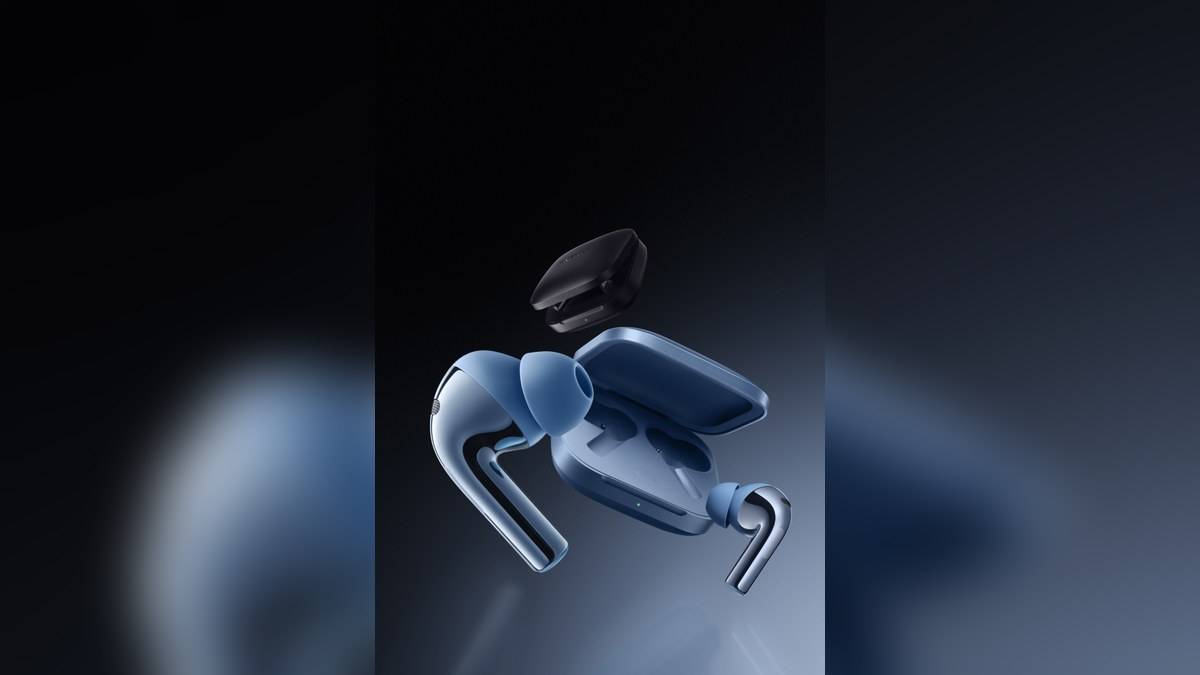
NEW DELHI: OnePlus Buds 3 supports Hi-Res listening only with a device that supports LHDC 4.0 or later, according to OnePlus India's feature notes. The company explicitly excludes iOS from Hi-Res support. Buyers checking compatibility should separate that requirement from ordinary Bluetooth playback and from features available through the HeyMelody app.
| Feature | OnePlus India's stated requirement or limit |
|---|---|
| Hi-Res device requirement | LHDC 4.0 or later support |
| OnePlus Hi-Res settings | Earbuds Function on Android 12 or later |
| Other Android users | Android 7.0 or later and HeyMelody for Hi-Res |
| iOS Hi-Res | Not supported |
| 3D audio | No head tracking |
Check the phone before the feature list
OnePlus markets the Buds 3 with LHDC 5.0 audio, while its compatibility note specifies support for LHDC 4.0 and above on the source device. Start by checking that capability on the phone you will actually use. A music subscription or a high-quality recording alone does not establish that this particular wireless feature can be enabled.
The distinction matters for someone keeping the same earbuds while replacing a handset. The buds may remain part of the daily setup, but a change of operating system can change access to the advertised extras. Put the phone and the desired feature on the same checklist instead of treating the earbud box as a promise that every phone offers identical functions.
Choose the correct settings route
For OnePlus smartphones on the stated Android version, the company directs users to Earbuds Function for Hi-Res. Other qualifying Android users need HeyMelody. Those app requirements sit alongside the LHDC device requirement. Meeting only the Android version threshold is therefore insufficient to confirm that a phone supports the codec.
For an iPhone owner, the official exclusion is straightforward: do not count Hi-Res among the available Buds 3 features. That exclusion should not be stretched into a claim that all app functions are missing. Read each feature's own note. OnePlus gives different requirements for audio personalisation and for the Hi-Res connection, even though both appear on the same product page.
A practical way to check a mixed-device household is to make a small feature list for each phone. Include normal listening, the app controls you need and the advanced audio option you want to try. This avoids discovering after a handset change that a feature you used on the previous phone has a different requirement on the replacement.
Personalisation has different conditions
OnePlus Audio ID 2.0 and 3D audio can be configured through Earbuds Function on OnePlus phones running Android 11 or later. The company's notes direct other supported Android and iOS users to HeyMelody. The 3D feature does not offer head tracking. Do not infer tracking behaviour from the word spatial or from illustrations of sound surrounding a listener.
To judge whether you want a processing option, use a familiar track or dialogue passage and change a single setting at a time. Keep the listening level comparable. This is a useful personal preference check, not a laboratory assessment of the drivers. A feature being available and a feature suiting your listening are separate questions worth answering separately.
The specification page lists Splendid Blue and Metallic Gray finishes. Identify the product by its full Buds 3 name when checking support; a colour description alone is insufficient to establish which earbud family a listing concerns.
Read latency and connection claims carefully
The advertised 94ms latency is qualified: OnePlus says it requires selected OnePlus phones with Pro Gaming mode enabled. Treat it as a conditional claim rather than a guaranteed result on an arbitrary laptop or iPhone. If games are your reason for considering the feature, check the exact handset condition before making that number central to your expectations.
The specifications separately list Bluetooth 5.3, SBC, AAC and LHDC codecs, dual connection, and a driver combination of a 10.4mm woofer with a 6mm tweeter. These describe different parts of the product. Dual connection addresses moving between devices; it does not establish that both connected devices support the same codec or advanced listening functions.
For a work-and-personal-phone routine, begin by confirming ordinary playback on each device and then investigate the specific extras. Keep notes of which device and app were used when a setting appeared. That makes a missing option easier to describe and prevents a successful test on the work phone from becoming an assumption about the personal phone.
Related coverage includes our OnePlus 11 5G price list: Rs 56,999 to Rs 64,999, the OnePlus 12 price list: Rs 64,999 to Rs 69,999 and our OnePlus Diwali sale from 8 October: 15R from Rs 54,999, but check the base price. The Nord naming in particular should not be confused with this Buds 3 model.
Official sources: OnePlus Buds 3 features and compatibility notes and OnePlus India specifications.