NEW DELHI: Galaxy Buds3 Pro owners checking for software updates should start with their Galaxy phone's One UI version. Samsung India's instructions put the update control in phone Settings on One UI 8.0 or later, while One UI 7.0 or earlier uses the Wearable app. The earbuds disconnect during installation and reconnect automatically afterwards.
| Check | What Samsung specifies |
|---|---|
| One UI 8.0 or later | Settings, your Galaxy Buds, Earbuds software update |
| One UI 7.0 or earlier | Wearable app, Earbuds software update |
| Next control | Download and install |
| No available update | Phone displays an up-to-date message |
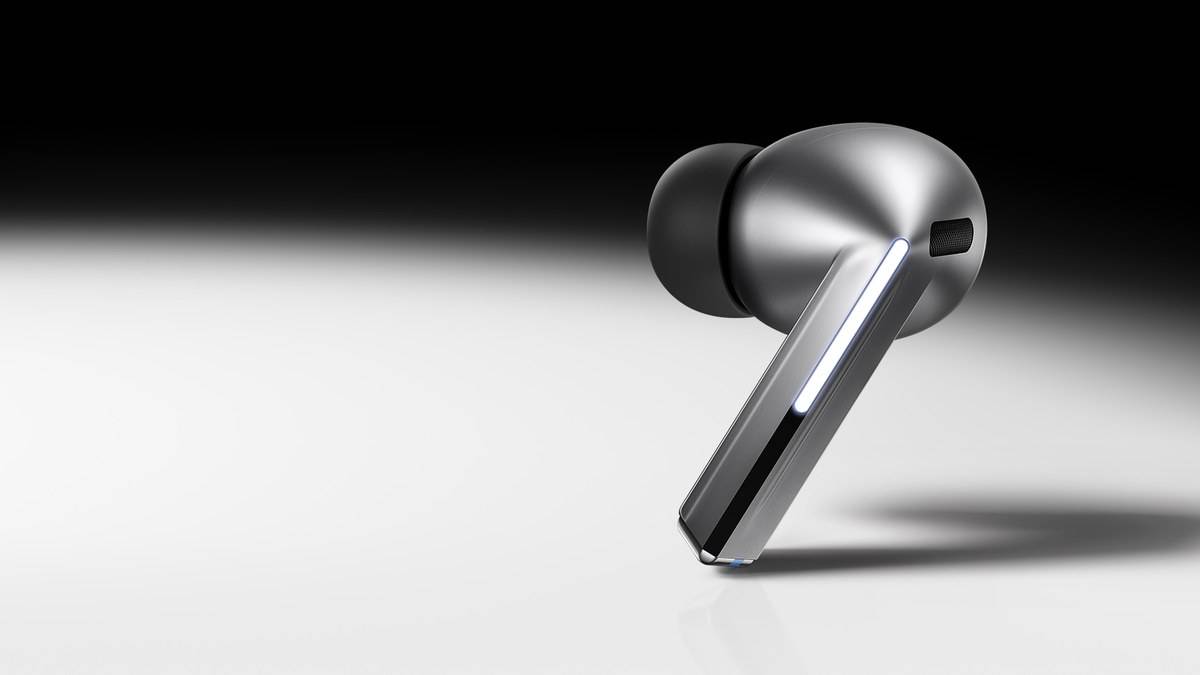
| Model covered here | Galaxy Buds3 Pro, with blade controls and silicone tips |
Use the route that matches the phone
On the newer interface, open Settings and tap your Galaxy Buds. Choose Earbuds software update, then Download and install. Follow the instructions if a package is available. Samsung's support article does not supply a universal current firmware number, so this guide does not present one as the version every owner should already have.
On the earlier interface, open Wearable and select Earbuds software update, followed by Download and install. The article draws its distinction around phone software. An owner following an older screenshot may therefore be looking in a different place even though the task is unchanged. Match the route to the software on the phone in your hand.
Before beginning, identify the connected accessory as Galaxy Buds3 Pro. Samsung's product selector also contains Buds3 and Buds3 FE. Similar names on a shopping page are a reason to check the device label carefully, especially when several family members use Galaxy earbuds. Keep your observations attached to the correct pair rather than a remembered product photograph.
Choose a break in listening
Because Samsung says disconnection is part of the update process, finish an ongoing call before starting. Pick a moment when you can leave the phone and earbuds alone and follow the displayed prompts. A brief interruption during the installation is expected behaviour under these instructions; it is not, by itself, evidence that pairing has been lost permanently.
If the phone says the software is up to date, that is the result of the check. Do not assume a different update must exist because another owner describes a new feature. The support procedure explains how to ask the device for an available package. It does not promise a new release on a particular day or assign a fixed update interval.
Keep firmware and feature requirements separate
The Buds3 Pro product page describes a two-way speaker system and separately controlled woofer and tweeter amplification. It also promotes Galaxy AI functions with compatible Samsung Galaxy devices. Installing an offered earbud update is therefore only one part of checking a feature. Read the relevant phone compatibility conditions before expecting every advertised function to appear.
That distinction is useful in a household where earbuds move between an older Galaxy handset and a newer one. A successful update check answers a software maintenance question. It does not establish that both phones meet every feature requirement. When investigating something missing, write down the phone model, its software and the exact feature being tested instead of repeatedly running the updater.
The same care applies to everyday controls. Samsung describes swiping along the blade to change volume and pinching for playback control. These are physical interactions with this particular design. After an update, test a familiar song and the controls you normally use before an important meeting. That is a practical check of your own setup, rather than a claim that the update changed the gestures.
Make a useful record if a problem remains
Note what the screen displayed at the end of installation and whether the earbuds reconnected. If you later need to consult official support, those observations distinguish a download problem from an issue that appears only during listening. A short, specific description is more useful than saying simply that the headphones stopped working after an update.
For an Indian commuter, the most relevant change in this guidance is where to look before leaving home. Someone used to opening Wearable may now find the earbud settings integrated into the phone's Settings app. Checking there can resolve a search for a missing menu without changing the earbuds, resetting the phone or treating a moved control as a hardware fault.
Related reading includes our Galaxy A27 5G price: Rs 35,999 on Samsung.com, Rs 33,499 after checkout discount, the Galaxy A57 5G at Rs 62,999 and A37 from Rs 46,999 on Samsung.com: checkout offers explained and our Galaxy F70 5G price: Rs 19,999 on Flipkart for 4GB/128GB, Rs 22,999 for 6GB. These cover separate products and should not be used as Galaxy update instructions.
Official sources: Samsung India's Galaxy Buds update procedure and Galaxy Buds3 Pro product details.