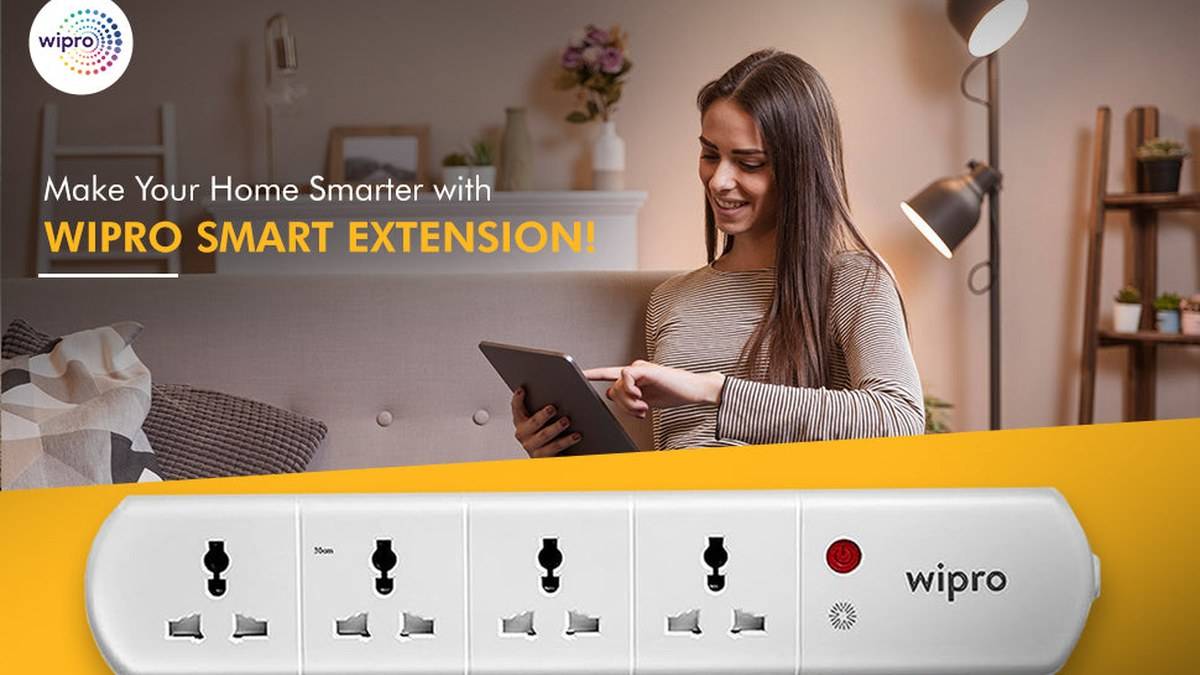
NEW DELHI: Wipro lists its Smart Wi-Fi Extension Board in a 4-socket layout and a layout with 3 sockets plus 3 USB ports. Its product FAQ says sockets can be controlled individually through the app. The distinction matters when deciding whether a desk needs more mains outlets or a mix of outlets and direct USB connections.
| Question | Official page information |
|---|---|
| Layouts named | 4 sockets; 3 sockets plus 3 USB |
| Displayed family price | Rs 1,909 |
| Socket control | Individual app control |
| Voice assistants named | Alexa and Google Assistant |
| Automation | Schedules and app-based automation |
Price as of 10 November 2026, 01:47 IST. The readable listing shows a single family-level amount, rather than verified individual prices for both layouts. It would therefore be misleading to label each layout Rs 1,909. Wipro's product card also shows unavailable stock, which limits what can be inferred about ordering from the displayed amount.
Count mains devices and USB devices separately
Write down the connections a workspace actually needs. A monitor, a laptop adapter and a desk lamp occupy a different mix of outlets from phones and small USB accessories. The version with USB connections may look more flexible on paper, but the relevant question is whether its exact connections match the equipment used on that desk.
Wipro's own extension-board guide describes the USB option and separately discusses the need to match plugs and electrical requirements. This report does not establish a USB charging wattage, a fast-charging protocol or a charging-time promise for either layout. Check the selected version's label before treating a built-in port as a replacement for an existing charger.
The same physical check applies to the mains outlets. Try to account for the space a large adapter occupies, where its cable will run and whether neighbouring outlets remain accessible. Counting socket holes alone does not show how comfortably your particular collection of adapters will fit. This is a layout exercise for the actual equipment, rather than a tested claim about socket spacing.
Individual socket control changes the plan
The useful smart feature in Wipro's FAQ is separate socket control through the app. That creates a reason to map devices to outlets deliberately. Give each connection a clear purpose before setting routines, so a household member can understand what an app control is expected to switch.
For example, a desk lamp and equipment that must remain available need different treatment. If a router or security camera is connected nearby, include it in the map before experimenting with an evening shutdown routine. Do not assume every device on an extension board should follow the same schedule simply because the board is advertised as smart.
The published socket-control statement also should not be stretched into a promise that every USB connection is independently switched. The readable page does not establish that behaviour. If independent USB control is central to the intended setup, confirm it for the selected version rather than transferring a mains-socket feature to every connector on the board.
Schedules and voice commands need a simple trial
Wipro says the extension board supports schedules, app automation and voice control through Alexa and Google Assistant. Start with an easily observed task, such as a lamp switching at the intended time. This gives the household a straightforward way to judge whether the chosen automation matches its routine before including other equipment.
Keep names specific. A command referring to a desk lamp should be easier to interpret than a collection of similarly named sockets. Have the person who normally uses the desk try the controls as well. The goal of this suggested trial is to expose naming or routine mistakes while the setup is easy to change.
Who each layout is for
The mains-focused layout is the more relevant candidate where the intended devices already have their own adapters. The USB-equipped option is worth examining where direct USB connections could reduce the adapters on a desk. Neither observation establishes that one version is universally preferable; the equipment list and published electrical limits decide the fit.
Wipro's FAQ tells users to check load capacity before connecting heavy appliances and says the maximum depends on the specific model. The readable material does not establish a model-specific maximum load here, so no numerical rating is supplied. More outlets are not evidence of permission to connect every appliance in the room at once.
For related device planning, see our Gadget and accessory price guide, Qubo Smart Plug 16A vs 10A price: 10A starts lower at Rs 899 and How to read energy use on the 16A Tapo P110. Their ratings and protocols belong to those products.
Official sources: Wipro Smart Wi-Fi Extension Board and Wipro's extension-board guide.