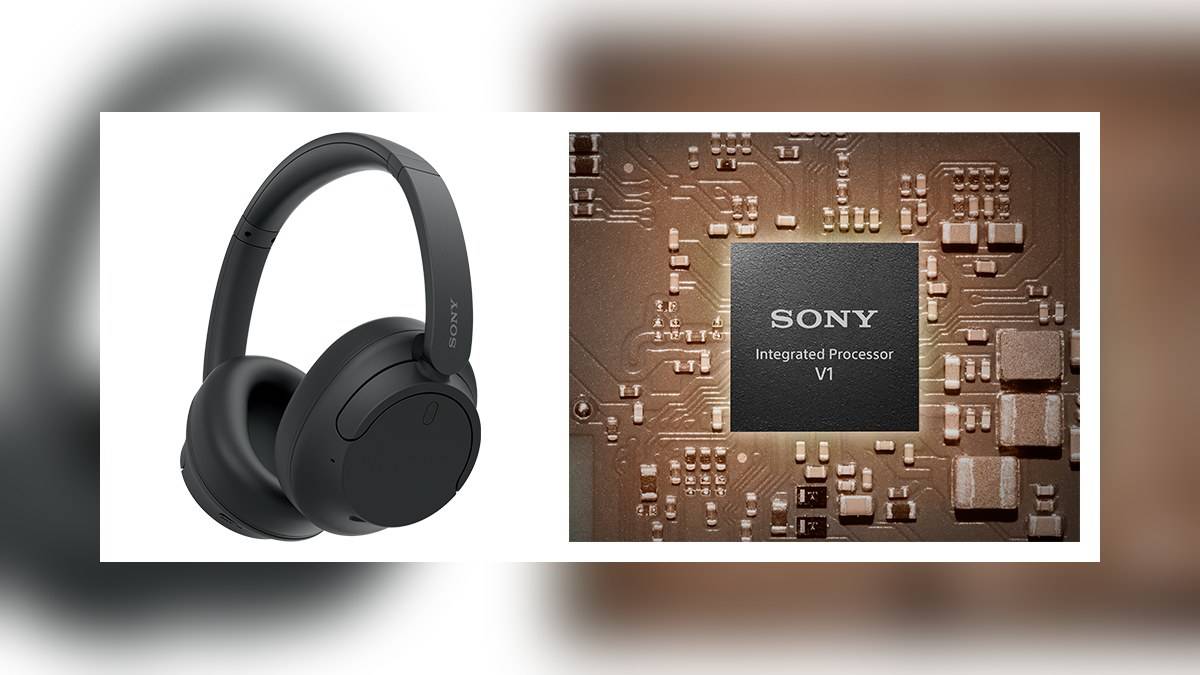
NEW DELHI: Sony's WH-CH720N takes approximately 3.5 hours to charge an empty battery fully. Use the supplied USB Type-C cable, connect it directly to a suitable power source and watch the orange indicator. The headphones cannot play music while connected for charging, an important limitation when planning calls or a commute.
| WH-CH720N charging fact | Official guidance |
|---|---|
| Full charge from empty | Approximately 3.5 hours |
| USB adaptor output current | 0.5 A or more |
| Charging temperature | 5 C to 35 C |
| Quick top-up | About 60 minutes of music after 3 minutes charging |
| Long storage | Charge once every 6 months |
Make the charging connection first
Connect the supplied cable to the headset and a USB AC adaptor, or to a running computer. Sony says charging finishes when the orange light switches off. Disconnect the cable after completion. Its help guide cautions that other cables and some adaptors may not work successfully, so returning to the supplied cable is a sensible first troubleshooting step.
For a desk setup, put the cable where it can reach the computer directly. Sony specifically warns against charging through a USB hub. This matters if your work laptop normally lives behind a dock: a convenient socket on the desk may introduce another component into the charging path. Test the simpler connection before deciding that the headset itself has failed.
A sleeping laptop can interrupt the plan
The computer must remain awake. The manual says the headset cannot charge when its host computer enters sleep or hibernation. If you plug in before leaving your desk and find little progress later, check the computer's power state before changing accessories. Adjust its settings as appropriate and restart charging.
There is also a practical scheduling consequence. Starting a charge switches these headphones off, and Sony rules out playback and Bluetooth operations while they remain connected to an outlet or computer. Someone who spends the afternoon in online meetings should therefore reserve a charging window between sessions. Treat the cable as a maintenance connection for this purpose.
Separate a top-up from a complete recharge
Sony's specifications give another useful reference: approximately 4.5 hours of music after a 10-minute charge. Both quick-charge estimates depend on conditions. They help frame an emergency top-up, but they do not mean that a short connection fills the battery. Allow the full charging window when preparing for travel rather than repeatedly relying on the smallest advertised top-up.
The India specifications distinguish up to 35 hours of continuous music with noise cancellation enabled from up to 50 hours with it disabled. Those are maximum playback claims. A charging complaint and a runtime complaint should be recorded separately: whether the indicator behaves normally is a different observation from how long your chosen listening settings last.
For a useful personal check, note when charging completes and use a familiar playlist with your usual settings. Record whether noise cancellation was enabled and whether the session included calls. This creates a consistent account of your experience without pretending that a casual home check reproduces Sony's testing. Avoid comparing an interrupted working day with an uninterrupted music specification.
Before reporting a fault, note the cable, power source and indicator behaviour together. This helps distinguish a connection that never started charging from a headset that charged normally but delivered shorter listening time.
Heat and long storage need different responses
A flashing orange indicator can signal a temperature or battery problem. Move the headset into the specified charging temperature range and try again. If the problem persists, Sony directs owners to a dealer. In Indian conditions, the practical choice is a dry indoor charging spot away from a sunlit window or parked vehicle, rather than leaving the headphones in a bag in the car.
After a long period without use, the light may take a little time to appear and charging can take longer. The guide also recommends the storage charging interval listed above to avoid over-discharge. Put a reminder beside other stored electronics rather than assuming an unused pair needs no attention until the next trip.
The WH-CH720N combines a lightweight over-ear design with Sony's Integrated Processor V1 and multipoint connectivity. That makes its charging restriction particularly relevant to a phone-and-laptop routine: the useful work pattern is to recharge during a genuine break, then reconnect for listening. A tidy desk cable alone does not provide continuous use through a flat battery.
For broader context, see our Sony headphones price list: WH-1000XM6 at Rs 35,990, WF-1000XM5 at Rs 16,990, 21 models, our Sony BRAVIA extended warranty price list: Rs 2,600 to Rs 1,05,000, and what it excludes and the Sony BRAVIA TV price list: 27 models from Rs 28,490 to Rs 25,64,991 for a separate home audio setup.
Official sources: WH-CH720N charging instructions, charging specifications and Sony India specifications.