NEW DELHI: Nothing Phone (2a) supports 45W wired charging and does not support wireless charging, the company's official product and support pages confirm. If the handset fails to charge on a wireless pad, that behaviour alone is not evidence of a defect. Owners should distinguish the unsupported feature from a genuine problem with charging through the USB-C connection.
| Phone (2a) feature | Official position |
|---|---|
| Wired charging | 45W |
| Battery capacity | 5000mAh |
| Wireless charging | Not supported |
| Wireless battery sharing | Not supported |
| Published box contents | Phone, USB-C cable, applied screen protector, SIM ejector, safety and warranty documents |
| India support selector | Phone (2a) listed separately from Phone (2a) Plus |
The rear design is not a charging specification
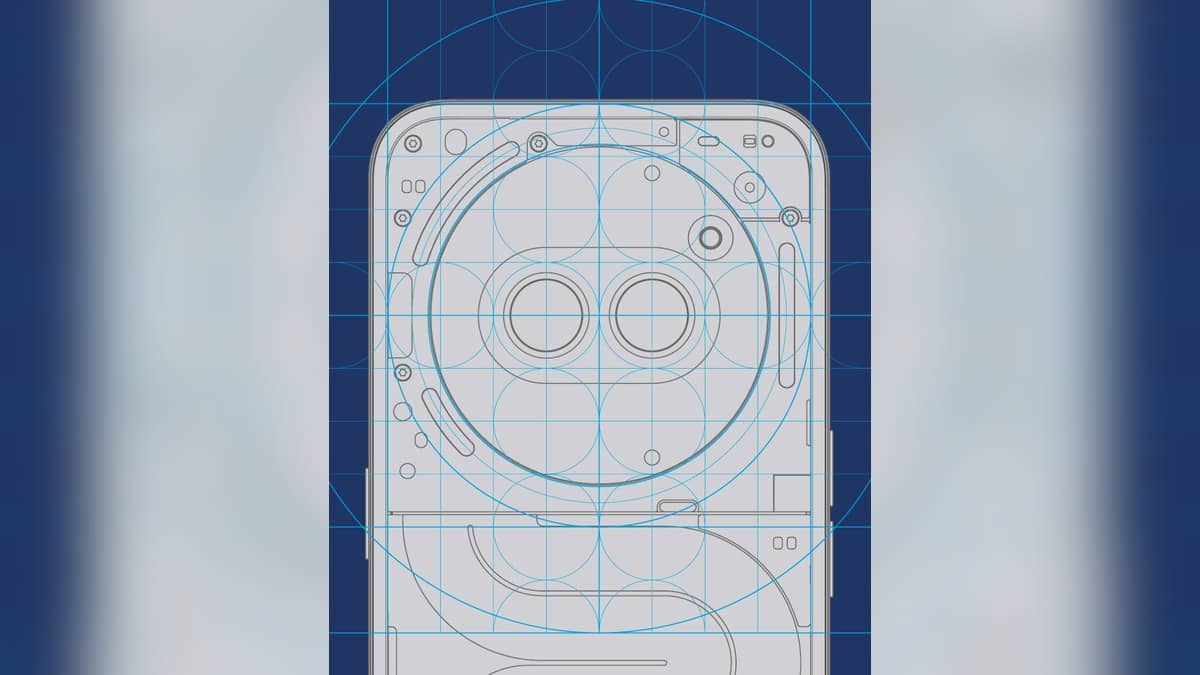
Phone (2a)'s appearance makes this a useful question to settle clearly. Nothing describes its cameras as positioned inside the NFC coil, with the Glyph Interface providing visual functions around the rear design. Those visible elements explain the design language. They are not evidence that the phone contains a wireless charging receiver.
That distinction matters when a handset is placed on a desk pad already used by another device. A circular element in a product image, a transparent-looking back or the presence of light strips does not establish charging compatibility. For this exact model, Nothing's support answer provides a direct answer without requiring an owner to infer hardware from appearance.
Wireless charging and battery sharing are separate questions
Nothing has separate help entries for receiving wireless power and for wireless battery sharing. Both answers exclude those functions on Phone (2a). A pad failing to charge the phone and an accessory failing to receive power from its back therefore do not, by themselves, show that a supported feature has stopped working.
For a household with several phones, keeping the full model name attached to an accessory test is useful. A charging feature supported by another Nothing handset cannot be assumed to carry over because the branding looks similar. The relevant evidence is the feature list for Phone (2a), rather than the capability of the device that previously occupied the pad.
Establish what happens through the cable
If there is a separate concern about wired charging, describe that behaviour directly. Note the adapter and cable being used, whether a charging indicator appears and whether the connection is intermittent. This gives support a concrete problem to investigate. It also keeps an unsupported wireless function from obscuring the actual symptoms.
The published packing list includes a USB-C cable and does not list a wall adapter. That makes the charging equipment an especially relevant detail for an owner explaining the setup. The handset's maximum charging figure should not be treated as proof that every adapter already available at home can reproduce its advertised performance.
Nothing's page also qualifies charging results by settings and environment. A charging rating is useful for identifying the phone's supported system, but it is not a diagnosis of a particular session. Record what happened with the equipment in use instead of beginning with an assumption that the maximum figure must remain constant.
Prepare a precise India support enquiry
The official India support form lists Phone (2a) and Phone (2a) Plus separately. It also separates product-feature questions from malfunction diagnostics and warranty enquiries. Choosing the exact handset and describing the issue in the appropriate terms helps keep a basic compatibility question distinct from an investigation into a fault.
For example, an owner who has tried only a wireless stand has a feature-compatibility question that the published support answer already resolves. An owner whose phone repeatedly disconnects through its wired connection has a different account to provide. That description should include the observed behaviour rather than a conclusion about which component has failed.
This distinction can save an unnecessary round of troubleshooting. The rear lights, the NFC design and the cable connection each have their own role on Phone (2a). Reading the named function in the official documentation is the reliable way to decide what should happen before comparing the phone with a different model.
Related reading: Phone (3a) Pro warranty preparation, CMF Phone 2 Pro charging conditions and TECNO POVA 5 Pro repair checks.
Official sources: Phone (2a) wireless charging answer, battery sharing answer, product specifications and India support page.