NEW DELHI: Nokia 5710 XpressAudio owners can disconnect its supplied wireless earbuds by taking them out of the phone and pressing either earbud's touch switch five times within 30 seconds. HMD's official guide also explains how to charge the pair inside the handset, find a misplaced earbud and use different touch commands for calls and music.
| Task or feature | Official detail |
|---|---|
| Unpair earbuds | Five touch-switch presses within 30 seconds, outside the compartment |
| Switch earbuds off | Hold either touch switch for 8 seconds |
| Charging indicator | Red while charging, off when fully charged |
| Phone storage | 128MB internal; microSD support up to 32GB |
| Music playback | MP3 player requires a separately sold microSD card |
Start with the compartment, not a separate charging case
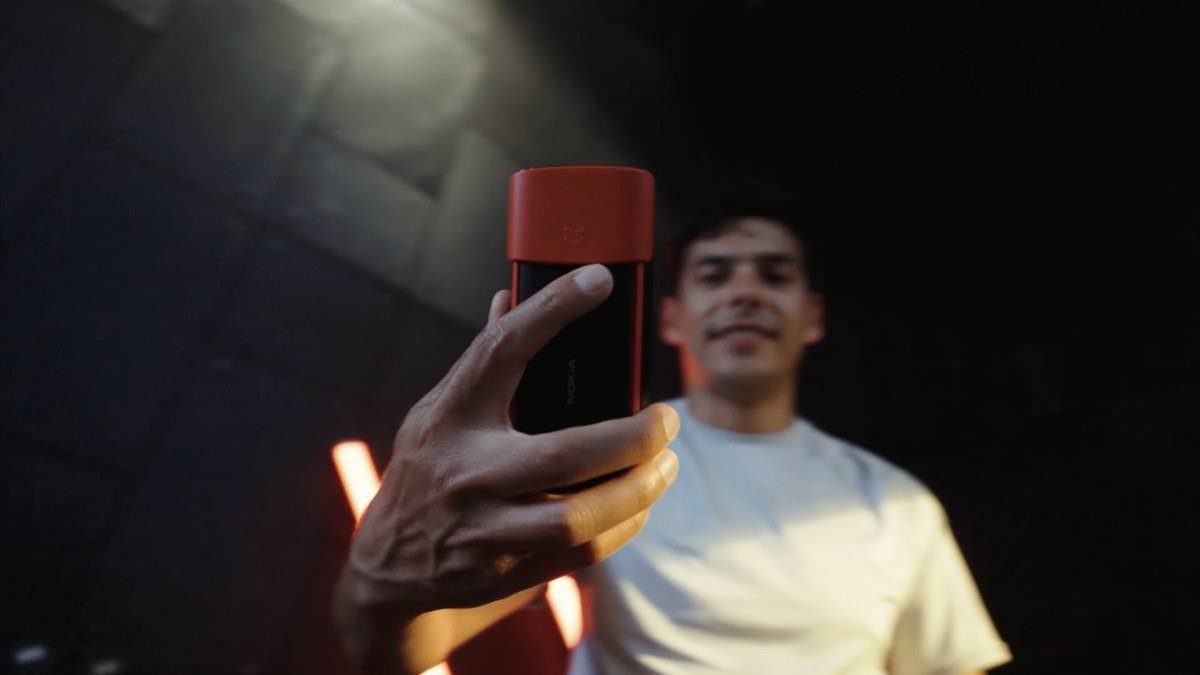
The defining feature of this keypad phone is the earbud compartment behind its sliding cover. The handset stores the supplied pair and charges them there. That changes the daily routine: the phone itself is the place to return the earbuds after a call, rather than another case that needs its own place in a bag.
HMD's charging instructions begin with plugging the charger into a wall outlet. Slide the compartment cover down, place the earbuds in their slots and slide the cover up. Connect the charger to the phone. When finished, disconnect it from the handset and then the wall outlet.
Watch the earbuds' red indicator rather than assuming they are ready because the phone screen has lit up. HMD says the red light stays on during earbud charging and goes off when charging finishes. A completely discharged phone may also need several minutes before its charging indicator appears. These are separate observations during the same charging session.
HMD also allows USB charging when a wall outlet is unavailable, but warns that efficiency varies and charging can take time to start. Its guide does not provide a universal full-charge duration. For a charging check, use the stated indicator behaviour rather than inventing a deadline from the battery capacity or the size of the earbuds.
Separate pairing menus from earbud controls
HMD's separate Bluetooth guide starts at Menu > Settings > Connectivity > Bluetooth. Switch Bluetooth on and choose Devices found to search for a new or previously paired device. Select Pair for a new device. Keep that menu procedure separate from the touch-switch command for disconnecting the supplied earbuds.
The handset's specification sheet lists Bluetooth 5.0 alongside a 2.4-inch QVGA display, a removable 1,450mAh battery and Micro USB connectivity. Its S30+ operating system and Unisoc T107 processor identify it as a feature phone. The built-in earbuds are an unusual convenience within that design, not evidence of a smartphone operating system or an app-store music service.
The earbud guide assigns different commands to calls and music, so check the relevant section before practising a gesture. For a phone with both physical music controls and earbud controls, first establish which control you are using. Repeatedly tapping while adjusting an earbud can make an unexpected response harder to understand. Give one deliberate command and check the result.
Finding, disconnecting and switching off are different jobs
For a missing earbud, follow Menu > Earbuds > Anti Lost > Finding earbuds. HMD says the earbud light flashes to help locate it. The guide does not describe this as a map-based tracking service or promise that it will recover an earbud left elsewhere. Treat it as a visible locating aid and look around the place where the earbud was last used.
Unpairing is a separate procedure. Remove the earbuds from their compartment, then press either touch switch five times within 30 seconds. For switching them off, hold either touch switch for eight seconds. Neither action is described here as a handset factory reset. Choose the action that matches the task instead of starting with an erase operation.
Plan the music library separately
The specification sheet lists 48MB RAM, 128MB internal storage and support for a microSD card up to 32GB. It specifically says the MP3 player requires a separately sold card. Having earbuds built into the phone therefore does not mean a personal music collection can simply be stored in the advertised internal memory.
Before leaving home, check both that the phone can make the intended call and that audio is coming through the intended listening device. This is a practical check, not a promised battery test: storing the pair neatly and having a working connection are different parts of the routine.
For related reading, see our guides to Nokia 5310 music keys and card storage, Nokia 150 music and camera storage and the HMD Music phone comparison. Each concerns a different handset; use the XpressAudio instructions for this phone's integrated earbuds.
Official sources: earbud controls, charging guide, Bluetooth guide and Nokia 5710 XpressAudio specifications.