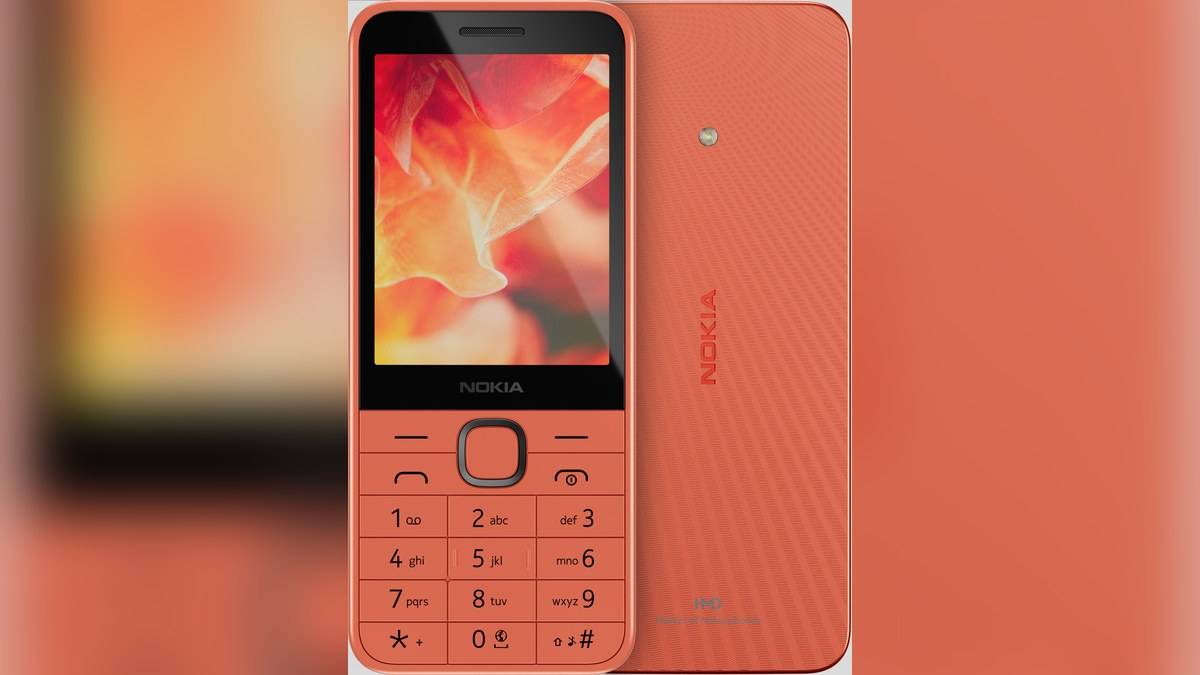
NEW DELHI: Nokia 220 4G uses Cloud Apps to provide access to online services through cloud-hosted shortcuts, according to HMD's India product page. Its specifications list 64MB RAM and 128MB internal storage, with microSD expansion up to 32GB. Those figures describe a feature phone running S30+, so the online-service promise should be read alongside the hardware and storage requirements.
| Feature | Official India detail |
|---|---|
| Software | S30+ |
| RAM | 64MB |
| Internal storage | 128MB, partly used by system software |
| Memory expansion | MicroSD up to 32GB, card sold separately |
| Wireless audio connection | Bluetooth 5.0 |
| Battery and charging connector | 1450mAh removable battery, USB Type-C |
Read Cloud Apps as a service description
HMD describes a portal for news, weather, social and entertainment content. Its explanation centres on cloud-hosted shortcuts that bring online services together. That wording is useful because it describes how the feature is presented without promising that every smartphone application has an equivalent available on this keypad handset.
Start with a concrete requirement rather than a broad app category. If the owner wants a particular service, verify that service on the actual Indian handset before depending on it. A portal labelled for entertainment does not, by itself, establish support for every entertainment subscription, account feature or application someone already uses elsewhere.
The India page expressly says Cloud Apps is unavailable on this model in Europe and China. This is a reminder to match the market as well as the name. An overseas demonstration or imported unit should not be treated as a definitive guide to the Indian phone's service offering.
Separate working memory from file storage
The specification sheet labels RAM and internal storage separately. Its 64MB and 128MB figures are not interchangeable, and adding a memory card should be understood as storage expansion. The official page does not describe the card as a RAM upgrade. Read the labels before interpreting the memory numbers in a listing.
HMD also cautions that system software and preinstalled apps consume a significant part of the internal space. The advertised storage figure is therefore not a promise of that much empty capacity for personal files. Check the space available on the actual handset before copying a collection of songs or other supported files.
This combination is the model's defining compromise: it offers a small, keypad-based device with selected online access, while retaining very modest local memory. For an owner seeking calls plus occasional content, the useful setup question is which tasks work satisfactorily on the handset, rather than how many smartphone habits can be assumed to carry over.
Prepare a card for the separate MP3 feature
The specification sheet lists an MP3 player with a footnote requiring a microSD card, sold separately. Treat that requirement separately from Cloud Apps. Being able to open an online portal does not establish that the phone is ready for a locally stored music collection without the necessary card.
The setup guide recommends a fast microSD card from a recognised manufacturer, with capacity no higher than 32GB. Switch off and disconnect the phone before opening its cover. The guide shows removing the battery, sliding the card into its slot, then refitting the battery and cover. Follow the illustrated orientation for this handset.
Once a compatible card is installed, check the intended files on the phone before completing the handover. A small trial collection is easier to troubleshoot than a fully loaded card. Do not promise that every existing file will work: the pages reviewed here do not provide a complete compatibility list for every file someone might bring.
Keep payments and audio claims specific
The India product page also lists a preinstalled PhonePe UPI application. That is a separate feature claim from the Cloud Apps description. Its presence should not be expanded into an assurance that the phone reproduces every function of another PhonePe version or that the user's payment setup is already complete.
For audio, HMD advertises connections to earbuds or a speaker, and the specs identify Bluetooth 5.0, a headphone jack and wired or wireless FM. These are useful options to demonstrate to the owner. The reviewed guide does not establish a Bluetooth pairing sequence here, so this article does not invent menu steps.
Keep the model guide with the handset after setup. The storage-card and SIM illustrations are useful if the phone changes hands or its battery must be removed later. A remembered shortcut into the portal will not replace those physical setup instructions.
For related reading, our HMD 101 4G Cloud Apps story covers another portal-equipped model. The Nokia 150 storage guide and Nokia 5310 music guide explain other keypad entertainment arrangements. Official references: Nokia 220 4G India overview, specifications and card installation guide.