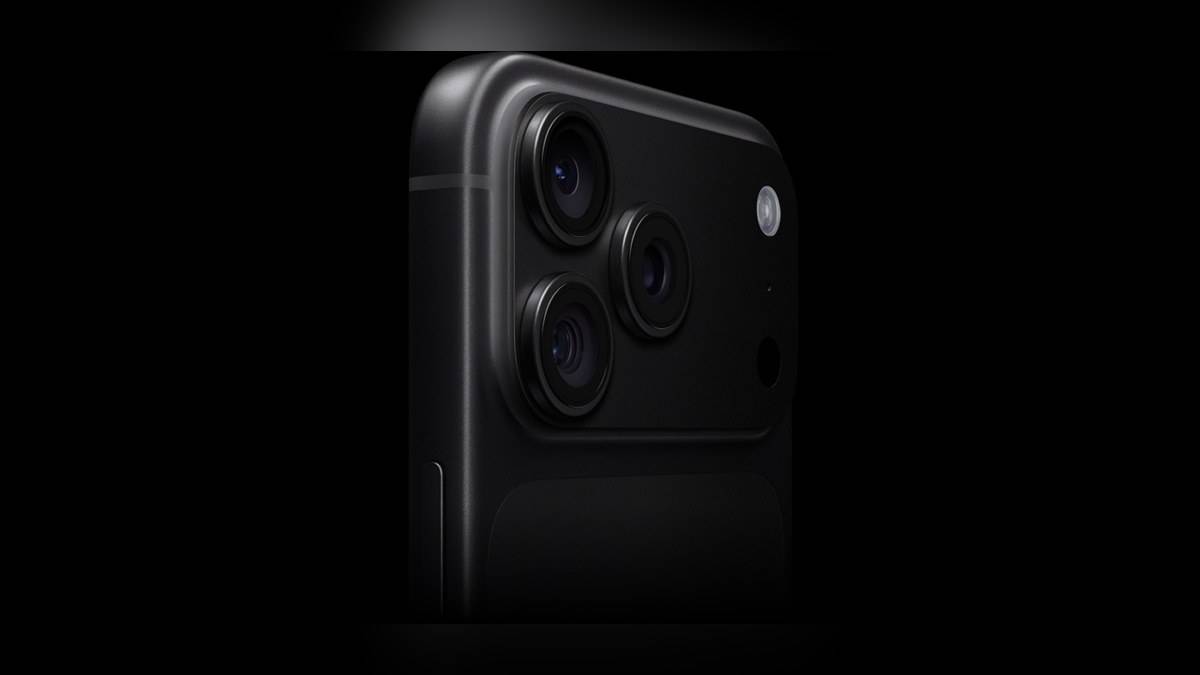
NEW DELHI: The iPhone 18 Pro has four aperture settings on its 48MP Fusion Main camera: f/1.48, f/1.8, f/2.8 and f/4.0. Apple lets the camera adjust automatically or gives the photographer manual control. The useful change is the ability to choose between admitting more light and bringing more of a scene into focus, rather than treating every photograph as the same problem.
| Main-camera setting | Apple's stated purpose |
|---|---|
| f/1.48 | Maximum light, including indoor scenes |
| f/1.8 | Default balance of light and depth |
| f/2.8 | More detail farther back in the scene |
| f/4.0 | Maximum depth, with manual creative effects |
What actually moves inside the camera
Apple's launch announcement describes a mechanism with six laser-cut blades and a rotor that changes the opening. That makes this a physical camera adjustment. The company says it introduced aperture control to iPhone with this generation, alongside manual access to the four settings in the Camera app.
The same announcement says third-party developers have an API for control across the aperture range. That does not establish that every camera app already offers the feature. Someone using a separate camera app should check its own controls rather than assume the presence of the hardware guarantees an identical interface.
Start with the scene, then the setting
Consider a family photograph indoors, with someone seated near the camera and relatives standing behind. That is a different task from photographing a single person beside a window. For the group, the position of people across the scene matters. For the individual portrait, the light on the face may be the more immediate concern.
Apple presents the wider opening as useful in low light and the narrower choices as ways to retain detail deeper in the image. Its product page assigns a different role to each setting. Those descriptions are a starting point for experimentation, rather than proof that a particular setting will rescue every dim room or crowded photograph.
A practical way to explore the feature is to keep the people and camera position steady while changing aperture. Inspect the face nearest the lens and another farther away. Then repeat the exercise in different light. This is an editorial suggestion for understanding the control, not a claim that we have measured the camera's performance.
The other rear lenses have their own specifications
The technical sheet identifies the Main camera as a 24 mm equivalent unit. It separately lists a 48MP Ultra Wide at 13 mm and a 48MP Telephoto at 100 mm. The variable-aperture specification belongs to the Main camera; the presence of three rear cameras does not give all three the same adjustable opening.
Apple also distinguishes optical-quality crop options from the underlying lens specifications. Its sheet describes a 12MP optical-quality 2x option from the Main camera and a 12MP optical-quality 8x option associated with the Telephoto. That wording matters when reading a zoom menu: a zoom label alone is not a list of separate physical lenses.
Manual controls need a purpose
Pro controls include aperture, shutter speed, white balance and a viewing histogram, according to the specification page. They address different parts of the photograph. Changing aperture is therefore only one decision in a broader workflow, even though it is the headline addition to this camera system.
For a moving child at a family gathering, a useful question is whether the moment or the arrangement of the scene matters most. For a still interior, there may be more time to compare settings. The reason to use manual control is to make an intentional choice that the automatic photograph did not deliver.
Apple's launch material also describes new texture and grain controls in Photographic Styles and the ability to apply Cinematic effects after capture to supported video. These are separate tools. A photographer should identify whether the desired change concerns light, focus across the scene or the final visual treatment before adjusting controls at random.
At a gathering, decide whether the background is part of the story before reaching for the controls. A decorated room and a tightly framed face call for different compositions, even when both photographs are made with the same Main camera.
Keep the comparison specific
Owners coming from older camera interfaces can read our iPhone 16 Camera Control guide. For the wider product decision, our iPhone 18 Pro and iPhone 17 comparison covers a different question. Our iPhone Air eSIM guide explains another ownership difference worth keeping separate from camera hardware.
This is an explanation of Apple's published camera design, not a hands-on image-quality review. The most useful test for an owner is a familiar scene with a clear photographic problem: a face in poor light, or a group whose members stand at different distances.
Official sources: Apple India technical specifications, camera feature descriptions and Apple's launch announcement.