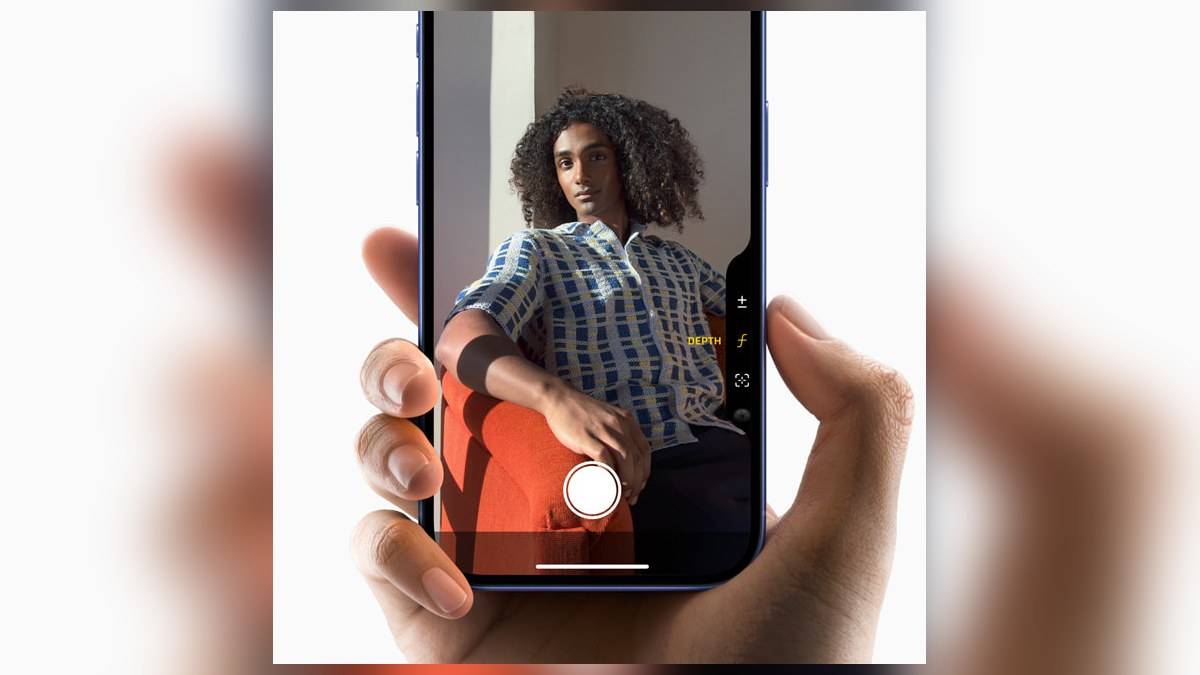
NEW DELHI: iPhone 16 owners can use six Camera Control adjustments, including exposure, depth, zoom, camera selection, styles and tone. The useful distinction is between a full click, a light press and a finger slide. Learning those inputs gives the side control a purpose beyond opening the Camera app, especially when framing a photograph with the phone held horizontally.
| iPhone 16 camera fact | Official specification or control |
|---|---|
| Main camera | 48MP Fusion, with a 12MP 2x Telephoto option |
| Ultra Wide | 12MP, with macro photography |
| Camera Control adjustments | Exposure, Depth, Zoom, Cameras, Styles, Tone |
| Launch preference | Single Click or Double Click |
| Processor | A18 |
Start with the difference between a click and a light press
A full click opens Camera. Another click takes the photograph; clicking and holding records video. If Camera opens already set to Video mode, a click starts recording. That last detail matters when a family member hands back the phone after making a clip: the same physical action can produce a different result because the selected camera mode has changed.
For adjustments, lightly press twice to reveal the available settings. Slide along the control to browse, lightly press to select an adjustment, then slide again to change it. Apple says the selected adjustment is remembered for the next light press. Start with zoom during practice, because the changing frame gives an immediately visible indication of what the gesture is doing.
The control combines a tactile switch, a force sensor and a capacitive sensor, according to Apple's original introduction. That explains why pressing harder and moving a finger are different commands. Treating the whole strip as an ordinary shutter button misses the touch interaction built into it. It also explains why repeatedly clicking will not bring up the adjustment overlay.
Give each adjustment a specific job
Think of exposure as the brightness decision and zoom as the framing decision. A portrait beside a brightly lit shop window offers a useful practice scene: first decide how much of the surroundings belongs in the picture, then check the face and bright background. Adjusting everything together makes it harder to understand which change improved the photograph. This is a suggested exercise, rather than a claim about measured camera performance.
Depth changes the background blur effect and switches on Portrait mode if necessary. Cameras changes the camera being used, including access to the front camera. Styles and Tone deal with the appearance of the picture. Apple cautions that availability depends on the camera mode, so a missing adjustment should first prompt a check of the mode rather than an assumption that the control is faulty.
The iPhone 16 hardware gives these choices a particular context. Its rear system pairs a 48MP Fusion Main camera with a 12MP Ultra Wide. The Main camera also supplies a 12MP 2x Telephoto option, while macro photography is supported. These are different ways of composing a scene. A tighter view of a face and a close view of jewellery are separate photographic tasks, even though both can start from the same side control.
Set up focus before an important photograph
Apple's guide also documents an exposure and focus lock. Enable Lock Focus and Exposure under Settings, Camera, Camera Control. In Camera, lightly press and hold until AE/AF Lock appears, maintaining contact to keep the lock. Releasing the control ends it. Practise on a stationary subject before relying on that sequence at a school function or family ceremony, where there may be little opportunity to repeat the moment.
The practical benefit is consistency while composing. For example, decide whether the face or an object on the table is the subject before changing the framing. A focus lock preserves that decision while you maintain the required contact. It does not establish that every object at every distance will appear equally sharp, and the preview still deserves attention before the final click.
Make the launch behaviour fit your grip
Settings, Camera, Camera Control offers Single Click and Double Click launch choices. Someone who frequently opens Camera unintentionally can try the latter. Someone who wants the shortest launch sequence can retain the former. Spend a few minutes holding the phone as you normally do, including with its case fitted, before deciding which setting feels comfortable. The choice concerns access, rather than a change to image quality.
Readers checking the wider ownership picture can consult our iPhone range price guide, Apple accessory guide and AppleCare+ coverage guide. Those are separate questions from learning the gestures on an existing handset.
Official references: iPhone 16 specifications, Apple's hardware introduction and Camera Control user guide.