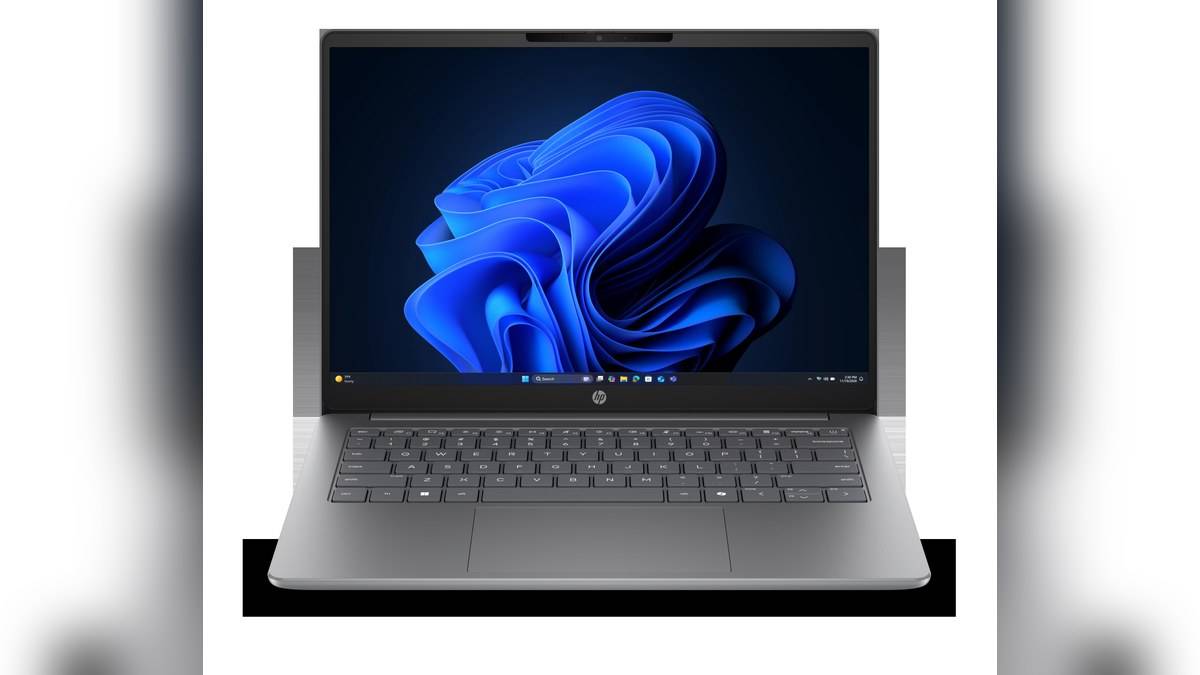
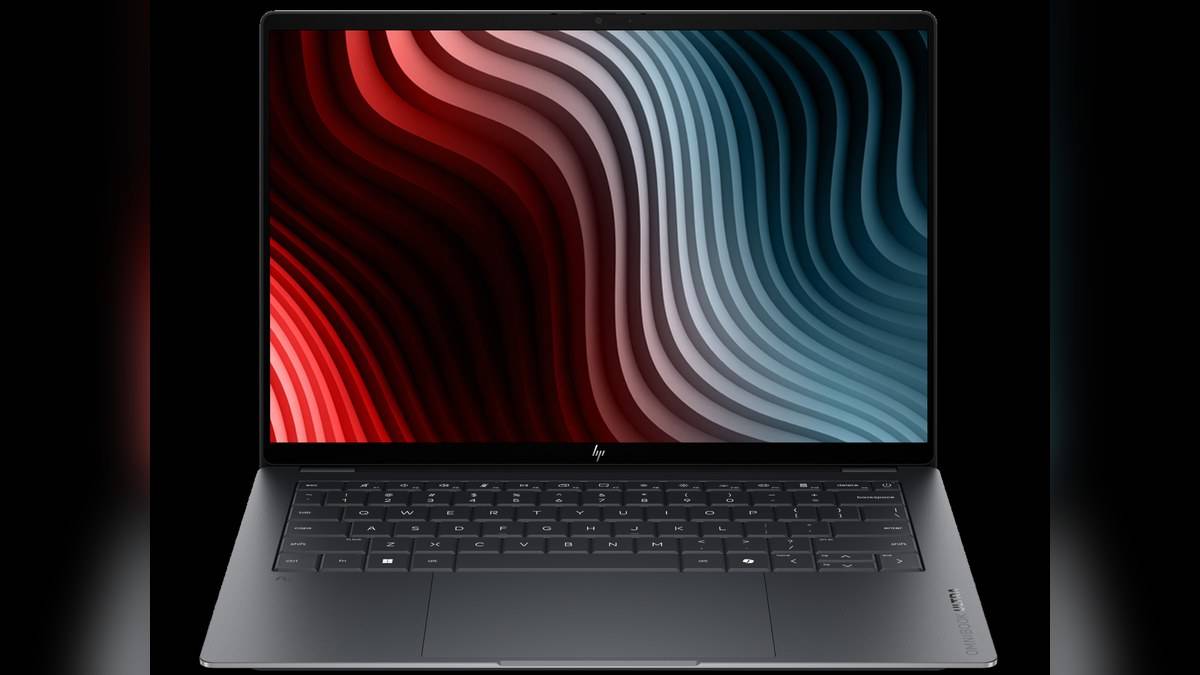
NEW DELHI: HP's India store lists both checked OmniBook Ultra 14-kd configurations at Rs 2,29,998.52 each. The 14-kd0081TU and 14-kd0083TU share the headline Core Ultra 7 356H processor, 16GB memory and 1TB SSD. Buyers should compare the exact code and finish, then check whether the compact computer fits their software and desk connections.
| Item | Checked India configuration |
|---|---|
| 14-kd0081TU | DE8P3PA#ACJ; Eclipse gray; Rs 2,29,998.52 |
| 14-kd0083TU | DG0V4PA#ACJ; Silk sand; Rs 2,29,998.52 |
| Processor | Intel Core Ultra 7 356H |
| Memory / storage | 16GB onboard LPDDR5x / 1TB SSD |
| Screen | 14-inch 2880 x 1800 OLED touch; up to 120Hz |
| Operating system | Windows 11 Home Single Language |
| Listed weight | 1.27kg |
Price as of 17 November 2026, 23:49 IST, including taxes. These are displayed selling prices before conditional bank benefits. This guide covers the checked 14-kd versions, and does not transfer their specifications to older OmniBook Ultra or Ultra Flip products.
Match the suffix before comparing the finish
The two suffixes matter even when the main hardware summary looks alike. Record the full product code and chosen colour in the order. Do not use the larger crossed-out MRP as the amount payable, and do not assume that every similarly named machine has the same current selling price.
The selected pages describe Office Home 2024 in the product introduction while separately listing a Microsoft 365 trial. Treat those as different entitlements. Keep the purchase record and activation information, and establish which application licence is permanent and which requires a later subscription before moving work onto the new computer.
Check memory against your actual working day
Onboard memory makes the installed configuration an important part of the decision. Before ordering, list the applications you keep open together, including any specialist tools required by an employer or course. A premium processor name does not answer whether that complete workload fits comfortably.
The processor's dedicated AI hardware also needs a practical question: does the application you use support it? HP lists an NPU rating, but that is not an independent benchmark for your video editor, browser or office software. Ask for a demonstration of the actual task rather than accepting a general AI label as a performance guarantee.
The display and touchpad deserve a trial
The checked specification describes an OLED touchscreen and a haptic touchpad. Try document scrolling, selecting spreadsheet cells and the gestures you normally use. Those everyday interactions are a better way to judge the input arrangement than treating the headline resolution as a complete account of usability.
For creative work, distinguish a screen's listed colour coverage from the requirements of the final job. If a client or employer requires a particular calibrated workflow, confirm the complete display and software setup. A specification sheet can identify the panel; it cannot certify the accuracy of your finished work.
Plan adapters before taking it to work
HP lists three Thunderbolt 4 USB-C connections and a headphone/microphone socket. The USB-C description includes Power Delivery and DisplayPort. Inventory the devices you intend to connect, particularly meeting-room displays, older USB accessories and any wired network connection.
Put the necessary hub, cable or dock on the same shortlist as the laptop. Check its compatibility and power requirements with the selected configuration. This matters for someone who moves between home and office desks: the computer's low carrying weight is only part of what must fit in the bag.
Read charging claims with their conditions
The 14-kd0081TU specification lists a 70Wh battery and a 65W USB-C GaN adapter. HP's fast-charge statement is approximately 50% in 45 minutes, with the footnote requiring shutdown and a supplied or recommended adapter. Do not treat it as a promise while running demanding applications.
Battery-life claims also depend on the test and workload. Plan a normal workday around access to power until your own usage is established. Keep the correct adapter identified, especially if several family members use similar-looking USB-C chargers.
The base warranty entry excludes onsite repair, while a separate included-service line names onsite notebook service. Preserve the latter entitlement explicitly; it explains why the base warranty wording alone is not the whole service record.
Compare product classes, then preserve the paperwork
Our HP 430 Multi-Device Wireless Mouse price: Rs 2,229, HP OmniBook 5 vs OmniBook 3 price: OmniBook 3 starts lower at Rs 89,999 and HP OMEN 24 price list: Rs 14,000 to Rs 18,290 provide other portable families to investigate. Compare current configurations and service terms separately; the shared idea of a premium work laptop does not make their specifications interchangeable.
Finally, retain the exact order, software entitlement and included service record. The Ultra's appeal is the complete portable package, so check the applications, accessories and support that make that package useful before judging it solely by the processor badge.
Official sources: HP OmniBook Ultra 14-kd0081TU and HP OmniBook Ultra 14-kd0083TU.