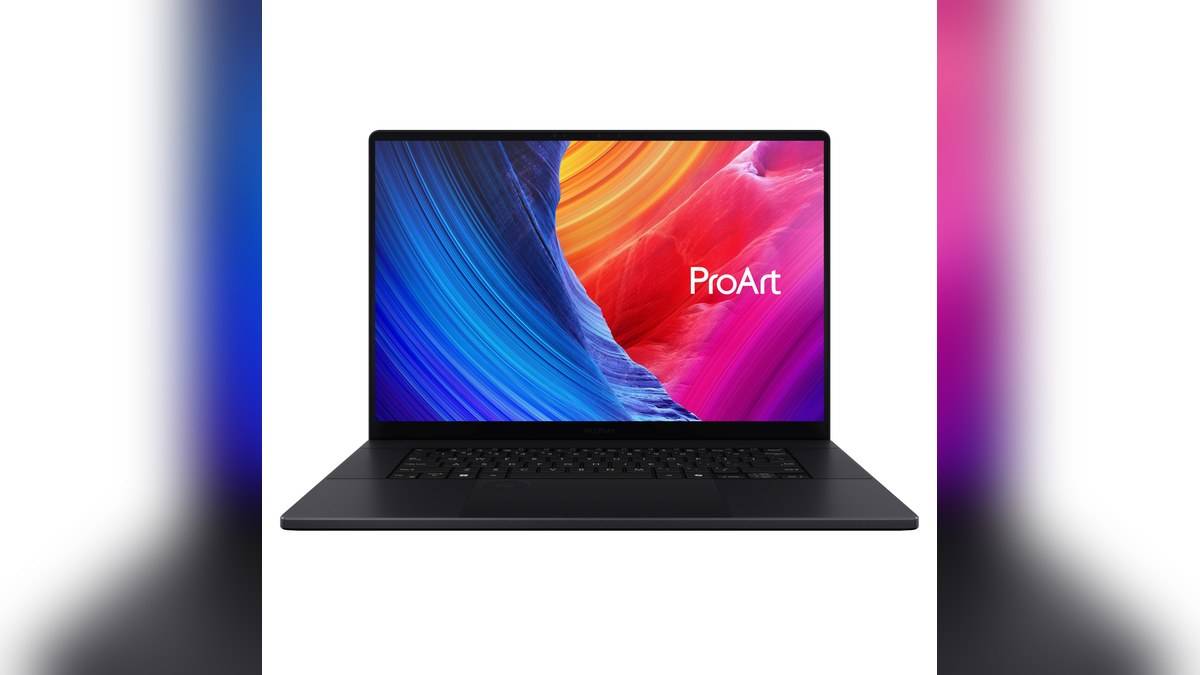
NEW DELHI: ASUS ProArt P16 H7606WW listings show Rs 4,79,990 for the SE023WS configuration with 64GB memory and a 2TB SSD, and Rs 4,99,990 for SE066WS with 32GB memory and a 1TB SSD. Both verified India listings pair AMD's Ryzen AI 9 HX 370 with NVIDIA GeForce RTX 5080 laptop graphics.
| India configuration | Memory | SSD | Displayed selling price |
|---|---|---|---|
| H7606WW-SE023WS | 64GB LPDDR5X | 2TB | Rs 4,79,990 |
| H7606WW-SE066WS | 32GB LPDDR5X | 1TB | Rs 4,99,990 |
Price as of 17 November 2026, 23:45 IST. These are the special prices actually displayed on the two opened official store pages, inclusive of taxes. The table covers the verified H7606WW configurations, not every ProArt P16 graphics option or overseas version.
The higher-memory version is listed lower
The unusual ordering is important: do not assume the configuration with more memory and storage must cost more. The pages currently put the SE023WS below SE066WS. That is what the listings say; they do not explain the reason, and this guide does not attribute it to a clearance campaign or a change in hardware quality.
Keep the full suffix on a written quotation. Comparing only the ProArt P16 name could mix different graphics processors, memory capacities and display specifications. A checkout quotation should identify the exact version, the final payable amount and the included equipment before it can be compared meaningfully with this table.
A creator configuration with separate compute resources
Both listed versions use the Ryzen AI 9 HX 370, which ASUS specifies with 12 cores and 24 threads. The RTX 5080 laptop GPU has 16GB of GDDR7 memory. That graphics memory is a separate resource from the system memory shown in the price table, so the capacities should not be added together as though they were interchangeable RAM.
ASUS also lists an AMD XDNA NPU rated up to 50 TOPS and identifies the computer as a Copilot+ PC. The presence of a processor, discrete GPU and NPU is relevant to creative applications that use different accelerators. It does not establish a render-time saving for a particular project without a test of that software and its settings.
The screen is part of the workstation proposition
The verified WW listings specify a 16-inch OLED touchscreen at 3840 x 2400, with a 120Hz refresh rate and stylus support. The shape is 16:10. A buyer comparing it with another P16 should check these details explicitly, rather than assuming a common model name guarantees the same panel.
For an editor travelling to a client review, the appeal is having the working screen and graphics hardware in the same machine. The practical demonstration should use a representative timeline, source files and external storage. An attractive showroom clip says less about that workflow than seeing whether the application handles your normal media and effects satisfactorily.
The India page also describes colour-management features and an anti-reflection surface. Those are reasons to investigate the display, rather than proof that a delivery will meet a client's colour standard automatically. The application, project settings and final viewing environment remain part of a colour-sensitive job.
Memory, storage and physical controls
The configuration pages describe onboard LPDDR5X memory. Choose the capacity on the basis of the projects expected to live on the laptop, rather than assuming a later module replacement. ASUS lists storage expansion connections separately, with a reminder that its slot count includes connections already used.
ProArt Creator Hub and DialPad support are listed features. These distinguish the P16's working interface from a conventional office notebook. Before relying on a dial action, check whether the intended application recognises it and whether it makes the actual editing sequence easier. A useful shortcut depends on the user's software as much as the control itself.
Connections and the cost of mobility
The India specifications include USB4 Type-C, another Type-C connection, USB-A, HDMI and an SD Express reader. That range is relevant to moving footage from cards and attaching peripherals. The USB-C connections have different listed capabilities, so match an external drive or display cable to the appropriate port.
ASUS lists a 90Wh battery and a 1.95kg weight for these configurations. The SKU box contents include a 240W adaptor. For a professional carrying the machine to shoots or reviews, the charger and required peripherals belong in the portability assessment as well. Battery capacity alone is not a runtime test during GPU-intensive work.
Where the rivals fit
Our Vivobook S16 guide provides a reference for a less specialised large-screen format. The Zenbook A14 guide approaches mobility differently, and the Vivobook 16 compatibility article is relevant when comparing processor platforms. Consult current official quotations before making a price comparison.
The ProArt P16 WW decision therefore begins with a specific creative workload and an exact configuration. Tonight's reversed price ordering makes checking the suffix particularly worthwhile. The larger-memory listing deserves attention as a verified alternative, while the figures remain a snapshot of the official pages rather than a promise of future pricing.
Official sources: SE023WS price and specifications, SE066WS price and specifications, India family specifications and ProArt P16 overview.