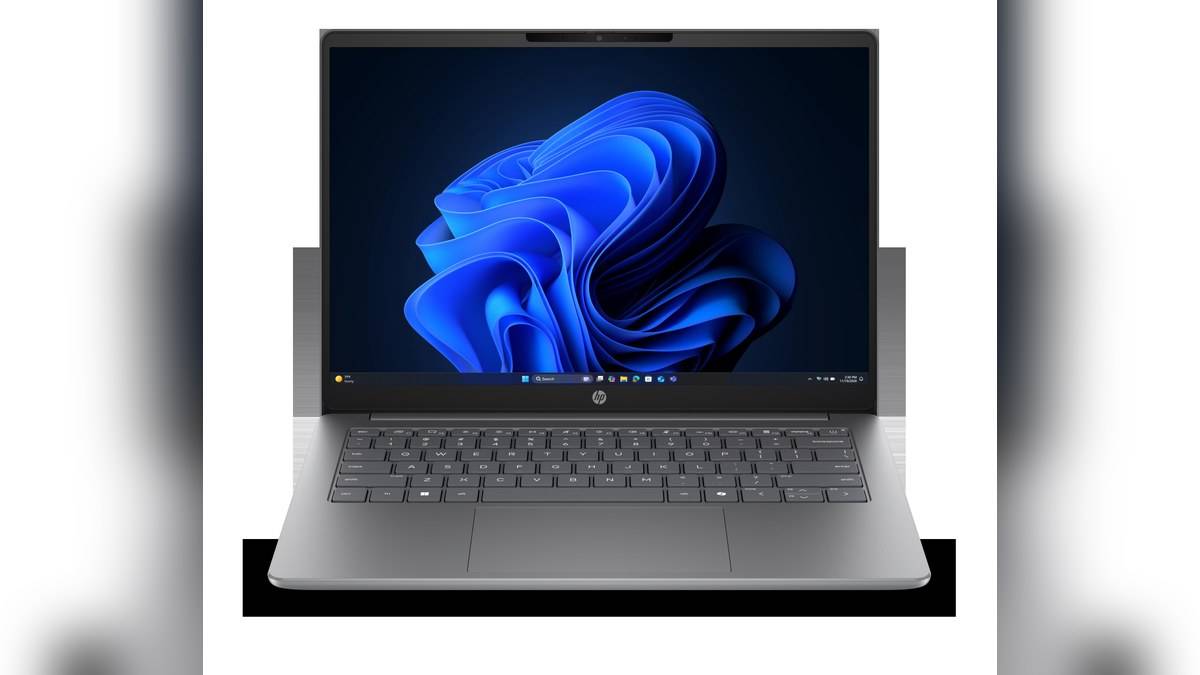
NEW DELHI: Five HP 200 G2i configurations checked on HP's India store cost Rs 94,891.82 to Rs 1,50,787. The range covers different processors, memory capacities, Windows editions and screen sizes. The lowest listed configuration is not simply the same laptop with less storage: all five checked versions have a 512GB SSD.
| Configuration | Screen | Processor | RAM / Windows | Listed price |
|---|---|---|---|---|
| DK8N3PT#ACJ | 14-inch | Core 3 N355 | 8GB / Home Single Language | Rs 94,891.82 |
| DK8N2PT#ACJ | 14-inch | Core 3 N355 | 16GB / Pro | Rs 1,20,889.58 |
| DK7S7PT#ACJ | 14-inch | Core 5 120U | 16GB / Pro | Rs 1,35,488.24 |
| DK7T0PT#ACJ | 16-inch | Core 5 120U | 16GB / Pro | Rs 1,37,788.13 |
| DK7S8PT#ACJ | 14-inch | Core 7 150U | 16GB / Pro | Rs 1,50,787 |
Price as of 17 November 2026, 23:49 IST, including taxes. These are the five checked India store configurations, not a claim that every possible factory configuration is priced here. Conditional accessory promotions are separate from the laptop prices.
Start with the complete product code
HP uses the same family name across substantially different combinations. Put the product code on any quotation or purchase request. A description that says only HP 200, Windows laptop and SSD would not distinguish the entries above, which is a problem when an office purchase passes through several people.
For the N355 pair, both memory and Windows edition change. Treat the difference as a complete configuration decision. An employer specifying Windows Pro should have that requirement recorded before the order is placed; comparing only the processor label would conceal an important distinction.
The screen choice is easier to isolate
The checked Core 5 pair keeps the same headline processor, memory and storage while moving between screen sizes. Both listings specify WUXGA resolution of 1920 x 1200. A larger physical screen therefore changes the size of the workspace in front of you without increasing the quoted pixel count.
For someone who carries the machine between classrooms or client sites, try the intended bag and desk arrangement before choosing by screen size alone. For someone mainly using an external monitor, compare the complete desk setup. Neither scenario can be settled by calling the larger machine automatically better.
Read the selected specification, not every available option
The official family datasheet covers optional displays, memory types, cameras and wireless equipment. Those options describe what the platform can offer. They do not mean that every India store configuration includes each feature, and they do not provide prices for unlisted combinations.
For example, DK7S7PT specifies 16GB DDR5 memory in a single module and two SODIMM slots. The lower-priced N355 listing uses onboard memory wording. Do not transfer the Core 5 memory arrangement to the cheaper configuration, or promise an upgrade based only on the shared family name.
The Core 5 listing also identifies a non-touch IPS display, a FHD IR camera and integrated Intel graphics. That combination points towards office communication and general work as the questions to investigate. It does not establish measured performance in a particular application or turn the notebook into a dedicated graphics workstation.
Check the desk connections and software bill
DK7S7PT lists HDMI, RJ-45, USB-A and USB-C connections, with the USB-C description explicitly including Power Delivery and DisplayPort. Match those functions to the actual monitor, network and peripherals in use. The connector's shape alone is not a complete docking specification.
Its software section says Microsoft Office is sold separately. Include any required licence in the purchase comparison rather than assuming a Windows Pro notebook contains the office applications your organisation uses. Existing company licensing may change that calculation, so ask the person responsible for software deployment.
The Core 5 configuration also specifies a 41Wh battery and a 65W USB-C GaN adapter. Record that supplied equipment in the handover checklist rather than borrowing the family datasheet's larger optional battery specification.
Keep service entitlement alongside the configuration
The Core 5 page separately lists a one-year manufacturer warranty and included three-year onsite notebook support. Preserve both the product record and the support terms. The useful buying check is whether the final order records that service for the selected product code, rather than relying on an unrelated support accessory shown nearby.
For broader context, our ProBook 4 G2i guide and EliteBook 6 G1i comparison cover other business families. The HP 15-fd0624TU port explainer is another reference for comparing a different product class.
The sensible shortlist follows the job: required Windows edition, preferred screen format, sufficient installed memory, application licensing and recorded service. Once those are settled, the product code turns a broad HP 200 search into an order that can be checked at delivery.
Official sources: HP 200 G2i entry configuration, Core 5 configuration, 16-inch configuration and HP family datasheet.