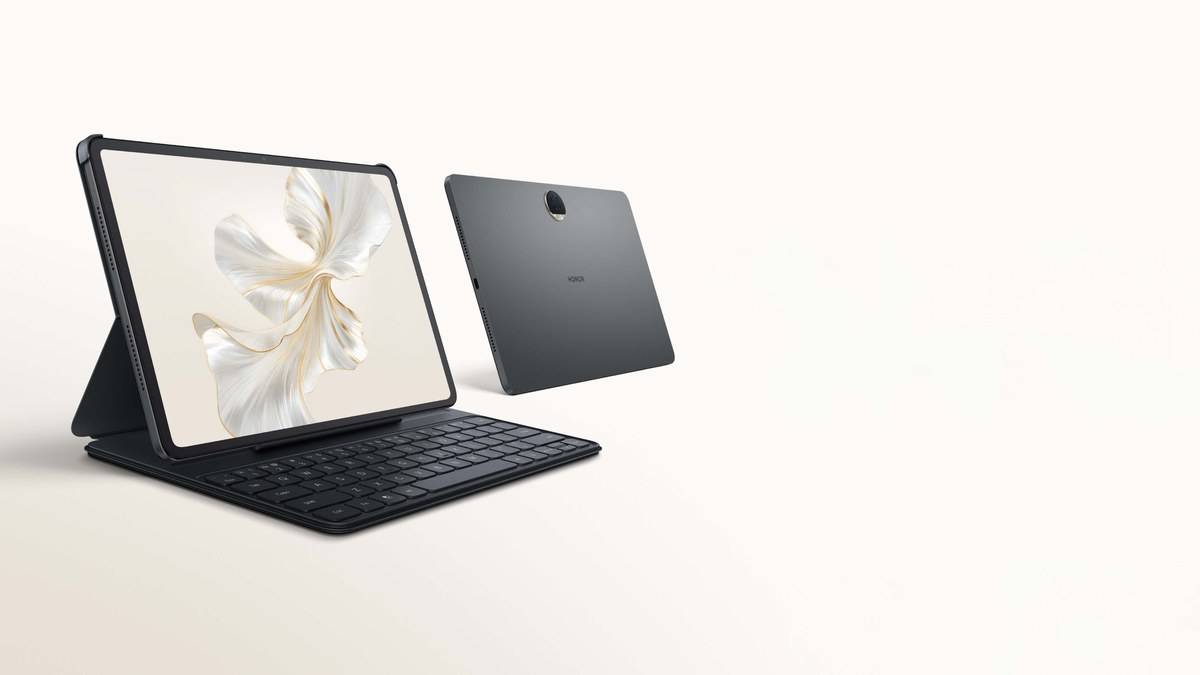
NEW DELHI: Honor Pad 9's advertised 16GB memory experience combines 8GB of RAM with an additional 8GB provided through Honor RAM Turbo. The India product page explains that the expansion uses part of the device's storage. Its 256GB storage figure describes a different resource, and Honor cautions that the space available to users is lower after system use.
| Memory term | What Honor specifies |
|---|---|
| Installed RAM | 8GB in the configuration described |
| RAM Turbo expansion | 8GB using part of storage |
| Combined advertised figure | 16GB memory experience |
| Built-in storage | 256GB before system use |
| Display | 12.1-inch, 2560 x 1600, up to 120Hz |
| Processor | Snapdragon 6 Gen 1 |
Read the memory claim in separate parts
The important purchase-record detail is the installed RAM, followed by the expansion feature. Honor's own footnotes describe how some ROM is assigned to the RAM Turbo function. The resulting headline is therefore a combination of different resources. It does not describe a hardware replacement or an extra memory module fitted inside the tablet.
That distinction is useful when comparing a shop invoice, a device information screen and an online specification. They may emphasise different parts of the same configuration. Record the physical memory and built-in storage separately, then note any expansion claim alongside them. This gives an owner a description that remains understandable without having to reproduce the manufacturer's entire headline.
A study workspace is the useful test
Consider a student watching a recorded lecture while consulting a downloaded textbook and keeping notes. The relevant question is whether returning to each task preserves the expected place and work. A large combined memory number alone cannot answer that. The exact apps, document and way the owner switches between them make the result meaningful.
For the Pad 9, Honor also describes a multi-window function. Its footnote says the app must support the feature and that the effect depends on the application. This makes app compatibility an essential part of a workspace check. A missing layout option should not immediately be diagnosed as a shortage of RAM or a failure of the expansion feature.
Try the intended course apps with material you already use, then return to a note after opening the other tasks. Look for unexpected reloads, missing unsaved work or a layout that becomes awkward to read. This is a suggested owner assessment, not a benchmark result or a claim that a particular number of apps will remain open.
The processor is another independent part of that check. Expanding the advertised memory does not change the Snapdragon platform inside the Pad 9. If a particular app struggles with the document or media you need, changing the way the memory figure is written does not establish that the workload is suitable. Keep the exact file available when describing the problem to support.
Storage remains a separate planning decision
Downloaded lectures, scanned assignments and saved entertainment all belong in a storage plan. Honor explicitly says the headline storage capacity is reduced by system use. Consequently, an empty-looking new tablet need not report the entire advertised capacity as free. Compare available space on the device with the files you actually need to keep locally.
Because RAM Turbo draws on storage, the expanded-memory claim should not be read as a promise of more room for those files. A useful habit is to distinguish work that must stay available offline from material that has already been backed up elsewhere. That decision is particularly relevant before a journey when a lecture or textbook needs to open without fetching another copy.
The screen explains the Pad 9's particular appeal
The Pad 9's larger canvas gives this memory discussion a practical setting: it is intended to put reading and another task together on the same device. For a dense textbook page, test the actual type size in the layout you intend to use. More working space is helpful only if the lecture, reference and notes remain comfortable to follow.
Honor's refresh-rate caveat also matters: the maximum is app dependent. Treat display smoothness, app layout and task retention as separate observations while trying the tablet. Combining them into a single impression of speed makes it harder to identify what is actually limiting the study session, particularly when a course app behaves differently from a familiar browser.
For related tablet questions, see our Laptop and tablet price guide, Lenovo Tab P12 study workspace: 4 split-screen apps, 5 floating windows and Why Xiaomi Pad 7 uses UFS 3.1 at 128GB and UFS 4.0 at 256GB. Each concerns its own model; those specifications should not be transferred to the Pad 9.
Official source: Honor Pad 9 India specifications, RAM Turbo explanation and footnotes.