NEW DELHI: Galaxy M35 5G owners can check for Samsung's One UI 9 update carrying the 5 October 2026 security patch, whose official change log adds a Warranty and care menu. The log lists a 29 October 2026 release date. Availability still depends on the device, country and service provider, so check the handset before expecting the new support screen.
| Official update entry | Detail |
|---|---|
| Model | Galaxy M35 5G, SM-M356B |
| Build | M356BXXU9EZJ2 |
| Android version | Android 17 |
| Interface | One UI 9 |
| Release date | 29 October 2026 |
| Security patch | 5 October 2026 |
Confirm the software before looking for the menu
Start by matching the phone's model and software information to the official update entry. Samsung's general update instructions direct users to Settings, Software update, Download and install. Follow the screen prompts if an update is offered. A date in an online log does not establish that every Indian handset has received the same download.
The release date and patch date answer different questions. The release entry identifies when Samsung lists this software package; the patch level identifies its security baseline. Neither is the date the owner purchased the handset, and neither should be used to calculate when that owner's warranty ends.
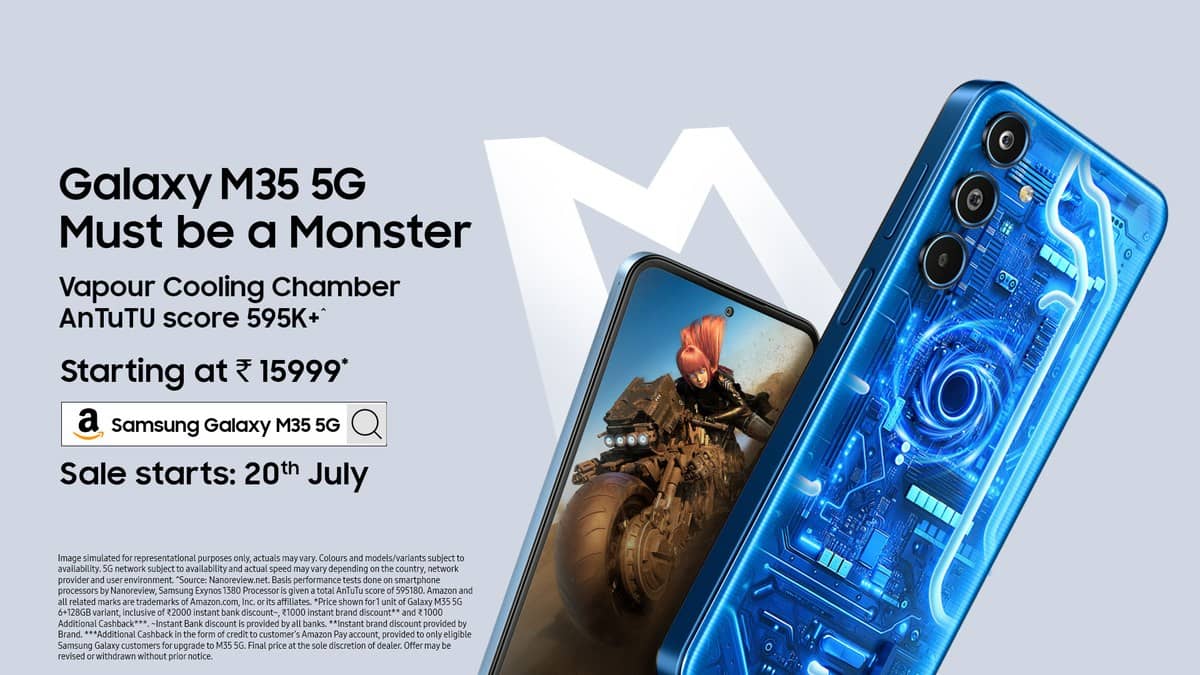
This is a useful distinction for the M35, a model Samsung introduced in India with an Exynos 1380 processor, a 6,000mAh battery and a 120Hz Super AMOLED screen. Owners may be keeping it for those everyday hardware features while the software around them changes. The new support menu offers a reason to revisit Settings even without a hardware upgrade.
Open the device's own coverage details
Samsung's India guide places Warranty and care directly in Settings. Open it, select View details for the device, then View warranty details. Check the coverage type, expiry and included benefits shown for your handset. Warranty information requires the device to be linked to a Samsung account.
Read the coverage label carefully. Samsung distinguishes its included limited warranty from paid Samsung Care+ protection. An expired warranty label also does not mean every troubleshooting feature disappears. The menu is a support entry point, while the terms of a particular plan determine the cover available for a particular incident.
That distinction is especially useful for someone who has owned an M35 since its original sales period. Installing newer software does not restart the purchase clock. Compare the coverage screen with the purchase paperwork, and keep any separate protection-plan documents alongside it rather than treating the operating-system update as new hardware cover.
Use diagnostics to describe the problem
The India guide says Warranty and care includes component diagnostics and a route to request a repair. Test the part associated with the symptom and retain the result for your own reference. Regional and software differences apply, so use the options actually present on your phone.
Prepare a short symptom record before seeking service. For example, separate a battery that loses charge quickly from a handset that will not accept a charging cable. Those descriptions lead to different checks. Include when the behaviour started and whether it appears consistently, without deciding in advance which replacement part is needed.
For this model, Samsung's launch material specifies 25W charging despite the large battery. That means the battery-size figure and charger-power figure describe different parts of the experience. A complaint about charging should include the accessory used, rather than relying on the battery capacity as an expected speed measurement.
Keep the warranty paperwork in view
Samsung India's general warranty page lists 12 months for the handset and in-box battery, with six months for other in-box accessories such as the charger and data cable. It identifies authorised service-centre repair as the handset service route. Check the applicable purchase record and any additional plan before assuming a repair is covered.
For a family-owned M35, keep the invoice, software build and symptom notes together. That makes the new menu more useful: the person taking the phone for assessment has both the on-device details and the purchase history, rather than only a screenshot of an update notification.
Related guides cover checking a Galaxy M06 patch, Galaxy M36 charging accessories and Samsung's Tab S10 FE defect assessment.
Official sources: Galaxy M35 software change log, Warranty and care instructions and Samsung India warranty terms.