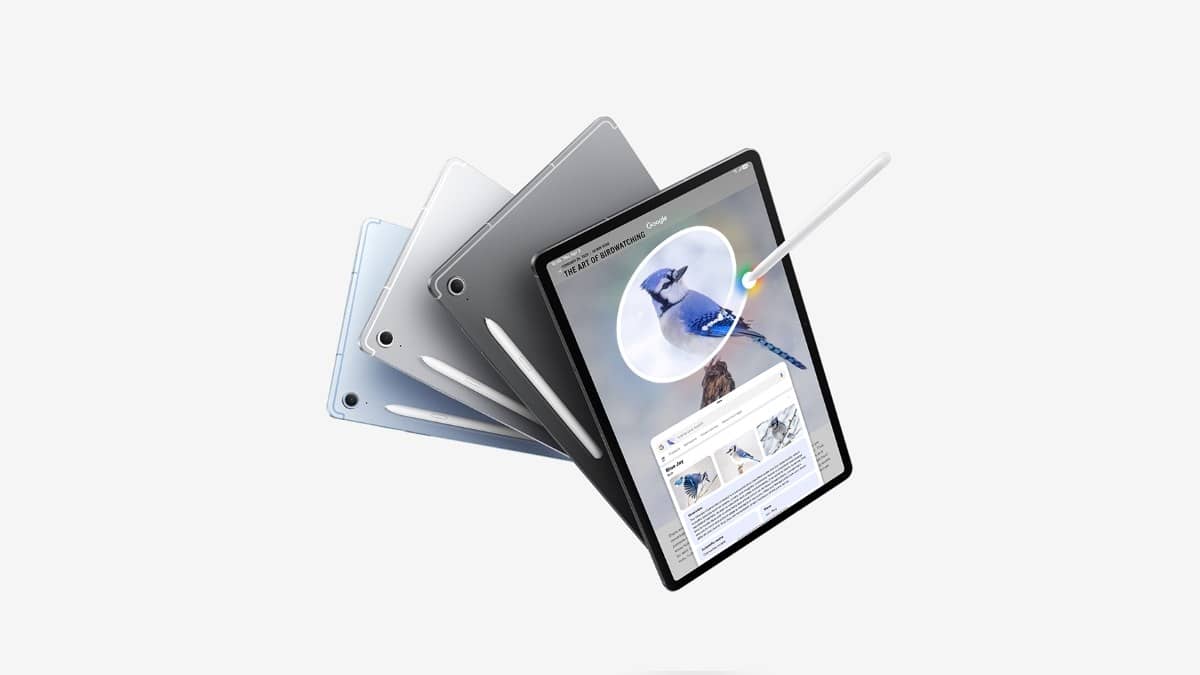
NEW DELHI: A Galaxy Tab S10 FE that is not functioning within 14 days of activation can be taken to a Samsung authorised service centre for assessment under the company's defective-product policy. Carry the original invoice, brand box and all in-box accessories. Replacement depends on confirmation of a genuine manufacturing defect.
| Check before a service visit | What Samsung specifies |
|---|---|
| Early-defect window for tablets | Within 14 days of activation |
| Documents and packaging | Original invoice, brand box and in-box accessories |
| Assessment | Samsung authorised service centre |
| Model identifier on page checked | SM-X520NZSEINS, Silver, Wi-Fi, 12GB/256GB |
Record activation and describe the fault
Keep a dated account of what failed and when it first happened. For example, describe whether the tablet never completed setup or whether a particular function stopped working later. That is a reporting aid for the technician, rather than a diagnostic conclusion about what caused the problem.
The policy distinguishes tablets' activation date from the purchase-date wording used for wearables. Owners should therefore keep both records. A purchase invoice establishes the transaction, while an accurate activation history helps explain which policy window the service request concerns.
Use the authorised assessment route
Samsung says its centre will test the product against approved technical parameters. A qualifying defect may lead to replacement. Where the same or a similar product is unavailable, the policy provides for a refund or a Samsung purchase coupon equal to the amount paid, depending on the circumstances and applicable terms.
Those conditional words matter. An owner reporting a fault has a route to assessment; the report alone does not settle the remedy. Ask for the service record to describe the reported symptom and the assessment outcome. Keep that record with the invoice so a follow-up does not depend on recalling a conversation.
Samsung's India service-centre locator lets owners select the product category and search by city, town or postcode. If the search produces no result, its instructions recommend widening the radius. The same page offers an online appointment route for tablets. Check that a location handles the product before planning the trip.
Identify the exact Tab S10 FE
The product page checked for this guide is the Silver Wi-Fi model with 12GB memory and 256GB storage, carrying code SM-X520NZSEINS. Put the precise code from your own purchase record on the service paperwork. Do not borrow this example code if your tablet is a different colour, capacity or connectivity version.
This matters particularly for the FE family. Samsung markets the Tab S10 FE alongside the larger Tab S10 FE+, and similar names can conceal different hardware. A description such as 'Samsung tablet with S Pen' leaves too much room for confusion when the desk needs to identify the correct unit and its accessories.
Samsung's India launch announcement describes the series' note-taking tools, including Solve Math and Handwriting Help. A student using those features may first notice trouble while writing, rather than during general browsing. Record the app, the action and the visible result so the technician can distinguish an application question from the original complaint.
Keep protection claims separate from the fault
The Tab S10 FE product page specifies an Exynos 1580 processor and a display running at up to 90Hz. It also rates the tablet and included S Pen IP68. Samsung's stated water test uses freshwater up to 1.5 metres deep for up to 30 minutes, and the page advises against beach or pool use.
A protection rating describes test conditions. It is not a service-centre finding about a particular damaged device. If the fault followed a spill or a fall, include that history accurately. Trying to recreate a laboratory water test at home would add another event to an already unclear service history.
For a family tablet used for classes, handwritten work and entertainment, prepare a short list of essential files before handing it over. Keeping a separate copy of important work is sensible preparation for any repair. Retain your own paperwork and obtain an acknowledgement for the equipment accepted by the centre.
Related reading: our Samsung Galaxy Tab price list India: Rs 20,999 to Rs 1,84,999 for A11 to S12 Ultra, Galaxy Tab S12 Ultra and Tab S12+ go on sale on 7 October: US and India prices side by side and Galaxy Tab S12 Ultra vs iPad Pro: India prices, screens and battery compared.
Official sources: India warranty and defective-product policy, service-centre locator, Tab S10 FE product specifications and India launch announcement.