NEW DELHI: Samsung's Galaxy F55 5G carries a published plan for four generations of Android upgrades and five years of security updates. Owners checking for an update should distinguish that model policy from the software actually offered to their handset. Samsung's India instructions say to begin with at least 20% battery charge.
| Galaxy F55 5G check | Official detail |
|---|---|
| Android upgrade plan | Four generations |
| Security update plan | Five years |
| Processor | Snapdragon 7 Gen 1 |
| Launch combinations | 8GB + 128GB, 8GB + 256GB, 12GB + 256GB |
| Update preparation | At least 20% battery |
Read the policy before counting remaining upgrades
The India launch announcement and product page state the upgrade and security periods. The product page qualifies the wording: these are Samsung's current plans, and it reserves the right to alter release content and timing. This does not establish that a particular download will appear on every phone on the same day.
For someone taking over an F55 from a family member, the useful question is what the device has already received. There is no basis in that model policy for treating a change of owner as a fresh support period. Note the installed software before comparing the handset with an announcement, and avoid counting an old launch promise as a fresh allocation of future upgrades.
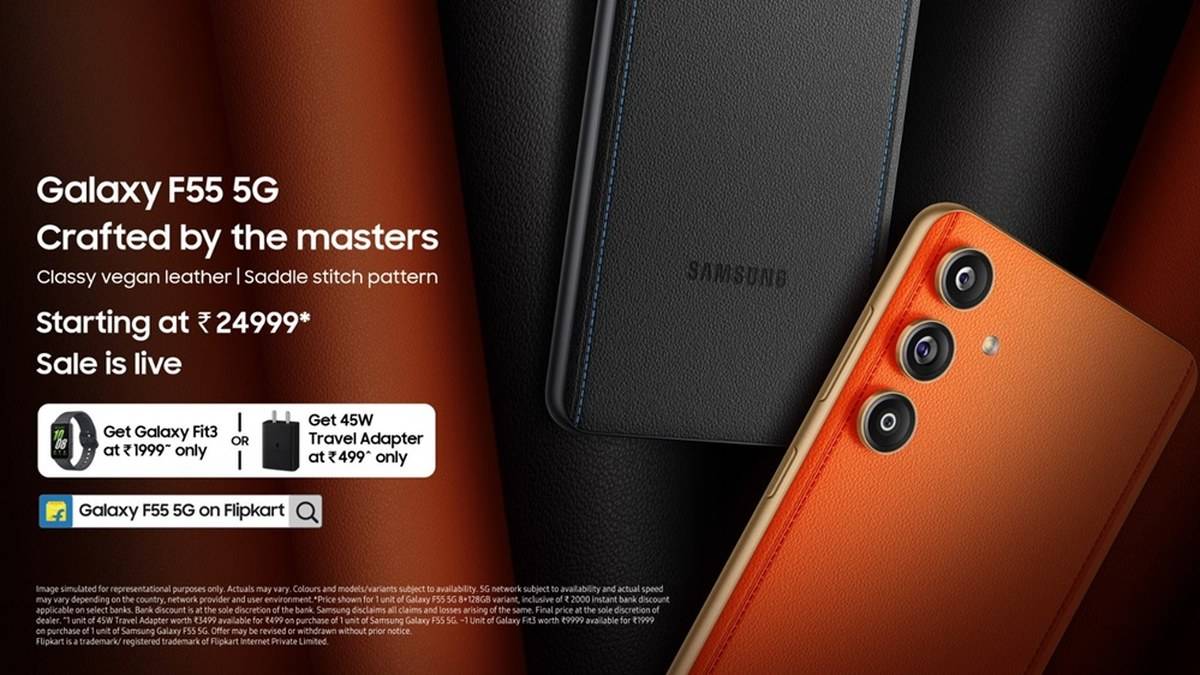
The F55 is recognisable for more than its software. Samsung launched it with an Apricot Crush or Raisin Black vegan leather finish, a Snapdragon 7 Gen 1 processor and a 6.7-inch Super AMOLED+ display. Those features identify the hardware being maintained. A software announcement concerning another F-series handset should not be assumed to apply merely because the names look similar.
Check the download on the phone
Samsung's current India guide directs users to Settings, then Software update, then Check for updates. Follow the prompts. Menu wording can differ with installed software, so use the equivalent update entry on the handset rather than assume that a differently named button means support has ended.
The guide permits downloading over Wi-Fi or mobile data. Choose a connection suitable for the download and leave time to read the installation screen. Checking the actual phone is a better basis for action than copying a screenshot forwarded in a chat. That image may concern another device, while the installation screen belongs to the handset in your hand.
Samsung says the device may restart several times and warns against using it during installation. It also says the latest firmware cannot be downgraded because of security policies. Finish urgent work before accepting the installation, especially if this is the phone holding travel tickets or providing access to essential accounts.
A computer provides another official route
The guide also describes Smart Switch on Windows or Mac. Connect with the phone's USB cable and allow file transfers where required. If Smart Switch detects an available update, use its Update option and follow the prompts. Do not disconnect the cable while installation is under way.
Treat the computer as another route for available software. Its presence does not establish that an unannounced release exists. If neither route offers a download, record what the phone reports before investigating further. A file name containing F55, on its own, is insufficient evidence that a download belongs on your device.
Memory variants do not create separate support promises
Samsung announced 8GB with 128GB storage, 8GB with 256GB, and 12GB with 256GB. The published support wording applies to Galaxy F55 5G, rather than being advertised as an extra reward for choosing more RAM. Buyers comparing these combinations should keep their storage needs separate from their reading of the upgrade policy.
The India page for the 8GB/128GB version lists 106.0GB available storage and warns that user space can change after software upgrades. Check that smaller version carefully if it also holds years of pictures and downloaded media. Review what can be removed deliberately, without deleting the only copy of something important simply to hurry an installation.
For related support questions, see our Galaxy F16 support-date explainer, Galaxy M34 update guide and Galaxy A56 support check. Their policies belong to those models. Use each as a separate reference when managing different phones in a household, rather than transferring the longest-looking support promise across the whole Galaxy range.
Before handing the F55 to another household member, leave a note of the last successful update check and the screen message received. That practical record makes it easier to distinguish an installation still awaiting attention from a handset that has already been checked.
Official sources: F55 specifications and policy wording, India launch announcement and Samsung update instructions, checked on 10 November 2026.