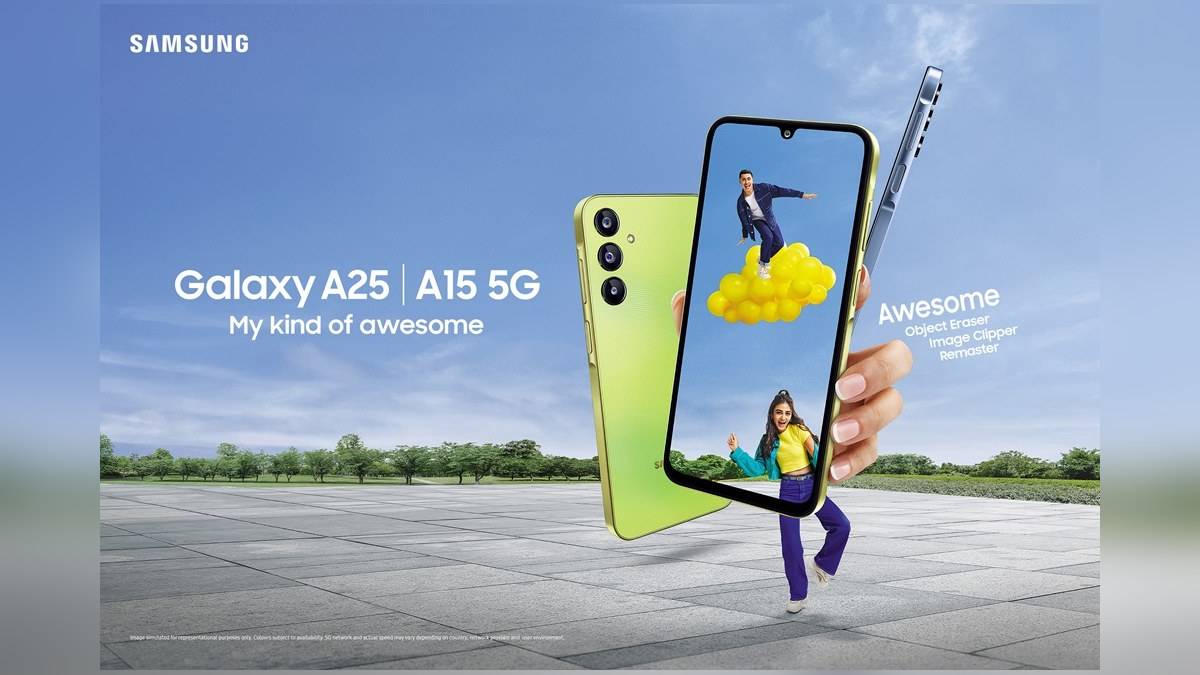
NEW DELHI: Samsung's Galaxy A25 5G launch announcement describes Single Take as capturing up to 10 photographs and four video clips from a shot. It is a way to collect different outputs from a moment, but owners should check their installed camera software before following an old menu guide.
| Galaxy A25 5G feature | Official description |
|---|---|
| Single Take output | Up to 10 photos and four video clips at launch |
| Main camera | 50MP with optical image stabilisation |
| Front camera | 13MP |
| Other announced editing tools | Remaster, Object Eraser and Image Clipper |
| Menu qualification | Modes and names vary by model and software |
Use the output claim as a maximum
The words describing the maximum are important. A25 owners should not interpret the announcement as a requirement for every capture to create that exact collection. The useful question afterwards is whether the resulting images contain the moment wanted, rather than whether Gallery displays a full set matching the advertisement.
For a birthday gathering or a school performance, decide first whether the aim is a normal photograph, an uninterrupted video or a selection of automatically created results. Single Take serves the last purpose. Choosing it deliberately prevents discovering afterwards that the family expected a conventional recording of the whole event.
The model-specific appeal is the combination of this tool with the A25's 50MP optically stabilised main camera. Samsung also announced a 13MP front camera. The stabilisation hardware and the software's choice of outputs are separate features, so neither the camera resolution nor the presence of OIS establishes how many Single Take results will be produced.
Find the mode and inspect the whole result
Samsung India's general camera guide describes opening Camera, choosing More and then Single Take. Capture the scene, open the preview thumbnail and drag upwards to inspect the other results. To keep individual items, its guide says to select the wanted results and use the download control.
That last step matters if the first preview is not the picture you hoped for. Inspect the collection before deciding the capture failed. Choose the particular photo or clip you want to keep or share, rather than assume that the opening thumbnail represents everything the phone created.
Use the phone's own preview to make that choice. Check the subject's expression, framing and any unwanted background detail. A feature that generates several possibilities still leaves the owner with an editorial decision. For a family picture, the most useful output may simply be the one in which everyone is looking towards the camera.
Newer software can place controls elsewhere
The older India camera guide explicitly warns that camera modes and names vary with the phone and software version. Samsung's newer India instructions describe a change beginning with One UI 8.5, when Single Take can be enabled as a separate mode through Camera Assistant. That page also says options vary by model.
Its documented route is Camera, Quick Controls, Camera Settings and Camera Assistant, then enabling Single Take under Additional modes. Treat this as conditional guidance for a supported installation. These general instructions do not establish that every A25 has received that software version or supports every Camera Assistant option.
If your A25 still shows Single Take under More, use the menu actually present. If the mode is missing, check the installed software and available settings before assuming the camera hardware has failed. Avoid applying instructions from a different Galaxy model without checking their qualifications, especially when a guide describes features absent from your phone.
Keep capture and editing jobs distinct
The A25 announcement also lists Remaster for image enhancement, Object Eraser for removing unwanted elements, and Image Clipper for separating a subject from its background. Those are editing functions with different purposes. A missing or unsuitable Single Take result is not evidence that one of those tools will reconstruct the original moment exactly.
For an important occasion, try the available mode beforehand and review what the phone saves. This is particularly useful when helping a relative operate an A25 that has received software updates since purchase. A brief practice capture answers the practical menu question without relying on a launch-day screenshot or risking the only recording of the occasion.
Related model guides explain the Galaxy F54 camera specifications, Galaxy F36 front and rear video support and Galaxy M55 selfie-camera focus. Each addresses a different hardware or recording question.
Samsung announced the A25 with 8GB memory and either 128GB or 256GB storage. When helping someone find their saved captures, confirm which handset is being used and inspect its Gallery directly, rather than assuming that a similarly named phone has the same collection.
Official sources: Galaxy A25 India announcement, camera-mode guide and newer camera-menu guidance, checked on 10 November 2026.