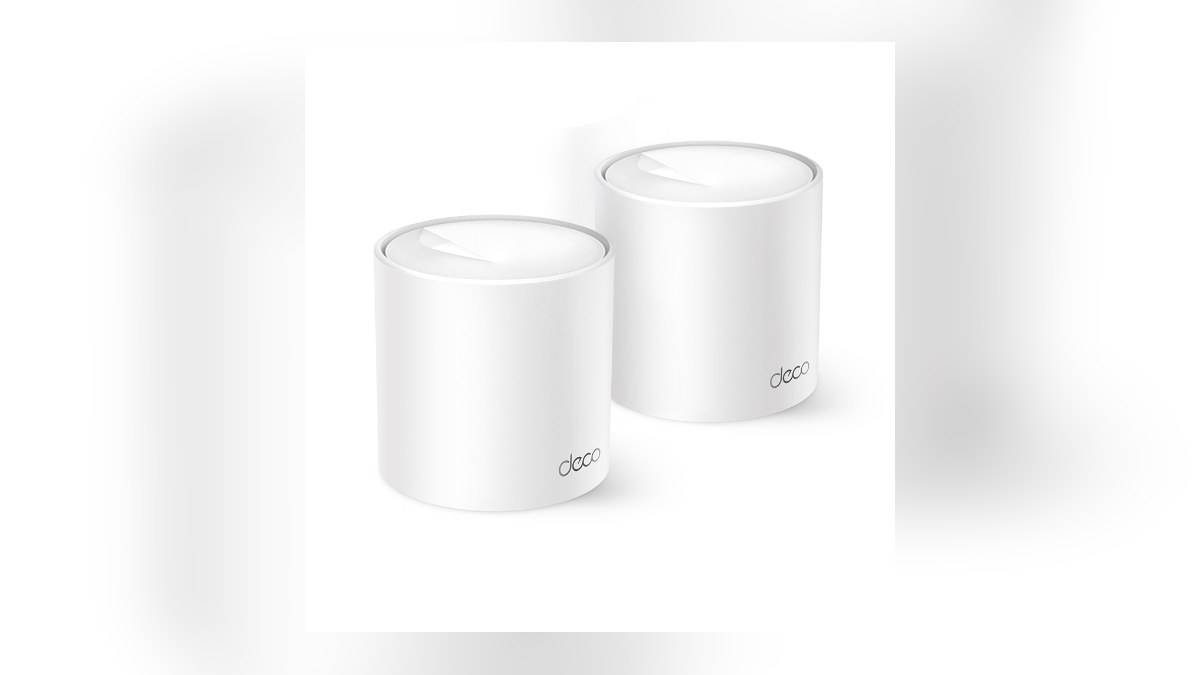
NEW DELHI: TP-Link lists Deco X10 in 1-pack, 2-pack and 3-pack configurations, with claimed coverage of up to 2,100, 3,900 and 5,600 sq ft respectively. These are conditional coverage figures for different unit counts. Read the pack label and map the rooms you need to connect before treating the largest number as a promise for your home.
| Item | Official detail |
|---|---|
| 1-pack | 1 unit, claimed coverage up to 2,100 sq ft |
| 2-pack | 2 units, claimed coverage up to 3,900 sq ft |
| 3-pack | 3 units, claimed coverage up to 5,600 sq ft |
| Wireless class | AX1500, dual band |
| Connections | 2 Gigabit ports per unit with WAN/LAN auto-sensing |
The pack count is the first specification
The useful comparison begins with the contents of the box. A larger Deco X10 pack gives you more places from which to serve the home. It does not change the name of the router into a faster wireless class. Keep unit count separate from radio specifications when reading product listings or comparing labels on cartons.
TP-Link specifies 1201 Mbps on the 5 GHz band and 300 Mbps on 2.4 GHz. Those are wireless signal rates rather than a measured internet result for an Indian apartment. They also describe different bands. A phone connected on a particular band should not be expected to receive their combined marketing total.
The company explicitly qualifies coverage and throughput by factors including building materials, obstacles, traffic and client limitations. A floor area match therefore cannot establish that a distant bedroom will work well. A useful reading of the coverage table is that it distinguishes the company's pack claims, while leaving the room-by-room result to installation and testing.
Read your floor plan before choosing locations
Consider a hypothetical flat with the broadband connection near the entrance and a work desk at the far end. Begin by marking those locations, the television and any camera positions. This produces a more useful placement problem than simply counting bedrooms, because the devices that matter may cluster at opposite ends of the property.
Next, identify where each unit could actually stand with access to power. If a proposed location requires a cable across a walkway or places the unit behind a storage cupboard, revise the plan before installation. The purpose of this exercise is to find usable positions, rather than treating a coverage illustration as a furniture layout.
TP-Link says Deco X10 units form a unified network and that other Deco models can join it. For an existing Deco household, the relevant question is therefore whether an extra location solves a specific gap. An additional unit should have a defined task, such as serving the study, rather than merely making the pack count look complete.
Check the carton as carefully as the headline
The package table lists a power adapter for each included unit and an RJ45 Ethernet cable for each pack. Verify the purchased configuration against that table when unpacking. A photograph showing several cylinders is not enough to establish how many units the selected listing includes; the written pack designation is the detail that matters.
Inspect the port plan at the same time. The X10 has auto-sensing WAN/LAN ports, and TP-Link lists optional Ethernet backhaul. If your installation will use existing room wiring, draw the intended connections before placing the units. Our Deco X20 Ethernet backhaul guide covers a related planning problem on a different model.
Our Deco M4 warranty guide covers a separate after-sales question. Keep your X10 receipt and full pack designation together so the purchased configuration is easy to identify later. An article about another Deco model should not replace checking the terms applicable to your own purchase.
Set up first, then judge the result in the rooms
TP-Link's published setup sequence is to connect Deco to a modem, power the devices, download and launch the Deco app, and follow its configuration instructions. Follow the prompts for your installation rather than assuming the broadband provider's equipment can always be replaced without checking its role.
Once configured, test the activities that justified the mesh plan: a call from the study, a programme on the television and a camera view from its intended position. Record which location produces a problem before moving anything. This is an editorial testing approach, not a claim that TP-Link guarantees a particular result in those rooms.
For a comparison of how another system's physical connections affect planning, see our Tenda MW6 mesh planning article. With the Deco X10, the final check is specific: confirm the pack count, allocate real locations to its units and assess the household tasks there. The coverage figure alone cannot complete those decisions.
Official sources: Product information.