NEW DELHI: An R03 router owner dealing with a failure on first installation should note D-Link India's 3-day dead-on-arrival reporting window, measured from the customer invoice date. The company's current India policy separates that process from ordinary warranty service. It also excludes configuration and compatibility problems from the dead-on-arrival category.
| Item | Official detail |
|---|---|
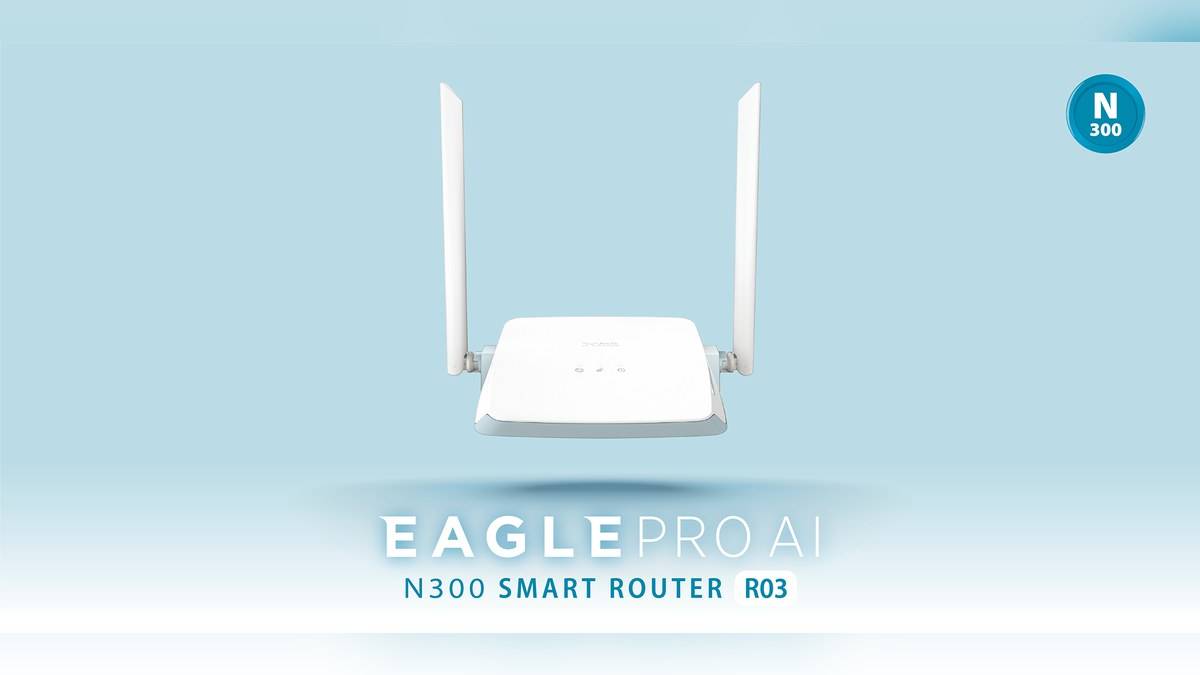
| Router identified | D-Link R03 N300 Smart Router |
| Model interfaces | One 10/100 WAN port; four 10/100 LAN ports |
| Wireless broadband router category | Three-year standard warranty from sale |
| External adapter terms | 90-day accessory warranty under the standard policy |
| Arrival-failure report | Within 3 days from customer invoice date |
| Product registration | Within 30 days of purchase |
| Policy inspected | India revision 10.5, released 1 April 2026 |
Identify the failure before choosing a claim
D-Link lists R03 as an N300 Wi-Fi 4 router with Fast Ethernet connections. That model detail helps separate an expectation problem from a suspected defect. A household moving to a faster broadband plan should examine the router's interface specification before treating a lower result as proof that the unit arrived faulty.
The first useful distinction is between no power, no local connection and no internet access. Write down which of those occurs and what the indicator does. This is a suggested way to describe the fault clearly, rather than a guarantee that any one symptom will qualify for replacement. The company's inspection determines whether its arrival-failure criteria are met.
Keep troubleshooting evidence focused on the original installation. A short note recording the supplied adapter, connected cable and observed behaviour is more useful than a broad statement that Wi-Fi is poor. Avoid opening or modifying the unit while trying to establish a warranty case. Preserve the condition in which it can be assessed.
The short reporting window comes before the long warranty
The India policy calls a product dead on arrival when it fails to power up or function properly on first installation. It requires the complete unit, original packaging, undamaged accessories and an invoice copy. Report the suspected issue promptly; waiting until a planned weekend setup can make the invoice-based deadline relevant before the household has investigated the problem.
For an online delivery, retain both the invoice and delivery record. The policy states its customer reporting deadline by invoice date, so do not silently substitute the date the parcel was opened. If dates or circumstances need clarification, put those details into the support record and keep a copy of the response.
This is a manufacturer-policy guide, rather than a statement that every early problem earns an immediate new router. Configuration errors, compatibility issues, user-related issues, installation or transit damage, and faulty accessories are excluded from D-Link's dead-on-arrival criteria. Describe what happened accurately instead of choosing that label solely because the purchase is recent.
Separate the router from its adapter
D-Link's standard table gives wireless broadband routers three years of cover from sale, with separate 90-day terms for accessories including external adapters. An R03 that stops powering up therefore needs the failed component identified. The router's category period should not be assumed to apply unchanged to the mains adapter.
The policy applies to the original purchaser of products bought from D-Link India or its authorised business partners and says there is no international warranty. Keep the seller invoice with the model and purchase records. An overseas product page or a general warranty statement from another region is an unsuitable substitute for the India document.
Its registration instruction specifies completion within 30 days of purchase. Registration and reporting a defect are separate tasks: retaining a registration record does not by itself describe a new failure. Keep both sets of records together so the purchase history and the current problem can be assessed without reconstructing them later.
Build a record that can follow the unit
For ordinary warranty service, D-Link's document directs customers through technical support to obtain an RMA case registration number before submitting the defective product to the indicated service location. Include the requested description of the fault. Record what is handed over, the case reference and any accessories supplied, so the service history remains intelligible.
The policy allows repair or replacement and says replacement hardware need not be new or the identical model. A claim should therefore not be presented as an unconditional promise of a sealed replacement. Keep any proposed resolution in writing and check the specifications of an offered substitute against the functions the home actually uses.
For an R03 installation, the immediate practical sequence is to test on arrival, document the symptom and preserve the carton and invoice while the issue is assessed. The short reporting window, separate adapter terms and local purchase conditions each answer a different question. Checking all of them makes the claim clearer than relying on the router warranty period alone.
Related reading: Archer C6 router and adapter terms; Deco M4 claim preparation; D-Link R15 wireless-band specifications.
Official sources: India warranty policy, revision 10.5; Official R03 model and interface details.