To use Claude Projects, create a project from the Projects section, add the documents you want it to use, and save instructions describing how it should respond. Then start your related chats inside that project. Anthropic's current help pages say Projects are available to free accounts, with a maximum of five projects for those users. The useful distinction is between files that supply information and instructions that define the work you want done.
This guide follows Anthropic's public project creation and management instructions, checked on 28 October 2026. It covers the current chat-based Projects interface. Anthropic is also rolling out a new Projects beta to selected users, so an account that has been moved to that version may show a different workflow. Check the official Projects overview if your screen differs.
How to create a Claude Project
Open the Projects section from the left side of your Claude account, or use the direct Projects address. Select the new-project button and provide a name and description. Team and Enterprise users also have visibility choices, subject to their organisation's settings. After creation, the project becomes the place to start the chats associated with that work.
Anthropic notes that Claude does not have access to the name and description entered during creation. A project called "Weekly college revision" is therefore an organisational label, not a complete instruction. Put the actual task, audience and response requirements in project instructions. Otherwise a carefully chosen title may give you a false sense that you have already supplied the brief.
What should go into project knowledge?
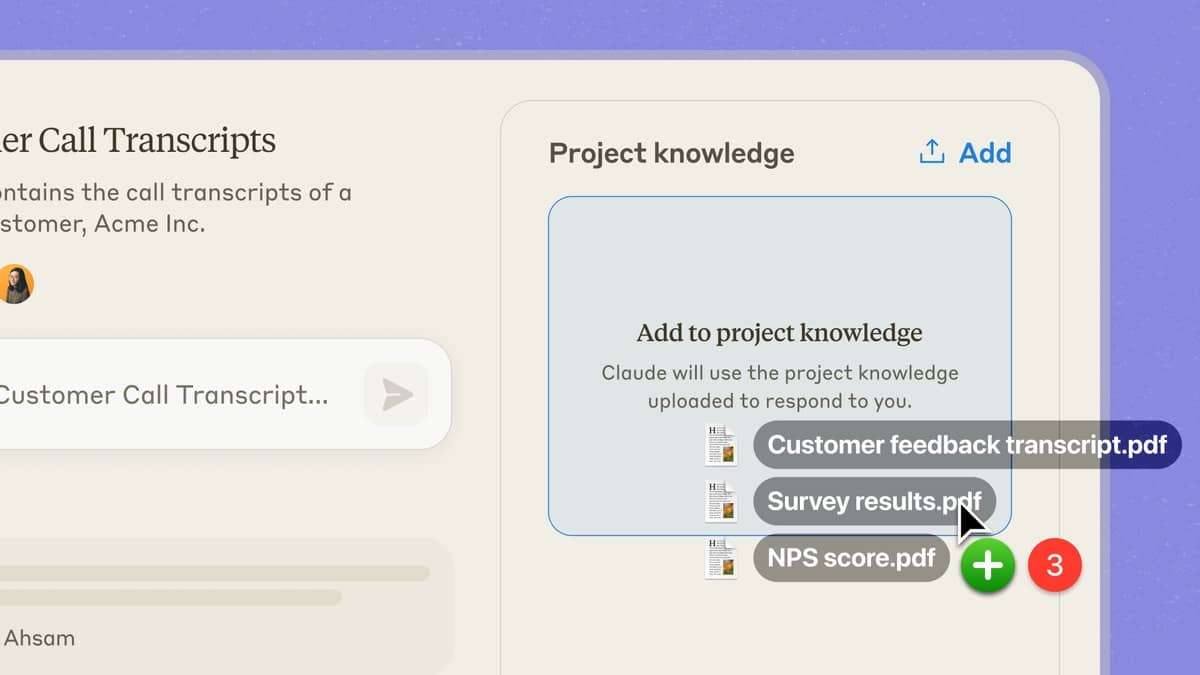
On the project's main page, use the plus button in the knowledge area to add relevant material. The help page lists documents, text files and code snippets as examples. For an ordinary writing or study workflow, start with a small, coherent set: the assignment brief, a reading extract and a glossary. Add files because they answer a particular need, rather than because they are available.
Anthropic says material uploaded to project knowledge is used across chats in that project. That makes it a useful home for a recurring reference, such as an approved style guide. A document attached or discussed only in one conversation should not be assumed to become shared project knowledge automatically. The management guide explicitly distinguishes knowledge-base content from ordinary chat context.
How to write project instructions that are useful
Select the project-instructions control, write your instructions and save them. The official workflow applies those instructions across chats in the project. Make them stable enough to reuse: describe your audience, the format you need, the source boundary and what to do when information is missing. Put a one-off request in the chat itself.
Here is an original instruction example for a study project: "Help me revise the uploaded economics readings. Explain terms in plain English. For each answer, identify the document and section you used. If the material does not answer my question, say so. Finish with two short practice questions, and keep their answers separate." This is a proposed instruction, not a claim that the product has returned a verified answer.
For a writing project, try: "Act as an editor for our college society newsletter. Use the uploaded style guide. Preserve names, dates and amounts exactly. Flag contradictions between documents before drafting. Use short paragraphs and supply a separate list of points needing confirmation." This example is for editing a defined set of material. It does not authorise Claude to invent missing event details.
What should the first chat ask?
Begin with a small task whose result you can inspect. For example: "Using the uploaded event brief, make a table of the event date, venue, registration deadline and organiser. Add the supporting document section beside each entry. Mark a missing item as not provided." Compare every row with the source before asking for a finished article or announcement.
That check is a workflow recommendation, not a promise of accuracy. A fluent response can still misread a passage or overlook an exception. When a document changes, update the relevant project material and make clear which version should govern. Keep the authoritative original available so that a summary never becomes the only remaining record of the rules.
What about memory, sharing and free limits?
The current help page describes project memory alongside account memory. It says the project can use memory from chats outside projects, and new project memory may also be referenced outside the project when memory is enabled. For fuller separation, it provides an account-memory control on the project page. Do not assume that an organisational folder name creates a privacy boundary.
Team and Enterprise projects can be shared within the organisation when administrators allow it. The help guide distinguishes permission to view from permission to edit. Review access before adding a sensitive document. It also says archiving preserves members and permissions, so archiving a finished project does not revoke another person's access.
The five-project limit for free users is a project-count rule, not a statement that usage is unlimited. Anthropic's overview says Projects use the allowance of the user's plan. For related workflows, read our Claude Skills guide, NotebookLM study guide and NotebookLM flashcard tutorial. Each addresses a different feature; use the official help page for the controls available in your account.