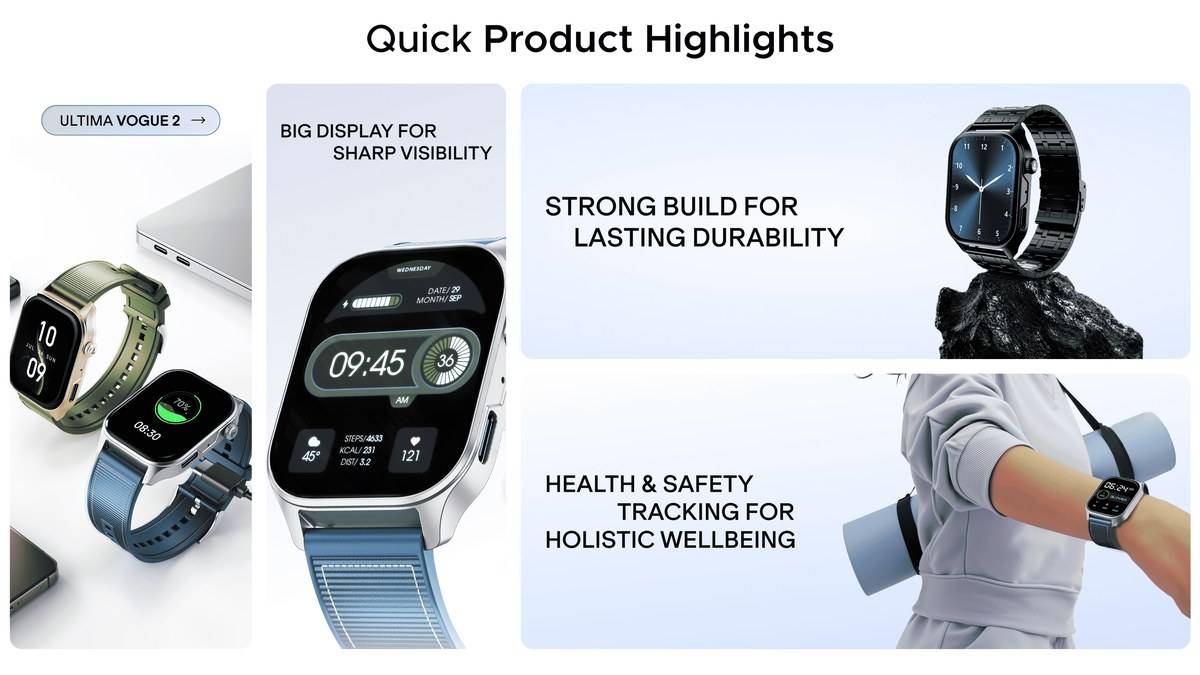
NEW DELHI: The boAt Ultima Vogue 2 takes up to 1 hour and 26 minutes to charge fully through a standard Type-C cable, according to its official manual. The manual specifies a 5V/2A charger. That combination is the useful detail behind the watch's Type-C billing: owners get a familiar cable connection, but should still follow the watch's own power instructions.
| Ultima Vogue 2 detail | Official specification |
|---|---|
| Charging connection | Type-C |
| Full charging time | Up to 1 hour and 26 minutes |
| Recommended charger | Standard 5V/2A only |
| Battery capacity | 300mAh |
| Claimed working time | Up to 10 days, subject to use |
| Screen | 1.96-inch AMOLED |
| Companion application | boAt Crest |
Start with the cable and power supply
The supplied package includes a Type-C to C charging cable. boAt instructs owners to charge the watch before its first use. Use the connection shown in the manual and the specified power supply, then allow enough time for the full charging cycle rather than expecting a brief top-up to establish the watch's normal endurance.
For an Indian household sharing chargers between phones, headphones and wearables, the distinction is practical. A matching connector answers whether a cable fits; the manual answers how boAt wants this particular watch powered. The presence of Type-C alone gives no basis for promising a shorter charging time with a phone's higher-powered charger.
The charging figure is also separate from the working-time claim. boAt lists up to 10 days for use after charging, with an asterisk on the product page. Treat that as a manufacturer maximum, rather than a timetable for every owner. This article reports the documented figures and setup process, not an independently measured battery test.
Charge first, then pair through Crest
Once charged, hold the side button for 3 to 5 seconds to switch the watch on. The manual directs owners to boAt Crest, with support listed for iOS 14.0 or later and Android 7.0 or later. Those are the phone requirements to check before starting the pairing process or setting the watch up for another family member.
Open Crest and find Ultima Vogue 2 on its home screen or within the Ultima series. The device name used during detection is UVOGUE_XXXX. Accept the pairing prompt on the watch. The instructions also describe a phone prompt for contacts and call logs, which relates to the watch's calling functions.
Bluetooth, notifications and location are part of the documented setup. boAt also asks owners to disable battery optimisation for Crest and permit it to run in the background. If the watch pairs successfully but later stops updating, those instructions provide a more relevant place to check than repeatedly changing the charging cable.
Keep charging, syncing and calling separate
The manual says synchronisation begins automatically when the connected watch's Crest interface is opened. It recommends syncing at least once every day to avoid losing data held on the watch. A charging routine and a syncing routine therefore solve different problems: restoring power does not, by itself, establish that activity records have reached the phone.
Calling has its own connection requirement. The manual's dialpad instructions place calls through Bluetooth, and its frequent-contact feature also requires the watch to be connected to the phone through Bluetooth calling. A charged screen showing the time is not proof that the calling connection is ready.
That matters if the watch is being prepared before a commute or walk. Check that recent activity appears in Crest and that the intended phone connection is active before relying on the wrist controls. Those checks concern the Ultima Vogue 2's documented connected functions; they do not establish independent mobile connectivity.
The side button also has an Emergency SOS role after configuration in Crest. The manual describes adding an emergency contact under Settings, Watch Features and Emergency SOS Settings, then pressing the button three times in quick succession to initiate the call. Configure that feature deliberately during setup, so ordinary navigation and the emergency shortcut are understood before daily use.
What the hardware adds to the routine
The product specification lists an AMOLED screen, Bluetooth 5.4 and IP68 water resistance. A functional crown handles menu navigation. These features explain the watch's everyday role, but none changes the charging instruction. The supplied cable and the specified adapter remain the reference points when preparing it for use.
Within boAt's range, the significance of this model is the combination of a familiar charging connection and the Crest setup workflow. Readers checking other boAt products can see our boAt earbuds range report. Audio-product specifications should be read separately from this watch's instructions.
For the wider range, the boAt smartwatch overview provides separate model coverage. Our boAt replacement-policy explainer covers service questions. Read the current terms applicable to the purchase rather than treating a charging instruction as a warranty promise.
Official sources: boAt Ultima Vogue 2 specifications and the linked Ultima Vogue 2 user manual.