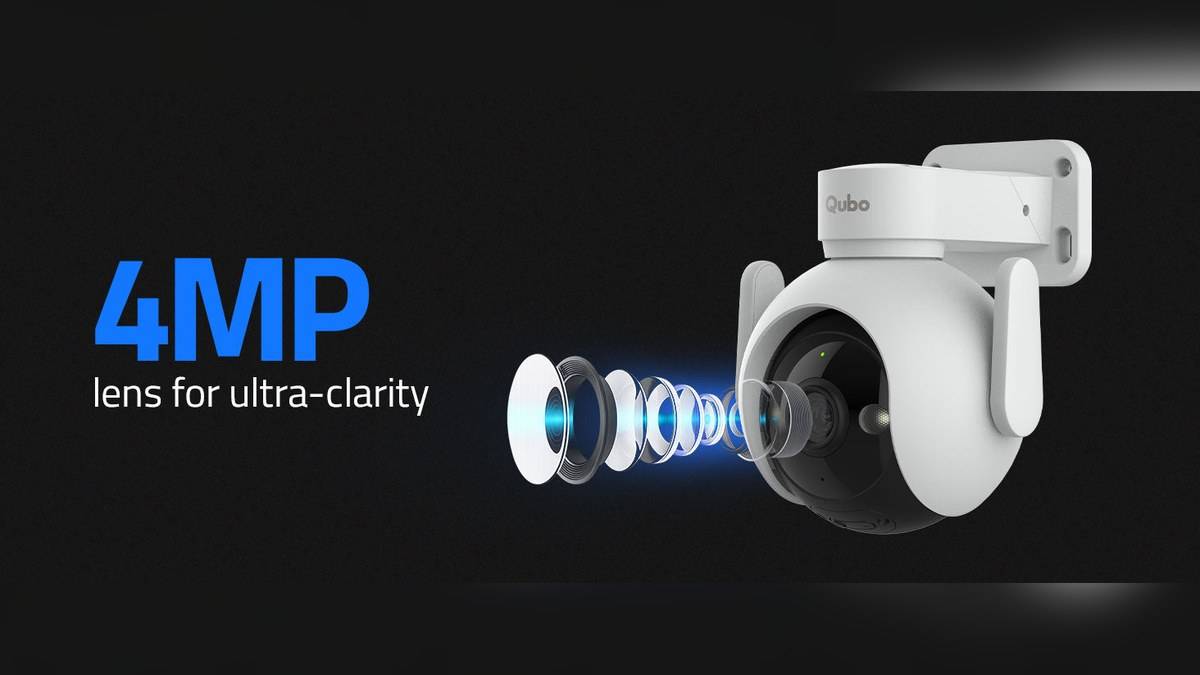
NEW DELHI: Qubo recommends installing its Smart Outdoor Cam 360 Prime roughly 2 to 3 metres above the ground, checking the live view and completing setup before mounting. Its user manual also specifies an operating range of 0 to 45 degrees Celsius and asks owners to minimise direct sunlight exposure. The camera position needs to satisfy those conditions together.
| Installation check | Official guidance |
|---|---|
| Suggested height | 2 to 3 metres above ground |
| Operating temperature | 0 to 45 degrees Celsius |
| Wi-Fi requirement | 2.4 GHz, 802.11 b/g/n |
| Upload requirement | Greater than 2 Mbps |
| Before mounting | Complete setup and check the live view |
| Power equipment | Use the supplied adapter and cable |
Test the exact position before making holes
The manual lists a drilling template, screws and wall plugs among the installation items. Its most useful instruction comes earlier: finish setup before mounting. For a household arranging an installer visit, that means having the network ready and the intended view agreed before permanent fixing begins.
Check the image from the position the camera will actually occupy. A connection tested on a table next to the router does not establish that the final location will work. Ask the person checking the app to describe what is visible at the gate, doorway and edge of the intended monitoring area, rather than relying on a quick glance at the screen.
The height recommendation is a starting point for that exercise. It does not promise recognition of every visitor from every approach. A placement that covers the entrance may leave a closer area outside the useful view. Walk the normal arrival route while another household member watches, then decide whether the view answers the home's actual monitoring need.
Look for objects that interfere with the view
Qubo's manual specifically asks owners to consider poles, plants and porch lights. It warns that nearby objects can affect exposure or camera vision and suggests adjusting the angle if glare appears. In an entrance installation, the ordinary porch lighting deserves to be part of the test rather than an afterthought.
Repeat the view check under the conditions in which the camera will be used. A clear daytime picture does not settle how the entrance looks when its lights are switched on. Keep the normal lighting arrangement in place during the check, including decorative lighting if that is routinely used around the doorway.
The manual's direct-sunlight warning also belongs in the site decision. A convenient wall surface is not automatically a suitable location throughout the day. Consider the path of sunlight across the chosen spot, the cable route and access for maintenance together before the holes are marked.
Check the entrance connection separately
The published network requirements distinguish the wireless band from internet upload capacity. Confirm both at the intended installation point. The upload figure in the table is a stated requirement, not evidence that every broadband connection meeting it will provide the same experience under all household conditions.
Qubo's support page describes a Wi-Fi indicator within the live view and recommends checking connectivity when a camera is moved or the network is changed. If the picture is unreliable at the entrance, compare behaviour nearer the router before altering multiple settings. That helps identify whether the placement itself is contributing to the problem.
Our Qubo Smart Plug 16A vs 10A price: 10A starts lower at Rs 899 concerns a different device. For this camera, follow the specific band requirement above. The Qubo AI Guard price list: Rs 1,490 to Rs 3,990 a year offers related background if coverage must be extended through the home.
Leave a practical way to reach the camera for the maintenance described in its instructions. Before approving the final position, ask how the card slot and power connection will be accessed later. The initial view check should be accompanied by a workable plan for those routine tasks.
Set the monitoring behaviour after placement
The support page allows detection zones and motion sensitivity adjustments. Use them after settling the camera's orientation. Otherwise, changing the view can also change which areas require attention. A doorway-focused setup may need a different monitored area from a camera intended to watch activity across a larger approach.
Choose which activity matters before increasing alert volume. A household interested in visitors arriving at the entrance should review whether the selected area also includes unrelated movement. Keep a note of the settings used for the first working installation so later changes can be assessed against a known arrangement.
For another outdoor installation example, see our Qubo Baby Camera vs Smart Cam 360 Pro price: both Rs 3,990. Its hardware instructions should not be substituted for Qubo's manual. Here, final acceptance should include a working live view, the intended entrance coverage and a secure arrangement using the supplied power equipment.
Official sources: Qubo Outdoor Cam 360 Prime support and linked official user manual.