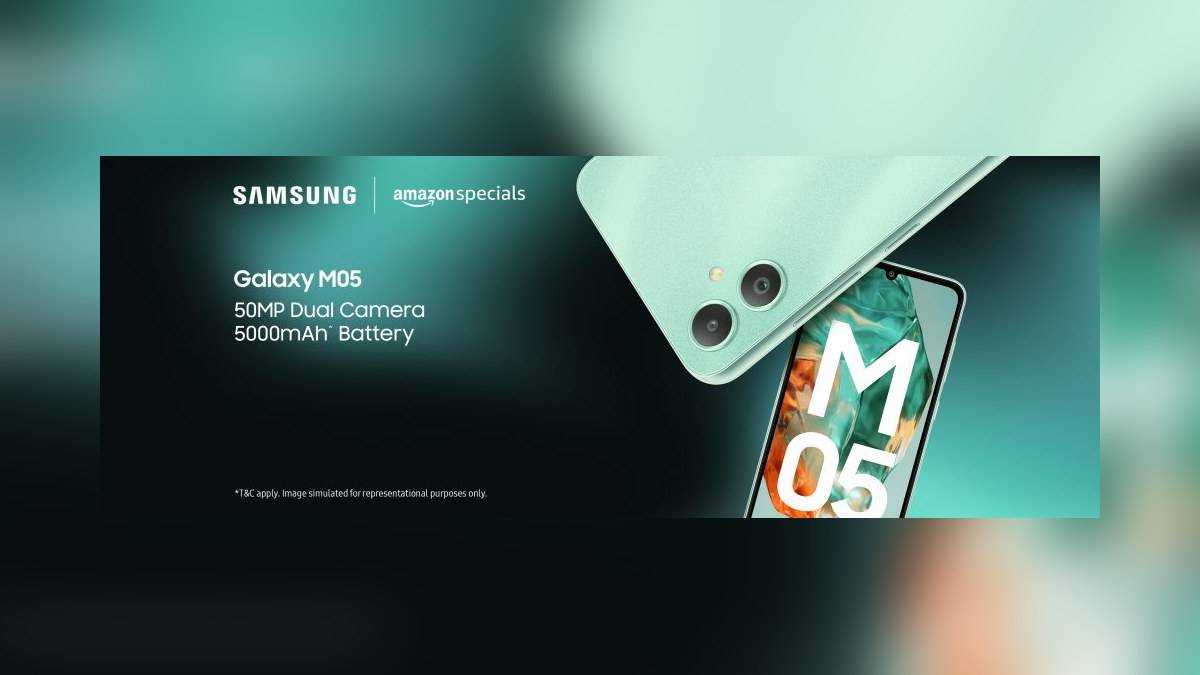
NEW DELHI: Galaxy M05 has a 50MP main rear camera and a 2MP depth camera, rather than two interchangeable wide and zoom cameras. Samsung's India specifications also confirm an 8MP front camera, autofocus on the rear system and no optical image stabilisation. These distinctions matter more than the dual-camera label alone.
| Galaxy M05 camera detail | Official India specification |
|---|---|
| Main rear camera | 50MP, f/1.8 |
| Secondary rear camera | 2MP depth camera, f/2.4 |
| Rear autofocus / OIS | Yes / No |
| Front camera | 8MP, f/2.0; no autofocus or OIS |
| Zoom | Digital, up to 10x |
| Listed video recording | Full HD, 1920 x 1080 at 60fps |
Two rear cameras have different jobs
Samsung identifies the secondary unit as a depth camera and links it to portrait photographs. It is not described as an ultra-wide or telephoto camera. Someone hoping to switch between a broad group view and a close view of a distant subject should therefore read beyond the number of rear camera circles.
For a small shop using an M05 to photograph products, the main camera is the relevant starting point. The depth camera's stated role does not establish a dedicated close-up lens for tiny labels, nor does it create a separate optical zoom range. Those capabilities would need their own model-specific confirmation.
The up to 10x zoom entry is explicitly digital. Keep that wording when sharing the specification with another owner. It prevents a software magnification figure from being mistaken for a telephoto lens specification. Samsung's launch announcement establishes the main-and-depth arrangement rather than a camera system with several selectable focal lengths.
Autofocus and stabilisation are separate
The specification table marks rear autofocus as present and rear OIS as absent. Autofocus support should not be rewritten as optical stabilisation support. Equally, the absence of OIS does not by itself prove that the camera has a fault when someone is evaluating a particular photograph.
A useful owner check is to distinguish a subject that is out of focus from a picture affected by movement or an obstructed lens. Samsung's general focus guidance recommends cleaning the lens with a soft, dry, lint-free cloth and checking that cases or other accessories do not cover its edges.
That is particularly practical for an M05 kept in a pocket or fitted with an aftermarket cover. Begin with the visible obstruction check before changing settings. Samsung's India image-quality guide also says lens protectors can cause focus issues or light distortion, so an added protector is part of the setup being assessed.
The front camera has its own limits. Samsung lists an 8MP sensor with neither autofocus nor OIS. A claim about the rear camera therefore cannot be transferred to selfies or front-facing demonstrations. Check which camera produced the image before comparing it with the phone's advertised 50MP specification.
Separate photo resolution, video and the screen
The 50MP figure describes the main still-camera resolution. The India product page separately lists Full HD recording at 1920 x 1080 and 60 frames per second, plus 120fps slow motion at HD resolution. Those are different entries, and the slow-motion figure does not mean that every video mode records at that rate.
The display is another separate specification: a 720 x 1600 HD+ PLS LCD. A screen's resolution and a recorded video's resolution need not be identical. When judging a saved clip, inspect the recording setting and the file, rather than assuming that the M05's HD+ screen defines the recording ceiling.
This distinction helps a family recording an event and later watching it elsewhere. The phone's preview is part of the shooting experience, but it is not a complete specification of the saved video. Avoid treating a promotional still-image figure, a slow-motion rate and the display resolution as a single quality score.
Plan space for the pictures you keep
Samsung's India configuration has 4GB RAM and 64GB storage. The product page lists 47.1GB as available storage and warns that actual user memory can change with the operator and software updates. That number is a reference specification, not a promise that every used M05 will have the same free space today.
MicroSD expansion up to 1TB is supported. For an owner keeping photographs and clips, expansion is a separate consideration from camera capability. It changes the storage options; it does not add autofocus to the front camera or optical stabilisation to the rear system.
Read our Galaxy M55 selfie-focus explanation, Galaxy F54 photo and video guide and Galaxy F17 recording-versus-playback explainer for related distinctions.
Official sources: Galaxy M05 specifications and Samsung India image-quality guidance.