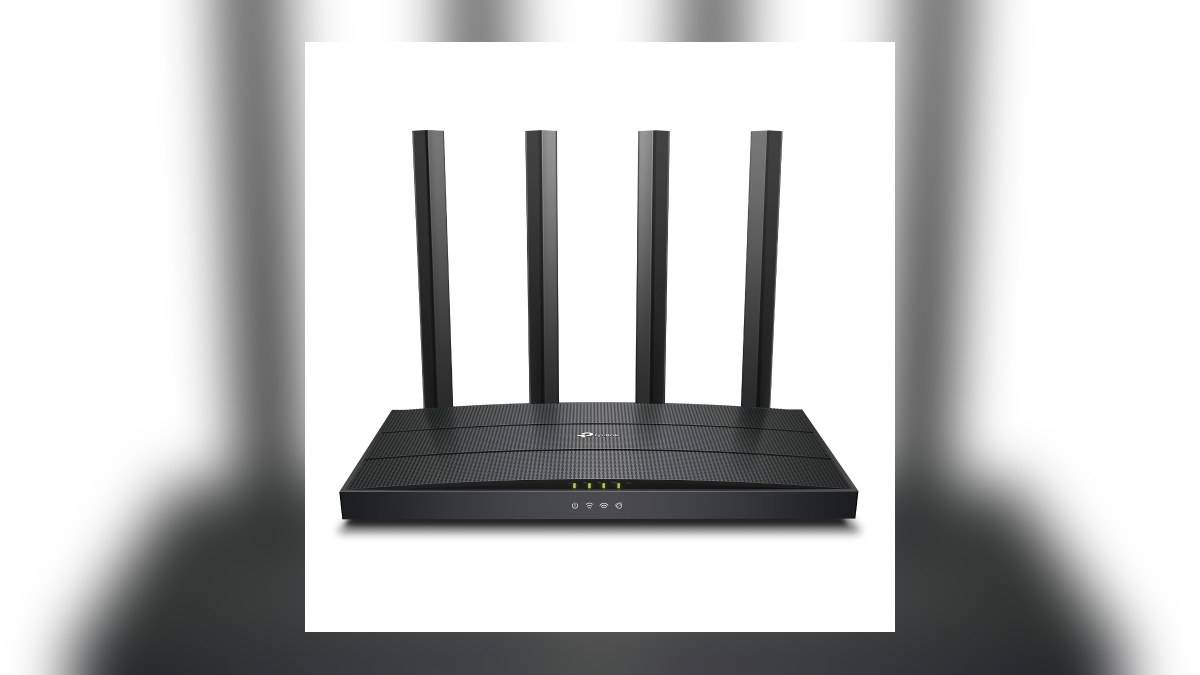
NEW DELHI: The TP-Link Archer AX12 has three Gigabit LAN ports for home devices and a separate Gigabit WAN port for the incoming internet connection. That layout lets a household wire a television, computer and another network device directly to the router, while leaving its wireless network available for phones, cameras and smart lighting.
| Archer AX12 detail | Official specification |
|---|---|
| Incoming connection | One Gigabit WAN port |
| Device connections | Three Gigabit LAN ports |
| 5 GHz wireless rate | Up to 1201 Mbps, 802.11ax |
| 2.4 GHz wireless rate | Up to 300 Mbps, 802.11n |
| Operating modes | Router and access point |
Start with a cable map
Before changing an existing installation, trace the cable arriving from the broadband equipment. In a router installation, that incoming link belongs on the AX12's WAN side. Label the remaining cables by destination. A cable disappearing behind the television cabinet should be identifiable without unplugging everything else when a connection fails.
Make a small allocation list before filling the LAN sockets. A television, desktop and a wired connection to another part of the house would occupy the available device ports. If a console is added later, the household has to reconsider that allocation or arrange additional switching. The useful question is how many cables must remain connected together, rather than how many devices the family owns.
A television cabinet can hide several network users behind a single screen. Count the separate boxes that actually need Ethernet, including a streaming device only if its own hardware supports that connection. A television's Ethernet cable does not automatically provide a wired connection to every accessory attached to its display inputs.
Read the wireless label separately
TP-Link classifies the AX12 as AX1500. Its published wireless figures describe different bands, while the wired sockets have their own Gigabit rating. These are separate parts of the specification. Adding the wireless figures together does not establish the speed available through a cable or predict the result of an internet speed test.
The standards line also matters for a smart home: the faster band uses Wi-Fi 6, while the lower-frequency band is listed under the older wireless standard shown in the table. A device that connects on the latter band does not gain the former band's capabilities merely because the router carries an AX name.
For further background, our TV and projector price guide looks at the same kind of split in wireless specifications. Check each device's supported band before using a phone's connection as a proxy for a camera or bulb in another room.
Choose the router's job before troubleshooting
The AX12 supports router and access point modes. Decide which role it is meant to perform within the household network before adjusting settings. Where broadband equipment already provides routing, adding another device without a clear plan can make fault-finding confusing. Keep a note of which box manages the network and which simply supplies coverage.
This distinction becomes especially useful when moving equipment between rooms. A cable route that works in one intended arrangement may not suit another. Consult the instructions for the selected mode before transferring cables, and retain a record of the working arrangement so it can be restored if a change causes problems.
Our guide to Archer AX10 Wi-Fi explained: 1201 Mbps and 300 Mbps bands provides related context. It concerns different hardware, so its port count should not be carried across to the AX12. Read the model label before following any diagram found online.
Keep the port map somewhere accessible to the person who handles broadband problems. If cables are moved during cleaning or equipment replacement, the record should show the original destination of each lead. That makes restoring the television cabinet less dependent on trial and error.
Test the connection you actually use
If the television buffers, compare its own connection with another known working device before blaming the broadband plan. Note whether the fault affects wired devices, wireless devices or both. A problem isolated to a cable path calls for a different investigation from a loss affecting the entire home.
TP-Link cautions that actual performance depends on the connection equipment, network conditions and client limitations. Its published rates therefore provide ceilings for particular links rather than a household performance guarantee. Record the device, connection type and location alongside a test result, so later comparisons refer to the same conditions.
For a network expanding into multiple rooms, also read our Use Archer C64 as an access point: plan its 4 Gigabit LAN ports. The AX12 exercise starts more simply: reserve the incoming connection, allocate the device cables, then decide which remaining equipment will use wireless. That produces a useful installation record before any settings are changed.
Official source: TP-Link India Archer AX12 specifications and performance qualifications.