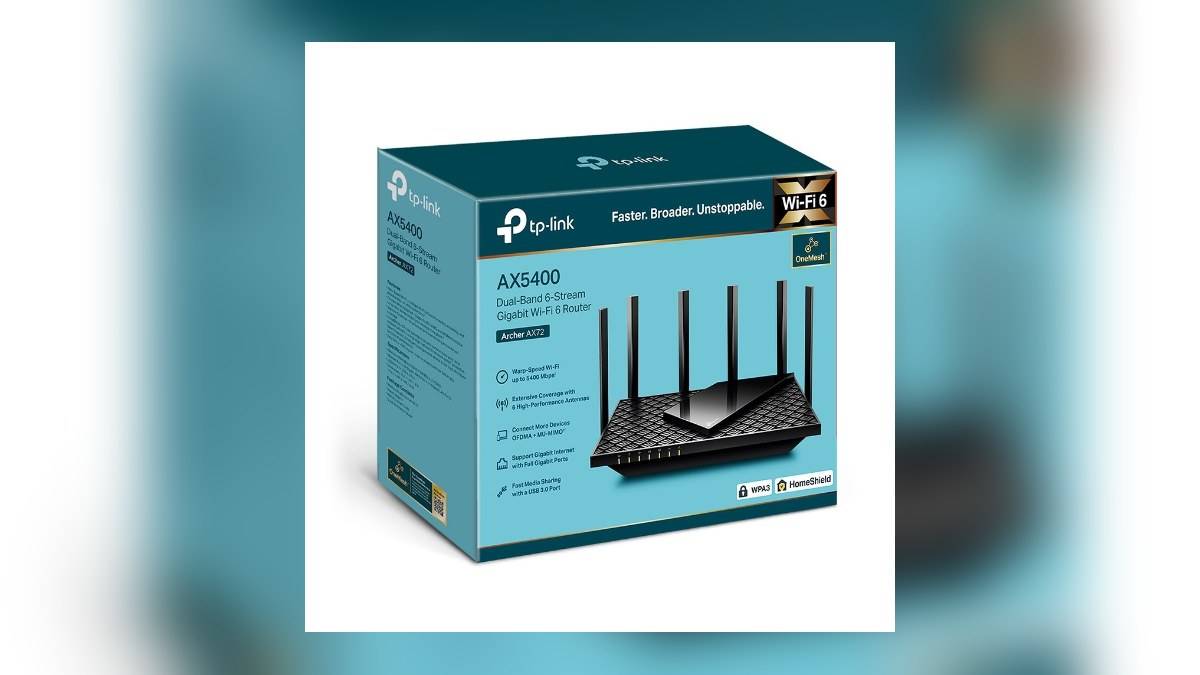
NEW DELHI: Archer AX72 lists one guest network on 2.4 GHz and another on 5 GHz, but a separate Wi-Fi name is only part of the setup. Its V1 user guide also gives owners controls for whether guests can see one another and whether they can reach the main local network. Check those permissions before sharing the guest password.
| Archer AX72 feature | Official detail |
|---|---|
| Guest networks | 1 on 2.4 GHz, 1 on 5 GHz |
| Guest permission controls | Guest-to-guest communication and local-network access |
| Wired connections | 1 Gigabit WAN, 4 Gigabit LAN ports |
| Shared-storage connection | 1 USB 3.0 port |
| Instructions used here | Official Archer AX72 V1 user guide |
Start with the access visitors actually need
A visitor who needs an internet connection does not automatically need access to equipment around the house. That distinction is particularly relevant on the AX72 because its local network can include wired devices and a router-connected storage drive, as well as wireless clients. Decide what the guest connection is intended to permit before changing its settings.
In a home where a television, work computer and shared files use the main network, giving a visiting phone a different network name should not become the end of the exercise. Make the permissions explicit. If visitors need a particular shared function, test that function and consider the access it requires rather than enabling every option together.
Create the guest network in the web interface
The V1 guide directs owners to the router's web management interface and then Advanced, Wireless and Guest Network. Enable the band required, choose the network name and select the security setting and password. Save the changes before attempting to connect a visitor's device. These instructions describe settings for an owner to use, not a remote configuration service.
The manual includes a No security option, which removes the password requirement. For ordinary visitor access, use a protected network with a password you can share separately from the main network credentials. Giving the networks recognisably different names also helps household members avoid connecting their usual equipment to the guest service by mistake.
Check the hardware version first. The India support page identifies V1 documentation, while interfaces can differ by firmware and region. If a menu on the actual router does not match the guide, use the support material for that exact unit. Do not borrow an AX72 Pro instruction simply because the names look similar.
Review the two guest permissions
The guide's Guest Permissions section contains an option labelled Allow guests to see each other and another labelled Allow guests to access your local network. Leave the relevant permission disabled when that type of communication is not intended. Save the resulting configuration rather than assuming a newly named guest network already reflects your preferred policy.
A sensible check is to connect a spare phone as a guest and verify that normal web browsing works. Then check the local resources whose access you intended to restrict. This is an editorial verification step: an internet connection alone cannot demonstrate that the rest of the home's network is separated as intended.
Check USB sharing independently
The AX72's USB chapter describes file and media sharing from attached storage. It says sharing can be restricted to specific content and can require authentication through Secure Sharing. These settings deserve their own review, particularly where an attached disk mixes entertainment files with household or work documents.
In the documented interface, USB storage controls are under Advanced, USB and USB Storage Device. Review shared folders and access accounts there. Guest Wi-Fi permissions and storage-sharing permissions answer different questions. A household should know both who can reach the local network and what a permitted user can open once connected.
The USB guide also distinguishes local sharing from remote internet access. Do not enable an unrelated remote-access option merely to make visitor internet access work. For this task, the desired outcome is a guest connection with the chosen local permissions, not a broader change to how files are exposed.
Use access control for a different problem
The model's network-security chapter describes Access Control under Advanced, Security. It can block specified devices or permit only listed devices, applying to wired as well as wireless connections. This is different from guest-network permissions: it addresses whether a client is admitted, rather than what guest clients may communicate with.
Before enabling an allow-only list, identify the household equipment that must remain online, including cameras that may not be in active use during the change. Keep a configuration backup using the router's documented backup function. After making changes, verify ordinary household connections as well as the guest phone.
For related planning, see our Archer C64 access-point guide, Archer AX55 USB-sharing guide and Tapo C225 privacy controls.
Official sources: AX72 specifications and its V1 guide chapters on guest access, USB sharing, network security and configuration backups.