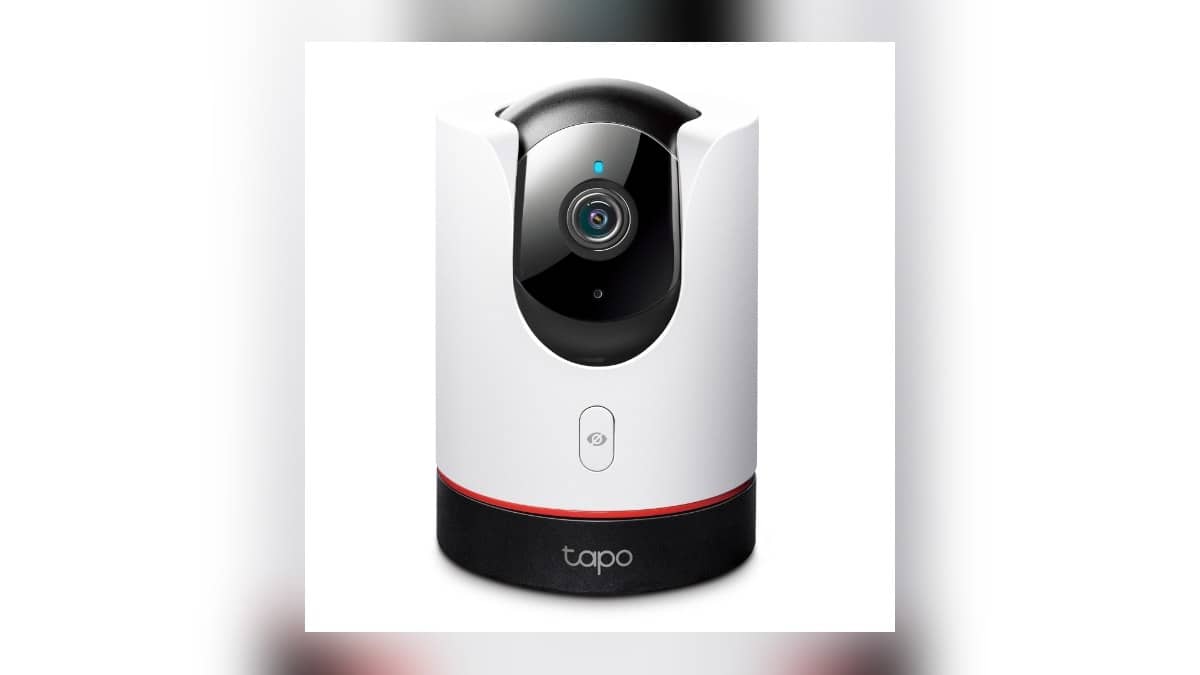
NEW DELHI: The Tapo C225 lets owners pause monitoring through its physical privacy button or through either of two controls in the Tapo app. TP-Link says Privacy Mode stops streaming and recording of video and audio. On this camera, the lens also moves out of view, giving people in the room a visible indication of the privacy setting.
| Item | Official detail |
|---|---|
| Camera | Tapo C225 pan/tilt home security camera |
| Privacy controls | Physical button, Live View icon or Device Settings |
| Effect stated by TP-Link | Video and audio streaming and recording stop |
| Local storage on India product page | microSD up to 512GB, purchased separately |
| Cloud storage | Tapo Care subscription, purchased separately |
| Other monitoring detail | Motion tracking up to 120 degrees per second |
Use the button when someone is already in the room
Press the privacy button on the camera to switch the mode on or off. The C225 manual identifies this separately from the reset button. When privacy is active, the camera hides its lens. Make sure everyone who lives with the camera knows which control to use before leaving it in a shared space.
This physical control gives the C225 a practical role in a family living room: the person being filmed need not be the person holding the administrator's phone. A family member can choose a private conversation without waiting for someone elsewhere to open an app. Agree on when monitoring resumes, particularly if different people use the room at different times.
Find the same setting on your phone
Open the camera's Live View in Tapo and tap the Privacy Mode icon. TP-Link also provides an Exit Privacy Mode control on the live view screen. Alternatively, open the gear icon from Live View, enter Device Settings and change Privacy Mode there. These are alternative routes to the same setting, not separate kinds of privacy protection.
After changing the setting, check both the app indication and the camera's lens position. Do this while you are at home so you can recognise normal behaviour later. A useful household routine is to demonstrate the setting to everyone affected, then check it again before expecting the camera to watch an empty room.
The distinction is consequential when checking an apparent recording gap. Before treating missing footage as a storage fault, ask whether someone deliberately enabled privacy. Conversely, do not mistake a phone screen being closed for a decision to stop surveillance. Use the named Privacy Mode control when that is the outcome you want.
Keep the privacy button separate from reset
The C225 hardware guide shows the microSD slot and reset control beneath the raised lens area. It describes holding reset for at least 5 seconds while powered on to reset the camera. That is a setup recovery action. Reaching for it simply to pause monitoring would create a different problem for the next person using the camera.
That guide is specifically labelled for the EU hardware revision 1.0. Use it to understand the illustrated controls, then match the manual to the revision on your own unit before maintenance. The current India product page and India privacy FAQ independently identify the C225's privacy capability; neither requires treating a different hardware manual as universal.
Choose storage independently of the privacy routine
The India listing separates the microSD purchase from the optional Tapo Care cloud subscription. A card's capacity and an active subscription answer where recordings can be kept. They do not remove the need to check whether monitoring is paused. Decide storage and privacy routines separately so a paid plan does not become a false reassurance.
For local storage, the manual says to insert a microSD card and initialise it in Tapo. TP-Link's card compatibility guide calls for Class 10, U1 or V10 speed ratings or better and recommends endurance cards for continuous recording. Check the exact card against the compatibility guidance rather than choosing only by the largest capacity printed on the pack.
Related context is in our Watch and audio price guide, SmartThings Now update: what Indian homes need for local control and Airtel Xstream Fiber price list: Rs 499 to Rs 3,999. These cover other household connectivity and privacy decisions.
Official sources: C225 India product page, Privacy Mode instructions, C225 revision 1.0 hardware guide and microSD compatibility guide.