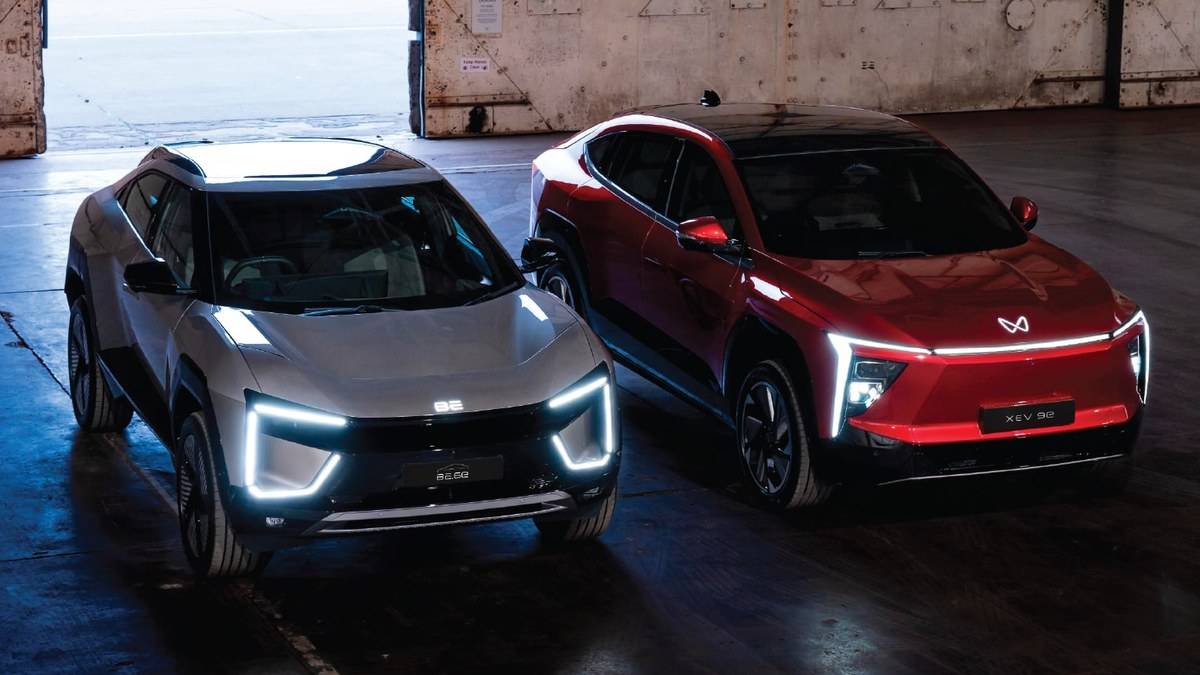
NEW DELHI: An equipped Mahindra XEV 9e can support an owner's phone key and up to 15 shared phone keys, according to Mahindra's Digital Car Key guide. The system uses NFC at the driver-side door handle and the cabin's wireless charging pad. Owners should check variant eligibility, device compatibility and vehicle software before attempting registration.
| Item | What Mahindra specifies |
|---|---|
| XEV 9e availability | Pack Two onwards; Cineluxe also listed |
| Shared access | One owner phone key and up to 15 shared phone keys |
| Pairing preparation | Both key fobs inside; phone and vehicle online |
| Door contact point | Driver-side handle |
| After successful pairing | Locking, unlocking and starting do not need active internet |
Check the car and phone together
Mahindra's October guidance lists XEV 9e eligibility from Pack Two onwards, with the Cineluxe edition included separately. It also makes operation subject to the required vehicle and Me4U app software. That means an equipment name in a brochure and a working function on the particular car should be checked together.
This is especially useful for a family handing the XEV 9e between drivers. A phone key can avoid physically passing a fob around, but access needs to be configured before the second driver is left with the car. Treat a first successful unlock as the start of the demonstration: the recipient should also be able to start, stop and lock the vehicle.
Prepare the pairing session
Use the registered mobile number in Me4U and choose the NFC Key setup option. Mahindra's technology page requires the vehicle to be switched on, both key fobs to be inside, and good internet on the phone and in the vehicle. Complete the verification requested by the app before moving into the phone's wallet process.
The central display route runs through My Vehicle, Interior, Convenience and Manage NFC devices. Keep the phone on the wireless charging pad while following the wallet and display instructions. The published paths differ slightly between Apple and Android, so follow the instructions for the device being enrolled rather than copying another driver's screen sequence.
A practical preparation check is to gather the spare fob before opening the app. If it is kept at another address, the pairing session is an avoidable reason for a second visit. Finish account checks and device updates while parked somewhere with dependable connectivity, rather than relying on a weak basement signal.
Use the correct touch points
The XEV 9e owner's manual distinguishes unlocking from enabling the vehicle to drive. Touch the supported device at the driver-door handle, then align it with the NFC point on the wireless charger. Hold the brake pedal and press the Start Stop Switch to enable driving after the key is detected.
The manual also specifies an ignition-on window of 60 seconds after opening the door through Phone as Key. If that window has passed, it instructs the user to press the Start Stop Switch again before turning on the ignition. This is a useful troubleshooting detail when the driver pauses to load bags after opening the car.
Sharing needs a separate check
Mahindra permits sharing through the wallet or Me4U and recommends using an activation code. Its guide describes access for up to 15 shared phone keys. Owners should label each recipient clearly and confirm that access belongs to the intended person before relying on it for a journey.
For a household sharing this SUV, an access list is more useful than simply issuing every available key. Review it when a phone changes hands or a temporary driver no longer needs the vehicle. Confirm the removal using the available key-management controls rather than assuming that deleting a chat containing the invitation cancels access.
The official device lists are specific, not a blanket promise for every NFC handset. Check the exact phone and operating-system requirements for both the owner and each recipient. A successful pairing on one family member's device does not establish compatibility for another person's phone.
Keep the ordinary fob available during the first independent trip with a newly registered device. Practise finding the correct touch point before a journey, particularly if different drivers use different phone shapes or a watch. This is preparation advice, not a new condition added to Mahindra's instructions.
Who it is for
The feature suits an eligible XEV 9e used by family members who want separate access on compatible devices. It also gives the owner a way to manage permissions without keeping track of an extra physical handover. Drivers who prefer a fob can keep their ordinary routine while learning the digital alternative at home.
Our XEV 9e BYOD guide covers a different cabin setup task. The charging explainer examines the fast-charge window, while the Mahindra electric SUV ownership guide provides broader price and charger context.
Official sources: Digital Car Key instructions, October Digital Car Key guide and XEV 9e owner's manual.