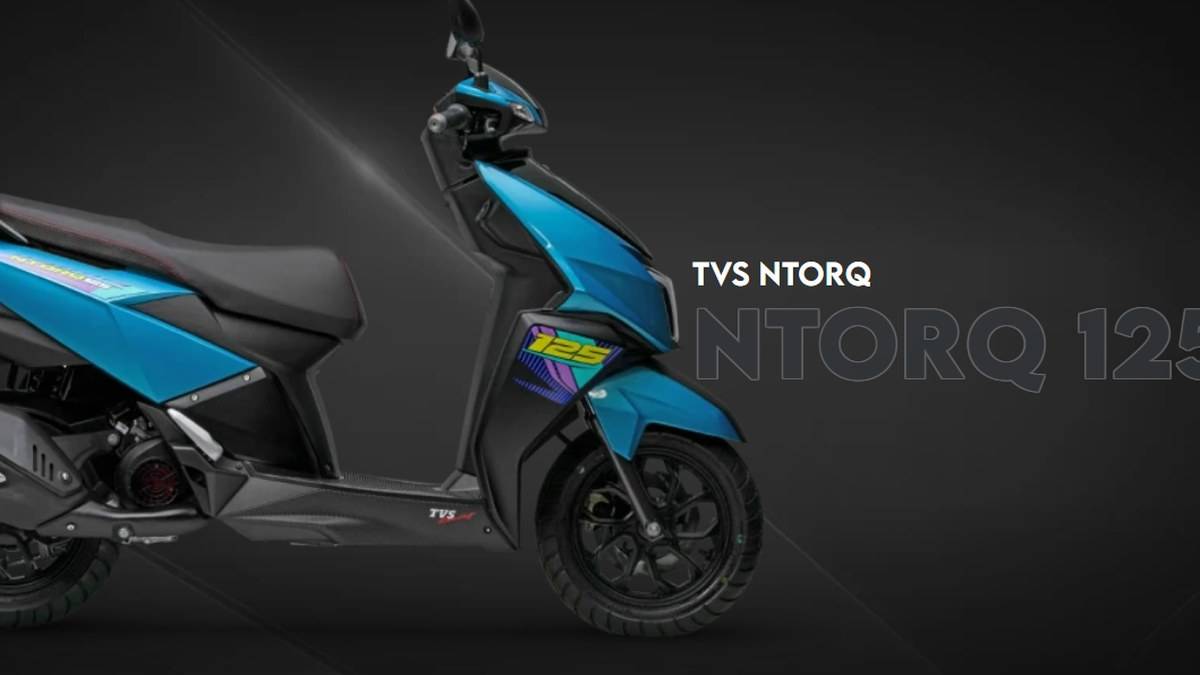
NEW DELHI: TVS says NTORQ 125 automatic phone pairing can take up to five minutes and may fail when the phone enters battery-saver mode. For a scooter with the connected instrument cluster, establish the first connection through TVS Connect, match the scooter's displayed Bluetooth identity and then check automatic reconnection separately.
| Pairing checkpoint | Official guidance |
|---|---|
| App | TVS Connect for Android or iPhone |
| Scooter identity | TVS-prefixed Bluetooth name shown by the connected cluster |
| Confirmation | CONNECTION SUCCESSFUL message |
| Automatic pairing wait | Up to 5 minutes in the manual |
| iPhone reconnection | Keep the app open or running in the background |
Identify the cluster before changing phone settings
TVS's manual selector lists NTORQ XT, Race XP, Connected Cluster and Non-Connected Cluster documents separately. Start by matching the scooter and manufacturing-date category. A screen that looks different from an online demonstration is a reason to confirm the manual, rather than repeatedly follow controls intended for another version.
This is particularly relevant to NTORQ because the badge covers several equipment packages. Our TVS NTORQ 150 price list: Rs 1,09,400 to Rs 1,18,400 discusses those distinctions. The procedure here concerns the connected-cluster arrangement described in TVS's NTORQ manual, not a promise that every scooter carrying the name has identical software or hardware.
Prepare the phone while parked. Use the app-store links on TVS's own pairing page to identify the right application. The Google Play and Apple listings both identify TVS Connect, and the company guide provides the route for each platform. Avoid treating a similar-looking app name as sufficient confirmation.
Make the first connection inside TVS Connect
TVS's Android and iPhone guide follows the same broad sequence: enable Bluetooth, open TVS Connect, tap Connect and choose the scooter from the available devices. It directs users to their manual if a pairing code is requested. Do not borrow a code from an unrelated video or assume all NTORQ clusters use the same one.
The manual says the cluster displays its unique Bluetooth name after ignition startup. Compare that identity with the app's discovery list before selecting it. In an apartment parking area or busy workshop, matching the actual display is a better starting point than choosing whichever nearby device happens to appear first.
Look for the successful-connection message on the scooter. Then test the particular feature you need while still stationary. A phone appearing in a Bluetooth list and navigation instructions reaching the instrument panel are different checkpoints. Note which checkpoint fails before you start changing settings, so a later retry can answer a specific question.
Test reconnection as a separate step
Once the initial setup works, check a later ignition cycle without rebuilding the pairing from scratch. TVS's manual allows up to five minutes for auto-pairing and warns that battery-saving behaviour can interfere. On iPhone it asks for TVS Connect to remain open or available in the background.
If first pairing succeeds but later reconnection does not, record that distinction. It gives you a more useful description than Bluetooth does not work. Check the phone's current app and Bluetooth state before deleting the pairing, because an immediate reset removes the opportunity to observe what changed between the successful and unsuccessful attempts.
TVS's SmartXonnect page links the connectivity feature to TVS Connect and provides a dedicated app-support route. When seeking help, have the phone model, operating-system version, app version and scooter cluster details ready. These are suggested troubleshooting notes, not a compatibility guarantee or a request to share private account credentials.
Finish setup around the journeys you actually make
TVS's app description includes connected riding functions such as navigation and ride information, with availability tied to the vehicle. Choose a familiar destination for a parked setup check and make sure the expected prompt appears before departure. A successful basic pairing should not be read as evidence that every advertised feature applies to your trim.
The NTORQ's usefulness here is that a rider can prepare a route on the phone and receive supported information at the cluster. The practical handover question is therefore specific: can your own handset complete that sequence on this scooter? Ask for that demonstration when collecting a vehicle or resolving a connectivity complaint.
Other scooters have separate connected systems. Our TVS NTORQ 125 variants: Race XP makes 10.2 PS, XT adds a TFT describes Yamaha's setup, while the TVS NTORQ 150 brakes: 220 mm disc, single-channel ABS explained covers another dashboard arrangement. Use those for comparison, while keeping the NTORQ troubleshooting record tied to TVS Connect.
For a repeatable check, note whether the same phone reconnects after being locked and unlocked. Report the observed sequence rather than guessing that the cluster needs replacement.
Official sources: TVS pairing guide, NTORQ connected-cluster manual, manual selector, SmartXonnect page and the official Android app listing.