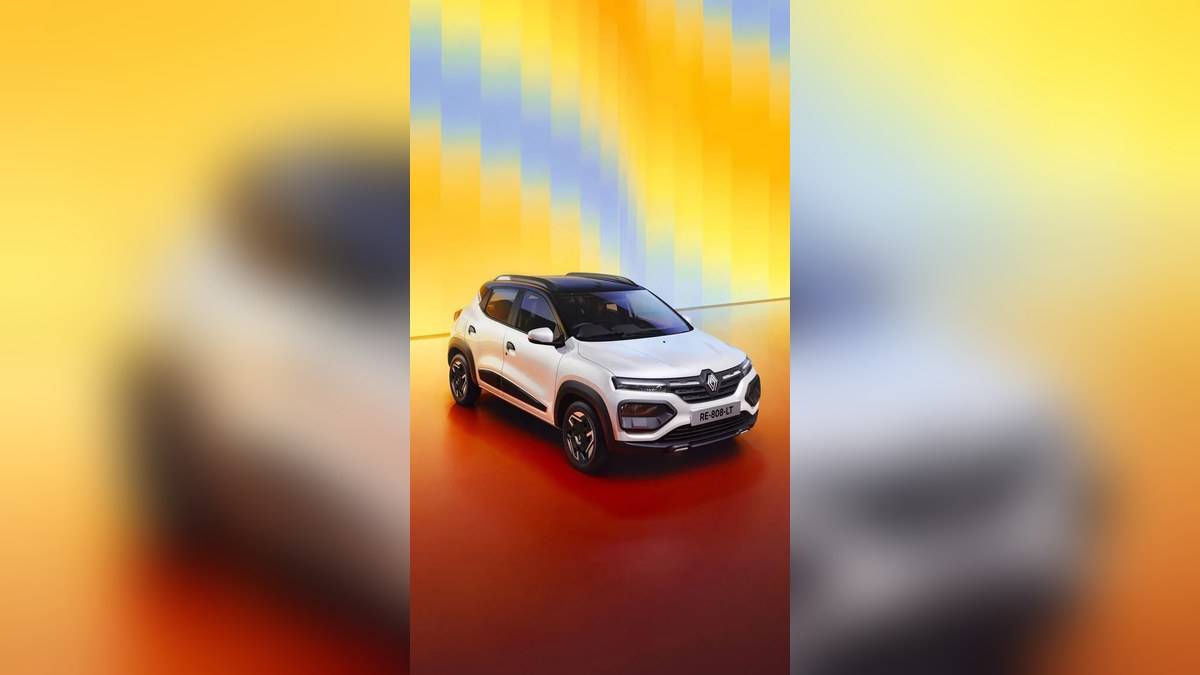
NEW DELHI: Renault Kwid owners using the 20.32 cm MediaNAV Evolution touchscreen should begin smartphone mirroring with a USB cable. Renault's MediaNAV guidance describes wired Android Auto and Apple CarPlay, while Bluetooth pairing is a separate connection for supported phone functions. Pairing a handset successfully does not by itself establish that its apps will appear on the car's display.
| Item to check | Official guidance |
|---|---|
| Kwid touchscreen | 20.32 cm MediaNAV Evolution |
| Android Auto | Wired connection described for MediaNAV Evolution |
| Apple CarPlay | Wired connection described for MediaNAV Evolution |
| Bluetooth memory | Up to five paired devices |
| Manual selection | Renault lists a multimedia manual for cars produced from September 2025 |
Identify the system before following the menus
Renault's India connectivity FAQ covers MediaNAV Evolution, Display Link and Radio Connect R&Go. Select the MediaNAV Evolution section for a Kwid fitted with that unit. Instructions from the other sections can look similar, but a familiar Renault logo on the screen is not enough to establish that they apply.
The current Kwid model page specifically lists the touchscreen under Evolution equipment, while Climber has additional listed conveniences including steering-mounted audio controls. Ask for the connection demonstration on the trim and production version being supplied. Do not infer that every control shown in a general multimedia manual is fitted to your vehicle.
Renault's linked multimedia manual makes this qualification explicit: equipment depends on the model, selected options and market. It also says phone functions can be partly or fully incompatible with the vehicle system. A useful delivery check is therefore to bring the handset you actually use, rather than accepting a demonstration performed only with somebody else's phone.
Try smartphone mirroring while parked
Use a suitable manufacturer-approved USB cable and keep the phone unlocked for the initial connection. Renault's guidance calls for Bluetooth and mobile internet to be enabled for Android Auto setup. Accept the relevant first-connection prompts, then select Android Auto on the head unit. Its Renault icon takes you back to the car's interface.
For an iPhone, the official MediaNAV instructions similarly describe a wired connection, permission on the handset and selection of Apple CarPlay on the car screen. Check what the permission prompt requests before accepting it. Follow the instructions displayed on your own phone, because the layout of phone settings may differ from the illustrations in older support material.
Test the function you need, rather than stopping when the phone begins charging. For example, ask the demonstrator to show navigation on the display and the route back to the Renault home screen. If you want to use voice commands, have the applicable microphone control demonstrated while the vehicle is stationary.
Use Bluetooth deliberately
Renault's MediaNAV product page allows up to five paired Bluetooth devices and lists Bluetooth among its music sources. That is a stored-device capacity, not a statement that all of those handsets can control the system at the same time. Keep the regular driver's phone easy to identify in the saved-device list.
When several family members share the Kwid, give each handset a recognisable name before the demonstration. Then check which device is connected for the task being tested. This is a practical troubleshooting step: write down whether a problem affects phone audio, music playback or app mirroring, instead of describing all of them simply as Bluetooth failure.
Review contact-sharing permissions separately from calling or audio permissions. A driver borrowing the car may want a different level of access from its regular owner. Before handing a vehicle to another household permanently, ask the demonstrator to show the appropriate saved-phone removal function and check that the intended device has disappeared.
Choose the correct manual for your Kwid
Renault's owner-manual page separates Kwid multimedia documents by production period, including cars produced from September 2025. Use that selection route when retrieving instructions. The registration date alone may be an unhelpful shortcut if the car was manufactured earlier. Keep the relevant PDF with the vehicle documents for future reference.
If the system still fails to connect, record the handset model, phone software version, cable used and the screen where setup stops. These details give a workshop a reproducible starting point. Avoid changing several settings together during the test, since that makes it harder to identify which step changed the result.
For related vehicle checks, our Kwid variant report, Kwid AMT starting guide and Kwid safety-equipment explainer cover other parts of the handover. Keep the multimedia test as its own check, with your phone connected before leaving.
Official sources: Renault MediaNAV connection FAQ, MediaNAV Evolution features, manual selection and Kwid equipment.