
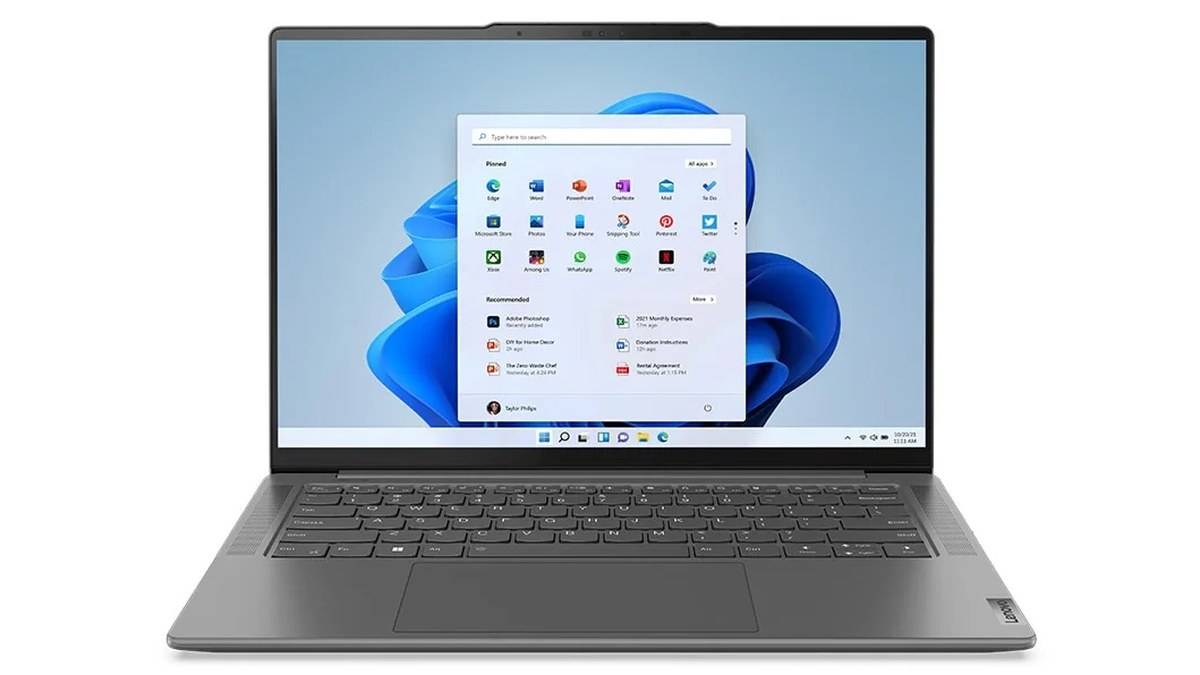
NEW DELHI: Lenovo's Yoga Pro 7i Gen 8 is listed at Rs 1,09,990 for model 82Y700A2IN and Rs 1,29,990 for 82Y700A3IN on the official India store pages checked for this guide. The choice changes the display and graphics, while retaining the same processor, memory capacity and storage. Price as of 28 November 2026, 18:30 IST.
| Verified configuration | 82Y700A2IN | 82Y700A3IN |
|---|---|---|
| Listed price, including taxes | Rs 1,09,990 | Rs 1,29,990 |
| Processor | Core i7-13700H | Core i7-13700H |
| Memory and SSD | 16GB soldered, 1TB | 16GB soldered, 1TB |
| Graphics | Intel Iris Xe | GeForce RTX 4050, 6GB |
| Display | 14.5-inch IPS, 2560 x 1600, 90Hz, 350 nits, 100% sRGB | 14.5-inch IPS, 3072 x 1920, 120Hz, 400 nits, 100% DCI-P3 |
| Charger | 100W USB-C | 140W USB-C |
| Windows | Windows 11 Home Single Language | Windows 11 Home Single Language |
Two listings, different creative workloads
Lenovo's official configuration tables identify the differences above. These are the priced configurations verified here, rather than a claim that every historical Yoga Pro option remains available. A family name on a shop label is insufficient: the complete model number is what ties the quoted price to the machine.
The integrated-graphics version makes sense to evaluate as a portable work computer for documents, presentations and lighter creative projects. The discrete-graphics version deserves attention when the application actually uses a dedicated GPU. That distinction requires checking the software involved; an RTX badge alone cannot establish how quickly a particular export or design project will finish.
The screen change also deserves its own decision. Someone preparing material for ordinary web publication may care about the sRGB specification, while a colour-managed creative workflow can make the wider-gamut option relevant. Neither colour-coverage statement establishes that a finished print will match the screen without a managed workflow and appropriate output settings.
Memory is a purchase decision
The official PSREF document for Yoga Pro 7 14IRH8 says the memory is soldered and has no expansion slots. This makes the installed capacity a lasting constraint. Before choosing either listed configuration, consider the applications that must stay open together, including browser sessions, editing software and communication tools.
Storage needs a separate assessment. Project footage, local image libraries and application caches can consume space differently from office documents. The installed SSD figure should therefore be weighed against the actual working library. Memory and storage are different resources, so an ample SSD does not compensate for a workload that needs more RAM.
This is particularly relevant for Indian freelancers who alternate between a client office and home. A machine may feel sufficient during a short demonstration with an empty desktop, yet behave differently with the working project, reference material and meeting software open together. Bringing a representative workload to a demonstration is more informative than treating the processor name as a complete performance verdict.
Desk connections and travel
The store lists Thunderbolt 4, USB-C, USB-A, HDMI and an audio socket. Lenovo's platform reference also says there is no card reader. A photographer transferring files from removable media should include a suitable reader in the intended setup, while an existing monitor or dock needs its own compatibility check.
The listed charger differs between the configurations. That is a reason to retain the supplied adapter as part of the mobile kit and to check an alternative dock's power capabilities before depending on it. A connector that fits is only the beginning of a charging comparison.
Both store specifications include a non-touch display and list no pen. The Yoga name therefore should not be read as a promise of tablet operation. Readers specifically seeking handwritten notes can compare the different working approach in our Yoga 7 convertible guide and IdeaPad Flex 5 guide.
Rivals and the final configuration check
A conventional gaming laptop is another comparison for GPU-heavy work, but the comparison should include its screen, power arrangements and portability. Our Lenovo LOQ configuration guide explains why matching graphics and display specifications matters. It is a separate model, rather than evidence that every gaming machine suits creative work equally well.
The listed Yoga configurations also include Office Home and Student 2021 and onsite warranty with Premium Care in their store tables. Confirm the exact software entitlement and service terms on the final quotation. The store's location-dependent fulfilment wording is not a nationwide delivery promise. This guide reports readable listing prices, without assuming a bank offer, a launch date or tested performance.
Official sources: 82Y700A2IN, 82Y700A3IN and Lenovo PSREF.